




Here's how it works

01. Edit your schedule 8812 instructions online
Type text, add images, blackout confidential details, add comments, highlights and more.

02. Sign it in a few clicks
Draw your signature, type it, upload its image, or use your mobile device as a signature pad.

03. Share your form with others
Send form 8812 via email, link, or fax. You can also download it, export it or print it out.
How to use or fill out IRS Instructions Form 8812 with DocHub

- Click ‘Get Form’ to open the IRS Instructions Form 8812 in our editor.
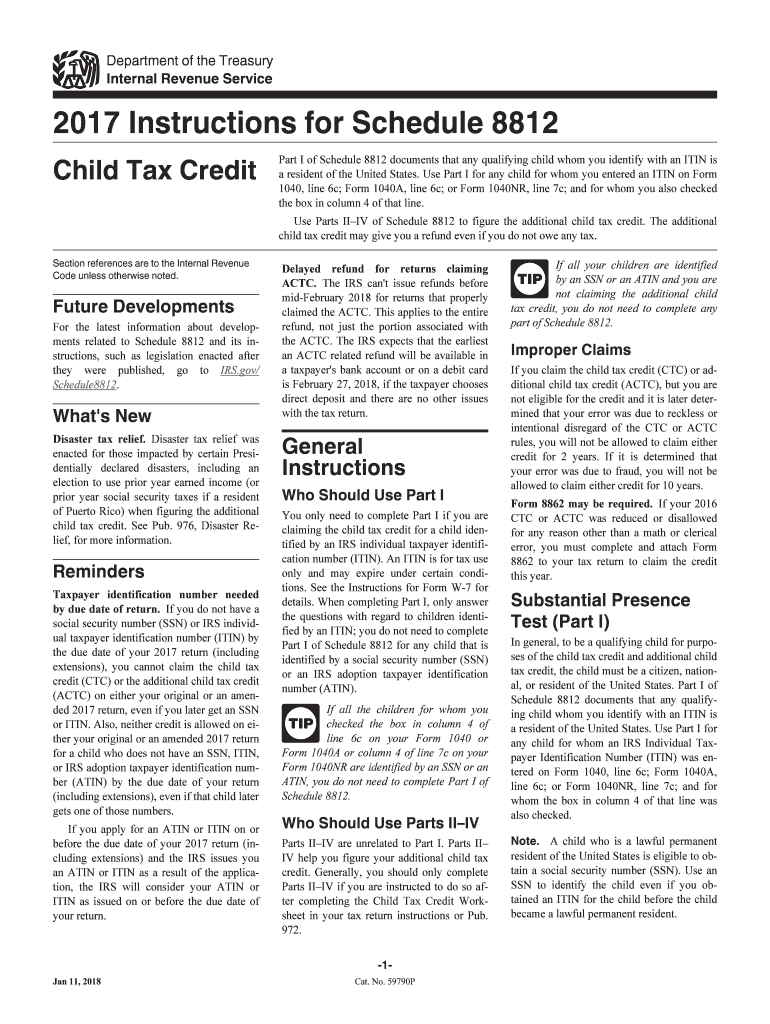
- Begin with Part I, where you will document any qualifying child identified by an ITIN. Ensure you check the appropriate boxes based on your child's residency status.
- Proceed to Parts II–IV to calculate the additional child tax credit. Follow the instructions carefully, entering your earned income and any nontaxable combat pay as required.
- For each dependent listed, complete the necessary lines in Part I and ensure that you provide accurate information regarding their substantial presence in the U.S.
- Review all entries for accuracy before saving or exporting your completed form. Utilize our platform's features to sign and share your document seamlessly.
Start using our platform today for free to simplify your form completion process!
Fill out irs instructions form 8812 online
It's free
It's free
See more irs instructions form 8812 versions
We've got more versions of the irs instructions form 8812 form. Select the right irs instructions form 8812 version from the list and start editing it straight away!
| Versions | Form popularity | Fillable & printable |
|---|---|---|
| 2025 | 4.7 Satisfied (52 Votes) | |
| 2024 | 4.8 Satisfied (34 Votes) | |
| 2023 | 4.2 Satisfied (29 Votes) | |
| 2022 | 4.7 Satisfied (41 Votes) | |
| 2021 | 4.8 Satisfied (57 Votes) | |
| 2020 | 4.4 Satisfied (62 Votes) | |
| 2019 | 4.3 Satisfied (60 Votes) | |
| 2018 | 4.4 Satisfied (200 Votes) | |
| 2017 | 4.4 Satisfied (170 Votes) | |
| 2012 | 4.3 Satisfied (291 Votes) |
Security and compliance
At DocHub, your data security is our priority. We follow HIPAA, SOC2, GDPR, and other standards, so you can work on your documents with confidence.
Learn more


Related forms

PUSD Substance Abuse Assessment
The document is a PUSD Substance Abuse Assessment form used to evaluate students referred for health office assessment d ...

Vaccines for Children (VFC) Program Patient Eligibility Screening Record Form
The document outlines the Vaccines for Children (VFC) Program Patient Eligibility Screening Record Form, which is used t ...

Ky board of pharmacy
The document is a Telephone Inspection Authorization form for new pharmacies issued by the Kentucky Board of Pharmacy. I ...

Kidspeace human resources
The document is an employment application for KidsPeace and its affiliates, outlining the information required from appl ...

Bisbee, Arizona REDEMPTION AFFIDAVIT
The document is a Redemption Affidavit from the Cochise County Treasurer in Bisbee, Arizona, allowing an individual to c ...
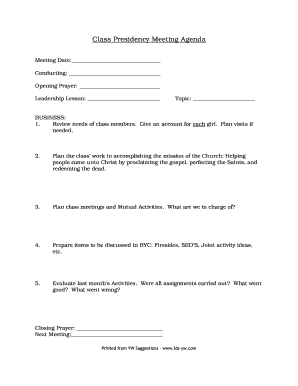
Yw presidency meeting agenda
The document outlines the agenda for a Class Presidency meeting, focusing on reviewing class members' needs, planning ch ...

BCUComplaintForm doc
The document is a Bad Check/Marker Complaint Form from the Clark County District Attorney's Bad Check Diversion Unit. It ...

Camdenmo wp-content uploadsNECESSARY REQUIREMENTS TO OBTAIN A CONSTRUCTION PERMIT
The document outlines the necessary requirements for obtaining a construction permit in Camden County Lake Area, includi ...