- courts ca 2025

Get Form
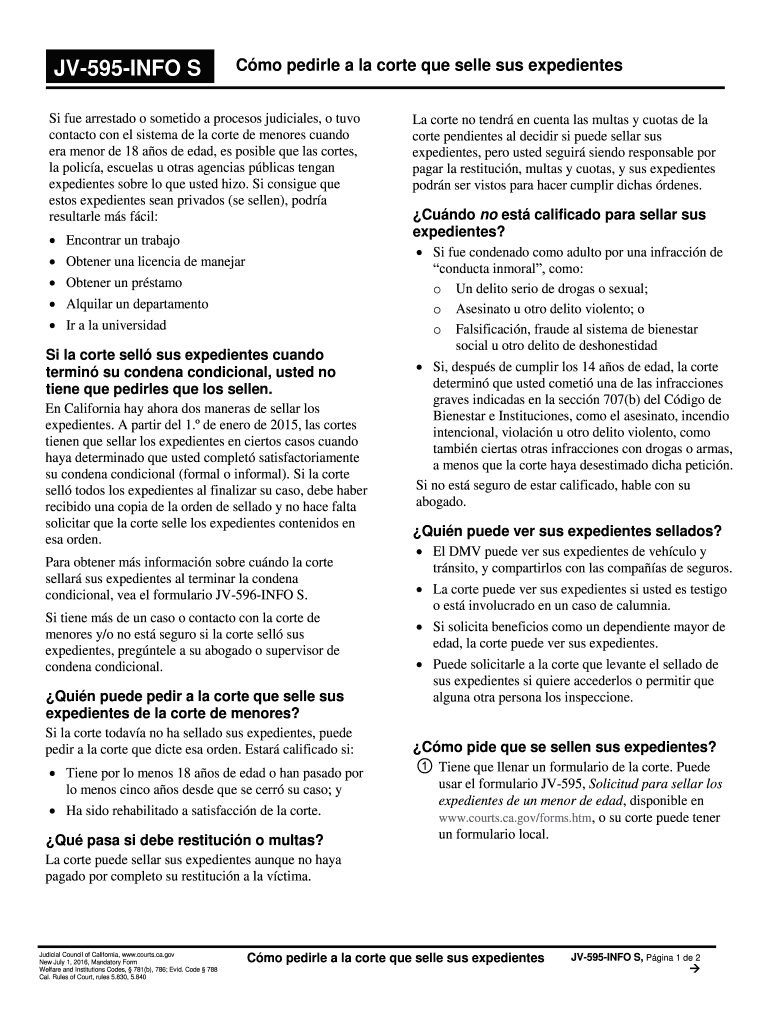
- courts ca Preview on Page 1

Here's how it works

01. Edit your form online
Type text, add images, blackout confidential details, add comments, highlights and more.
02. Sign it in a few clicks
Draw your signature, type it, upload its image, or use your mobile device as a signature pad.
03. Share your form with others
Send it via email, link, or fax. You can also download it, export it or print it out.

How to use or fill out JV-595-INFO S with our platform

Form edit decoration
9.5
Ease of Setup
DocHub User Ratings on G2
9.0
Ease of Use
DocHub User Ratings on G2
  1. Click ‘Get Form’ to open it in the editor.
  2. Begin by filling out your personal information at the top of the form, including your name, date of birth, and contact details.
  3. In the next section, indicate whether you have completed your probation satisfactorily. This is crucial for determining eligibility.
  4. List any agencies or entities that may have records related to your case. Be thorough to ensure all relevant records are considered.
  5. Attach any necessary documentation that supports your request for sealing records, such as proof of rehabilitation.
  6. Review all entries for accuracy before submitting. Use our platform’s editing tools to make corrections easily.
  7. Once completed, submit the form electronically through our platform or print it out and deliver it to the appropriate court office.

Start using our platform today for free to streamline your document editing and submission process!

See more - courts ca versions

We've got more versions of the - courts ca form. Select the right - courts ca version from the list and start editing it straight away!
Versions Form popularity Fillable & printable
2018 4.8 Satisfied (22 Votes)
2017 4.2 Satisfied (53 Votes)
2016 4.4 Satisfied (334 Votes)
be ready to get more

Complete this form in 5 minutes or less

Get form

Got questions?

We have answers to the most popular questions from our customers. If you can't find an answer to your question, please contact us.
Contact us

Yes, and it’s really easy! DocHub is a web-based PDF editor with advanced document management functions that allow you quickly adjust your forms, complete blank fields and drop new ones for others to fill out, and create electronic signatures in several ways. Upload your - courts ca, give information as required, and choose how you want to eSign your template - by typing your name, drawing your signature, uploading its image, or using a QR code.

With a swift editing system like DocHub, you do not need anything but a web browser and connection to the internet to edit your - courts ca online easily. Upload your document or find the appropriate form in DocHub’s catalog, open our editor with a single click, and complete it digitally. To edit your forms at any time, register a free profile with DocHub.

Requests for record searches may be made in person in the Criminal Operations Department at any Justice Center. Additionally, Online Case and Calendar access will now allow you to conduct record searches online by case number, person name or business name.
California Superior Court Records Searches by case/docket number are free; searches by party name require an account and fee payment.
Average base salary The average salary for a judge is $158,596 per year in California. 38 salaries taken from job postings on Indeed in the past 36 months (updated September 10, 2025).
be ready to get more

Complete this form in 5 minutes or less

Get form

People also ask

Courts Overview Supreme Court. The Supreme Court is the states highest court. Its decisions are binding on all other California state court. Courts of Appeal. The appeals court is the intermediate court of review for the state. Superior Courts. Also known as trial courts, there are 58, one for each county in the state.
Go to the courts website where the case is filed. Most courts have a section on their website called online services or something similar. There you will find information about whether you can look up a court case online and what type of records you can see. Not all types of records are available online.
The public may request copies of court case records if the records are not confidential by law or sealed by a court order. The public may request copies of a courts judicial administrative records if the records are not exempt under rule 10.500(f) of the California Rules of Court.
Public records in California are available online through official government agency websites. Otherwise, you may have to contact the agency directly via mail or phone or visit them in person to obtain public records that are not available online.

Related links