




Here's how it works

01. Edit your sales tax receipt online
Type text, add images, blackout confidential details, add comments, highlights and more.

02. Sign it in a few clicks
Draw your signature, type it, upload its image, or use your mobile device as a signature pad.

03. Share your form with others
Send connecticut sales tax form via email, link, or fax. You can also download it, export it or print it out.
How to use or fill out ct sales tax form with our platform

- Click ‘Get Form’ to open the Connecticut Sales and Use Tax Return (Form OS-114) in the editor.
- Begin by entering the period ending date and due date in the specified fields. Ensure you use blue or black ink if printing.
- Fill in your Connecticut Tax Registration Number, taxpayer name, and Federal Employer Identification Number accurately.
- Complete your address details, including city, state, and ZIP code. If this is a final return, check the appropriate box.
- In Columns 1 through 4, input gross receipts from sales of goods, leases, rentals, and services as applicable. Remember to round off cents to the nearest whole dollar.
- Calculate total tax due by following the instructions for deductions and entering amounts on Lines 10a through 14 as required.
- Sign and date the declaration section at the bottom of the form before submitting electronically via our platform.
Start using our platform today for free to streamline your form completion process!
Fill out ct sales tax form online
It's free
See more ct sales tax form versions
We've got more versions of the ct sales tax form form. Select the right ct sales tax form version from the list and start editing it straight away!
| Versions | Form popularity | Fillable & printable |
|---|---|---|
| 2022 | 4.5 Satisfied (21 Votes) | |
| 2021 | 4.8 Satisfied (216 Votes) | |
| 2020 | 4.3 Satisfied (207 Votes) | |
| 2018 | 4.3 Satisfied (46 Votes) | |
| 2017 | 4.2 Satisfied (68 Votes) | |
| 2016 | 4.2 Satisfied (97 Votes) | |
| 2015 | 4.4 Satisfied (69 Votes) | |
| 2015 | 4.4 Satisfied (1461 Votes) | |
| 2013 | 4.4 Satisfied (46 Votes) | |
| 2011 | 4 Satisfied (45 Votes) | |
| 2011 | 4.4 Satisfied (46 Votes) |
Security and compliance
At DocHub, your data security is our priority. We follow HIPAA, SOC2, GDPR, and other standards, so you can work on your documents with confidence.
Learn more


Related forms

Getty Publications Spring 2008 tions - The Getty
The document is the Spring 2008 catalog for Getty Publications, detailing new and notable titles from the J. Paul Getty ...

Amicus brief - Electronic Frontier Foundation
The document is an amicus curiae brief filed by the Electronic Frontier Foundation (EFF) in support of defendants Jeffre ...

APPLICATION: for TAX EXEMPT ENTITIES
The document is an application form for tax-exempt entities, specifically targeting religious and educational institutio ...

The Art of David Tudor-Symposium (Getty Research Institute)
The document discusses the collaboration between composer John Cage and pianist David Tudor, focusing on Cage's work 'Wi ...

Palace Sculptures of Abomey Bas-Relief Art; Reading the Walls
The document discusses the tradition of bas-relief art in the Dahomey kingdom, initiated by King Agaja in the 18th centu ...
Former United States Attorney Charles Peeler
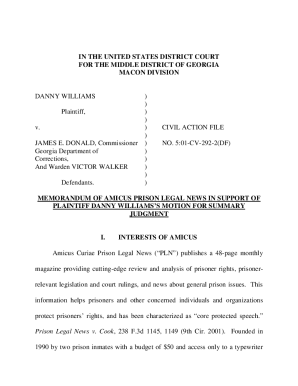
The document is a memorandum from Amicus Curiae Prison Legal News (PLN) supporting Plaintiff Danny Williams's motion for ...

Www-lb getty digitalworldpdfPreface: A digital start to the day (lst person ethnography)
The document discusses the evolution and implications of digital technologies in the context of scholarly communication, ...

LIVE from the NYPL and The Aspen Institute Present CAPITALISM - nypl
The document is a transcript of a panel discussion titled 'Capitalism and the Future,' featuring prominent figures such ...