Type text, add images, blackout confidential details, add comments, highlights and more.
02. Sign it in a few clicks
Draw your signature, type it, upload its image, or use your mobile device as a signature pad.
03. Share your form with others
Send it via email, link, or fax. You can also download it, export it or print it out.
How to use or fill out pa name family with our platform
Ease of Setup
DocHub User Ratings on G2
Ease of Use
DocHub User Ratings on G2
Click ‘Get Form’ to open it in the editor.
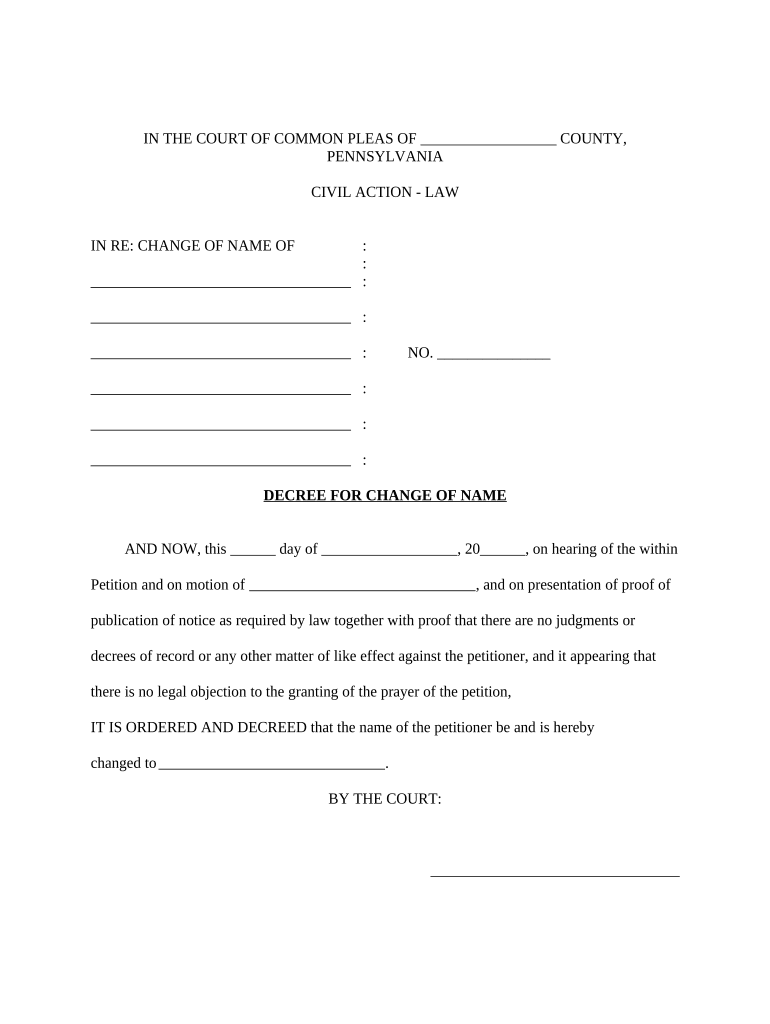
Begin by entering the current name of the petitioner in the designated field. This is crucial for identifying the individual requesting the name change.
Next, fill in the date on which you are submitting the petition. This should be placed in the section labeled 'this ___ day of ______, 20__' to ensure proper documentation.
In the section for proof of publication, provide details regarding how and where you published notice of your name change request. This is a legal requirement that must be fulfilled.
Lastly, enter the new name that you wish to adopt in the space provided. Ensure that this is clearly stated as it will be reflected in your official documents.
Start using our platform today to easily complete your name change form online for free!
Pa name family searchPa name family girlPa NamesPa Names girlLast names that start with paLast names starting with coLast names that start with an gLast names starting with pet
Security and compliance
At DocHub, your data security is our priority. We follow HIPAA, SOC2, GDPR, and other standards, so you can work on your documents with confidence.
The Pennsylvania State Archives has a partnership with Ancestry.com to digitize family history records in the State Archives and make them available online.
Cookie consent notice
This site uses cookies to enhance site navigation and personalize your experience.
By using this site you agree to our use of cookies as described in our Privacy Notice.
You can modify your selections by visiting our Cookie and Advertising Notice.