Subscription Receipt 2026

Get Form
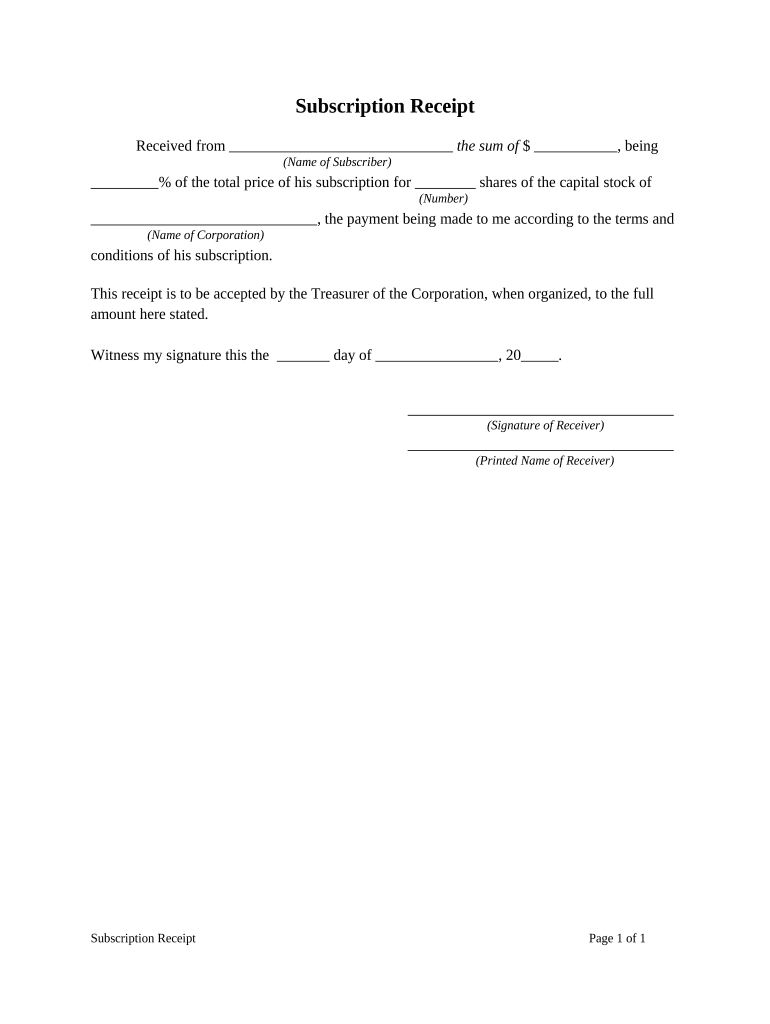
Subscription Receipt Preview on Page 1

Here's how it works

01. Edit your form online
Type text, add images, blackout confidential details, add comments, highlights and more.
02. Sign it in a few clicks
Draw your signature, type it, upload its image, or use your mobile device as a signature pad.
03. Share your form with others
Send it via email, link, or fax. You can also download it, export it or print it out.

How to use or fill out Subscription Receipt with DocHub

Form edit decoration
9.5
Ease of Setup
DocHub User Ratings on G2
9.0
Ease of Use
DocHub User Ratings on G2
  1. Click ‘Get Form’ to open the Subscription Receipt in our editor.
  2. In the 'Received from' section, enter the name of the subscriber. This identifies who is making the payment.
  3. Next, input the total amount received in the space provided for 'the sum of $'. Ensure this reflects the correct payment amount.
  4. Specify the percentage of the total price that corresponds to this subscription in '% of the total price of his subscription'.
  5. Indicate how many shares are being subscribed for by filling in 'shares of the capital stock of (Number)'.
  6. Complete the 'Name of Corporation' field with the official name of the corporation associated with this subscription.
  7. Finally, sign and date the receipt at the bottom. Include your printed name next to your signature for clarity.

Start using our platform today to easily complete your Subscription Receipt online for free!

be ready to get more

Complete this form in 5 minutes or less

Get form

Got questions?

We have answers to the most popular questions from our customers. If you can't find an answer to your question, please contact us.
Contact us
Subscription finance refers to the financial services and arrangements designed specifically to support growing businesses that generate recurring revenue. The subscription model has grown in popularity due to the increasing prevalence of subscription-based services (in particular, SaaS products).
Find App Store Receipts from your iPhone Open your iPhone or iPads settings. Tap on your profile picture at the top. Navigate a bit down and select Media and Purchases. Tap Show account Then, navigate a bit down again and select Purchase history. From there, find and select the purchase you are looking for.
Subscriptions are the membership fees paid by an organizations members annually. Subscription is the main source of income for Not-for-Profit Organizations. Total Subscriptions received in the accounting period is shown in the Receipt and Payment Account.
Subscription Receipt means any money received by the Company as consideration for the allotment and issue to any person of shares in the share capital of the Company; View Source.
A receipt is any document that contains the following five IRS-required elements: Name of vendor (person or company you paid) Transaction date (when you paid) Detailed description of goods or services purchased (what you bought) Amount paid. Form of payment (how you paid cash, check, or last four digits of credit card)

Security and compliance

At DocHub, your data security is our priority. We follow HIPAA, SOC2, GDPR, and other standards, so you can work on your documents with confidence.

Learn more
ccpa2
pci-dss
gdpr-compliance
hipaa
soc-compliance

People also ask

What Is a Subscription Agreement? A subscription agreement is an investors application to join a limited partnership (LP). It is also a two-way guarantee between a company and a new shareholder (subscriber).
Subscription finance is a specialized discipline focusing on the financial dynamics of subscription-based business models. Subscription-based business models are becoming increasingly popular across various industries due to their ability to generate recurring revenue streams.
Subscription receipts are a common financing structure when a merger or acquisition (transaction) is to occur. This financing structure ensures Lendified will have the cash it needs to complete the Qualifying Transaction.

Related links