Type text, add images, blackout confidential details, add comments, highlights and more.
02. Sign it in a few clicks
Draw your signature, type it, upload its image, or use your mobile device as a signature pad.
03. Share your form with others
Send it via email, link, or fax. You can also download it, export it or print it out.
How to use or fill out alaska assignment with our platform
Ease of Setup
DocHub User Ratings on G2
Ease of Use
DocHub User Ratings on G2
Click ‘Get Form’ to open the alaska assignment in the editor.
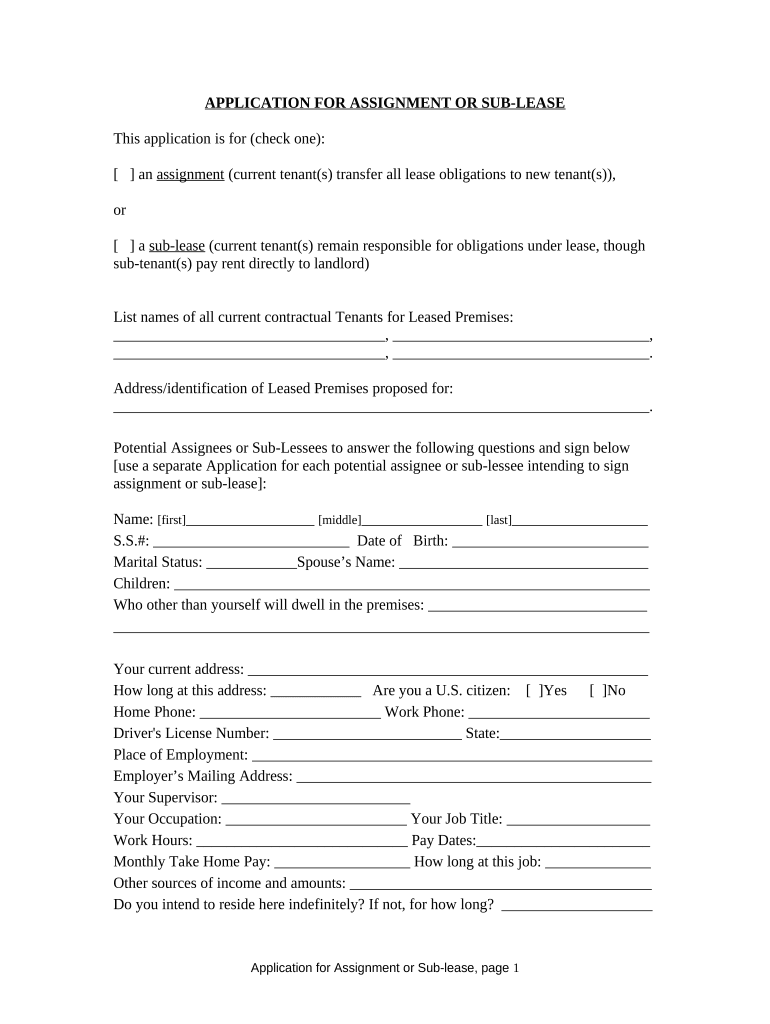
Begin by selecting whether you are applying for an assignment or a sub-lease. Check the appropriate box at the top of the form.
List all current tenants' names in the designated section. Ensure accuracy as this information is crucial for processing your application.
Provide the address of the leased premises where the assignment or sub-lease will take place.
For each potential assignee or sub-lessee, fill out their personal details including name, social security number, date of birth, and marital status. Use a separate application for each individual.
Complete additional sections regarding employment details, income sources, and any legal matters such as bankruptcy or lawsuits.
Finally, sign and date the application to confirm that all provided information is accurate and complete.
Start filling out your alaska assignment today on our platform for free!
May 12, 2020 The USS Bear was a dual steam-powered and sailing ship built with six-inch (15.2 cm)-thick sides which had a long life in various cold-waterRead more
Resources for NEPA Assignment, Statewide Environmental
Alaska will apply for Full NEPA Assignment under 23 USC 327 to include Categorical Exclusions, Environmental Assessments, and Environmental Impact Statements.Read more
She always wanted to see Alaska and she was able to do so during her summer internship. First Class Cadet Hope Drake Duval worked at the Marine ExchangeRead more
Cookie consent notice
This site uses cookies to enhance site navigation and personalize your experience.
By using this site you agree to our use of cookies as described in our Privacy Notice.
You can modify your selections by visiting our Cookie and Advertising Notice.