Landlord shut off 2026

Get Form
can landlord turn off power without notice Preview on Page 1

Here's how it works

01. Edit your can landlord turn off power without notice online
Type text, add images, blackout confidential details, add comments, highlights and more.
02. Sign it in a few clicks
Draw your signature, type it, upload its image, or use your mobile device as a signature pad.
03. Share your form with others
Send it via email, link, or fax. You can also download it, export it or print it out.

How to use or fill out landlord shut off with our platform

Form edit decoration
9.5
Ease of Setup
DocHub User Ratings on G2
9.0
Ease of Use
DocHub User Ratings on G2
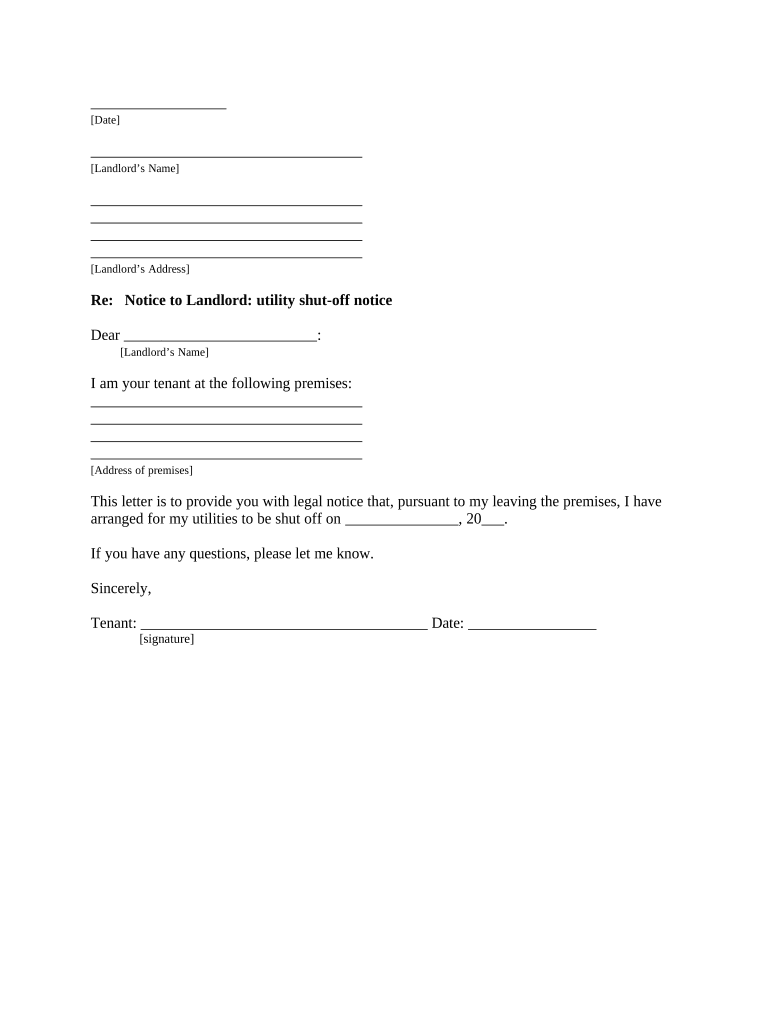
  1. Click ‘Get Form’ to open the landlord shut off notice in the editor.
  2. Begin by entering the date at the top of the form. This is essential for record-keeping.
  3. Fill in your name and address as the landlord in the designated fields. Ensure accuracy to avoid any confusion.
  4. In the body of the letter, specify your name as the tenant and provide the address of the premises you are vacating.
  5. Indicate the date you have arranged for utilities to be shut off. This should be clearly stated to inform your landlord.
  6. Sign and date at the bottom of the form where indicated, confirming your intent and acknowledgment.
  7. Complete the Proof of Delivery section by selecting how you delivered this notice to your landlord, ensuring it aligns with your lease agreement.

Start using our platform today for free to streamline your document editing and signing process!

be ready to get more

Complete this form in 5 minutes or less

Get form

Got questions?

We have answers to the most popular questions from our customers. If you can't find an answer to your question, please contact us.
Contact us

Microsoft Word doesn’t have signing tools to create legitimate eSignatures and enforceable documents. Fortunately, DocHub is an online eSignature-compliant editor that works with different file formats, such as .doc files. Sign in to your account and add the Word edition of your landlord shut off from your device and cloud, or URL - our editor will automatically transform it into an editable PDF. Make all required adjustments in your document and click Sign to create your own legally-binding eSignature. You will find four signing methods from which to choose.

You can complete and eSign your landlord shut off online, even on a tight deadline. All you need to access top-notch editing tools on any device is a DocHub profile, that you can register within a few moments. When you register, add your file or find what you are searching for in our catalog, complete it using the editing tools you want, and place your electronic signature on it at the end.

Landlords cannot force tenants out of their homes without going to court, for instance, by changing the locks, turning off utilities or removing the doors.
- 3-Day Notice: Non-payment of rent or lease violations. - 30-60 Day Notice: For no-fault evictions. Landlords can file if the tenant fails to comply with the notice.
As a landlord, you may be planning on making repairs or renovating the property while your tenant is still living there. In such situations, electricity can be cut for around 30 days, depending on the extent and severity of the repairs.

Security and compliance

At DocHub, your data security is our priority. We follow HIPAA, SOC2, GDPR, and other standards, so you can work on your documents with confidence.

Learn more
ccpa2
pci-dss
gdpr-compliance
hipaa
soc-compliance