Type text, add images, blackout confidential details, add comments, highlights and more.

02. Sign it in a few clicks
Draw your signature, type it, upload its image, or use your mobile device as a signature pad.

03. Share your form with others
Send change of shift report template via email, link, or fax. You can also download it, export it or print it out.

How to use or fill out shift report guidelines for nurses with DocHub
Ease of Setup
DocHub User Ratings on G2
Ease of Use
DocHub User Ratings on G2
Click ‘Get Form’ to open the shift report guidelines for nurses in our editor.
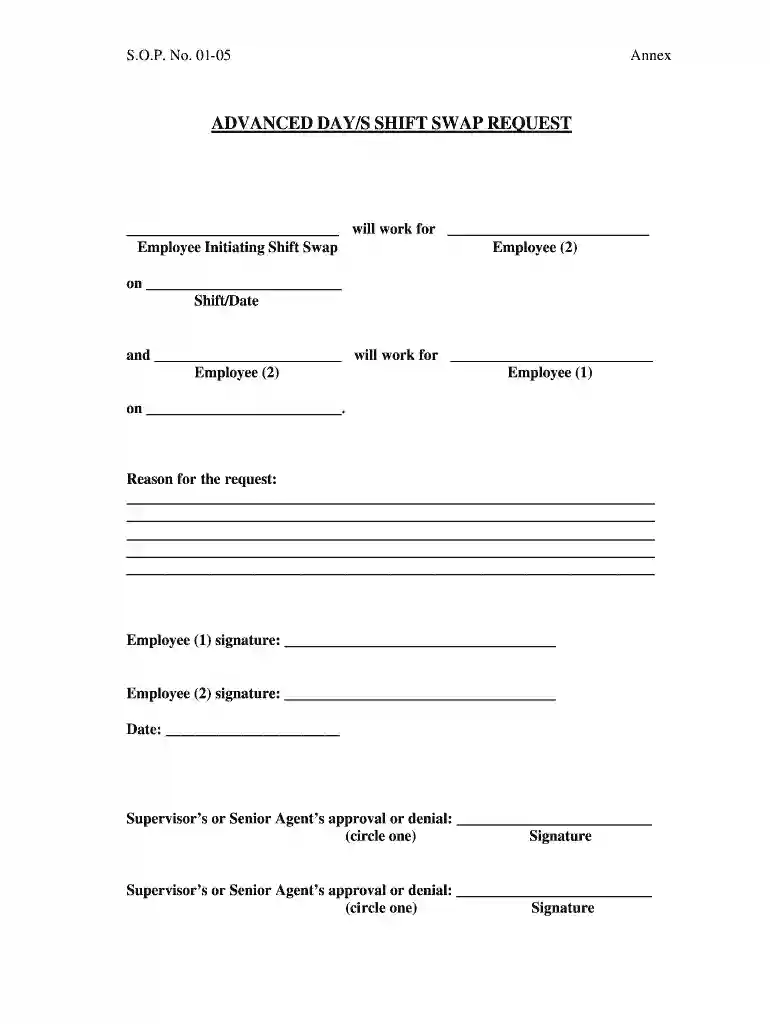
Begin by entering the name of the employee initiating the shift swap in the designated field. This ensures clear identification of who is requesting the change.
Next, fill in the name of the second employee involved in the swap. Specify the shift and date for both employees to avoid any confusion.
In the 'Reason for the request' section, provide a detailed explanation for why the shift swap is necessary. This helps supervisors understand your situation better.
Both employees must sign in their respective signature fields to confirm agreement on the swap. Ensure that these signatures are completed before submission.
Finally, submit the form for supervisor approval. The supervisor will indicate their decision by signing and circling either approval or denial.
Start using our platform today to streamline your shift report submissions effortlessly!
Fill out shift report guidelines for nurses online It's free
new york state medicaid program private duty nursing
➢ The beginning and ending shift times signed and dated by nurse. ➢ The dates and hours of private duty nursing care provided, the identity of the LPN or RN.Read more
Cookie consent notice
This site uses cookies to enhance site navigation and personalize your experience.
By using this site you agree to our use of cookies as described in our Privacy Notice.
You can modify your selections by visiting our Cookie and Advertising Notice.