Type text, add images, blackout confidential details, add comments, highlights and more.
02. Sign it in a few clicks
Draw your signature, type it, upload its image, or use your mobile device as a signature pad.
03. Share your form with others
Send it via email, link, or fax. You can also download it, export it or print it out.
How to use or fill out Oregon Lien with our platform
Ease of Setup
DocHub User Ratings on G2
Ease of Use
DocHub User Ratings on G2
Click ‘Get Form’ to open the Oregon Lien document in the editor.
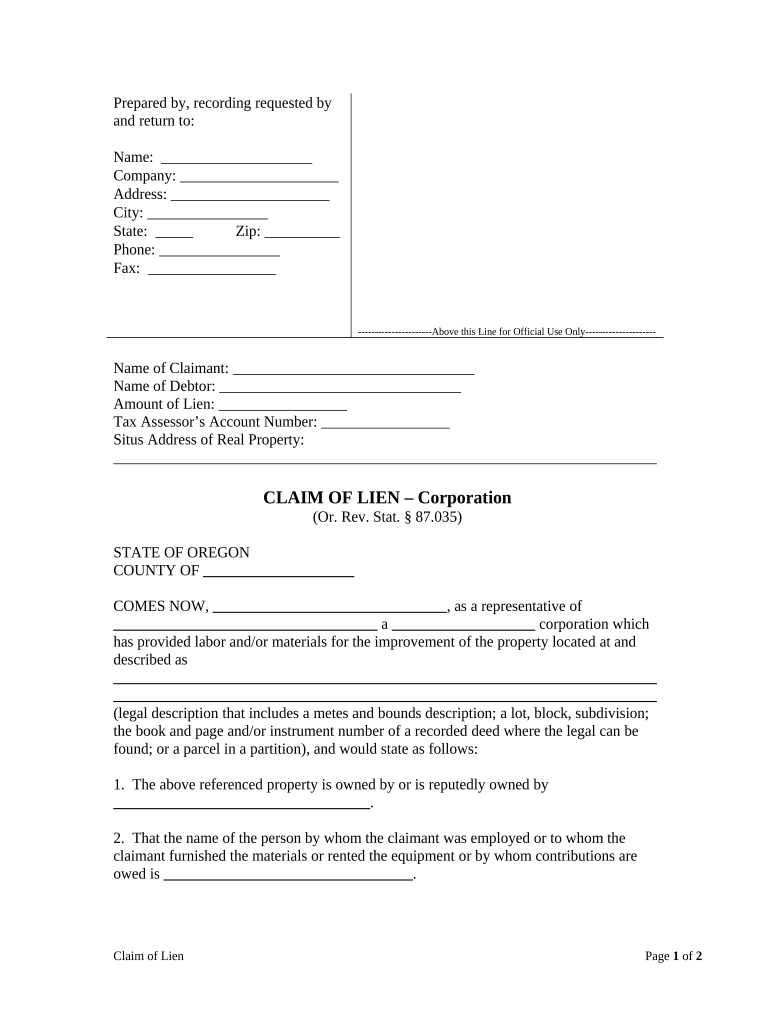
Begin by filling in the 'Prepared by, recording requested by and return to' section. Enter your name, company, address, city, state, zip code, phone number, and fax number.
In the 'Claim of Lien' section, provide the name of the claimant and debtor. Specify the amount of lien and tax assessor’s account number.
Fill in the situs address of the real property where labor or materials were provided.
Complete the legal description of the property accurately. This may include metes and bounds or subdivision details.
Indicate when you ceased providing labor/materials and calculate any amounts owed after deductions.
Sign and date the document at the bottom. Ensure that all information is accurate before finalizing.
Start using our platform today for free to streamline your Oregon Lien process!
A construction lien is a claim upon property for money owed to a contractor, material supplier or anyone who supplied labor or materials for improvements toRead more
Professor, School of Psychological Science, mei.lien@oregonstate.edu, 541-737-1375, Reed Lodge 215, 2950 SW Jefferson Way Corvallis, OR 97331 United States.Read more
Cookie consent notice
This site uses cookies to enhance site navigation and personalize your experience.
By using this site you agree to our use of cookies as described in our Privacy Notice.
You can modify your selections by visiting our Cookie and Advertising Notice.