What is the difference between DocHub vs Constellio vs. RicohDocs?
When it comes to document management, there are several options available to you. Among the top contenders in the market today are DocHub, Constellio, and RicohDocs. While all three offer solutions for your document needs, each has its own unique features and strengths.
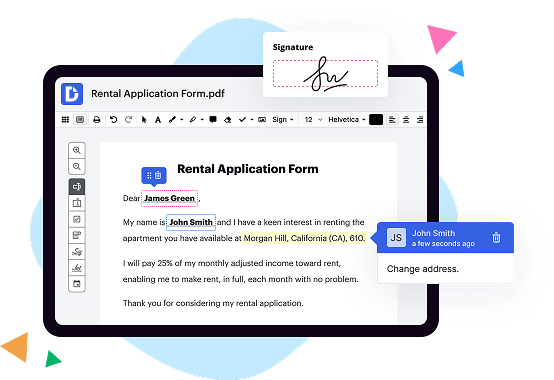
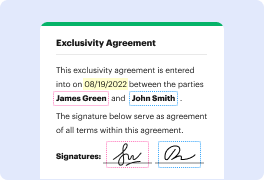
Let's start by exploring DocHub. This versatile platform allows you to easily edit, sign, and share documents online. With its user-friendly interface and intuitive features, DocHub enables seamless collaboration and efficient document workflows. It offers a wide range of tools, including the ability to fill out forms, insert text and images, and even add your own personalized signature. DocHub also supports integration with popular cloud storage providers like Google Drive and Dropbox, making it easy to access and manage your documents from anywhere.
Moving on to Constellio, this comprehensive document management system offers powerful search capabilities, making it ideal for businesses dealing with large volumes of information. With its robust indexing and metadata tagging features, Constellio makes it effortless to locate and retrieve files quickly. Additionally, Constellio includes advanced security measures to protect your sensitive data, ensuring that your documents are safe and accessible only to authorized individuals.
Lastly, we have RicohDocs, a solution specifically designed for businesses looking to optimize their document-centric processes. RicohDocs offers features such as document scanning, workflow automation, and version control, streamlining your operations and improving overall productivity. With its user-friendly interface, RicohDocs allows for seamless integration with existing systems, helping you to manage your documents efficiently and effectively.
In conclusion, DocHub, Constellio, and RicohDocs are all excellent options for managing and organizing your documents. Each platform offers unique features and strengths to meet your specific needs. Whether you require easy document editing, powerful search capabilities, or comprehensive document management, these solutions have you covered. Ultimately, the choice depends on your individual requirements and preferences.
DocHub vs Constellio vs RicohDocs: which is better for Enterprises?
While Constellio and RicohDocs are good solutions to work with PDFs online, DocHub offers greater capabilities to help individuals and businesses digitize their documents and make them run smoothly across different devices and your favorite apps.
DocHub vs Constellio vs RicohDocs: which is better for small businesses?
Constellio and RicohDocs are good options for editing, signing, and sharing PDFs. However, DocHub offers a more comprehensive featureset that includes organizations, reusable templates, advanced eSignatures, seamless Google integrations, and more that are perfect for small businesses, helping them simplify and streamline document editing, sharing, signing, and form completition.
What is DocHub?
DocHub is a Google-integrated PDF editor and eSignature solution that helps you get your PDFs done online, using any device. DocHub comes with an online PDF editor, advanced eSignatures, PDF forms, reusable templates, and straightforward Google integrations so you can maximize your productivity when working within your favorite Google apps.
What is Constellio and how does it work?
Constellio is an innovative software solution that revolutionizes the way you manage and search your documents. Imagine a powerful tool that effortlessly organizes your vast collection of files, making them easily accessible at your fingertips. That's Constellio in a nutshell!
How does it work, you may ask? Well, let me walk you through it step by step. First and foremost, Constellio utilizes cutting-edge technology to efficiently analyze and index your documents. It then creates an organized database, allowing you to swiftly locate any file you need, saving you precious time and effort.
But here's the best part – Constellio goes above and beyond simple text searches. With its advanced features, it can analyze the content within your documents, recognizing patterns and even understanding context. This means that even if you can't quite remember the exact keywords or phrases, Constellio can still find what you're looking for.
Moreover, Constellio offers a user-friendly interface, making it a breeze to navigate and explore your document library. Whether you need to search for specific files, browse through folders, or filter results based on various criteria, Constellio provides a seamless and intuitive experience that anyone can master.
What's more, Constellio promotes collaboration and knowledge sharing. You can easily grant access to colleagues, allowing them to search, retrieve, and work with documents collectively. This fosters a more efficient and productive work environment, where information is readily available to all team members.
In summary, Constellio is the ultimate solution for document management and search. Its powerful features, user-friendly interface, and efficient indexing capabilities make it a game-changer for individuals and organizations alike. By adopting Constellio, you can say goodbye to endless searching and hello to streamlined document management. Dare to revolutionize the way you handle your documents with Constellio – it's time to take control!
What is RicohDocs and how does it work?
RicohDocs is an exceptional document management solution designed to streamline your work processes and boost productivity. It offers a secure and efficient way to organize, store, and retrieve all your important documents in one central location.
With RicohDocs, you can say goodbye to the hassle of searching through stacks of paperwork or cluttered digital folders. The intelligent search feature allows you to quickly find the specific document you need, saving you valuable time and effort.
The system works by capturing and digitizing your documents, whether they are paper-based or already in electronic format. Once uploaded, RicohDocs employs advanced optical character recognition (OCR) technology to convert the text within the documents into searchable and editable data. This enables you to easily locate information within the documents or extract specific data for analysis or sharing.
Moreover, RicohDocs offers seamless collaboration capabilities, allowing multiple users to access and collaborate on documents simultaneously. You can assign tasks, set permissions, and track the progress of documents right from the platform. This eliminates the need for endless email chains and ensures better version control.
To ensure the security of your sensitive information, RicohDocs implements robust access controls and encryption measures. Only authorized individuals can access, edit, or delete documents, providing you with peace of mind.
In addition, RicohDocs offers integration with other popular business applications, such as ERP systems, CRM software, and email clients. This allows for seamless data exchange and eliminates the need for duplicate data entry.
Overall, RicohDocs simplifies document management and enhances efficiency in your organization. It provides a user-friendly interface, powerful search capabilities, secure storage, collaborative features, and integration with other business tools. By adopting RicohDocs, you can streamline your work processes, reduce manual errors, and focus on what matters most – growing and succeeding in your business.
Is DocHub free?
Yes. DocHub's free plan is a perfect fit for one-offs or occasional projects. You can start using DocHub’s Free Plan straight away after completing the quick account registration. No learning is needed. The DocHub Pro Plan has a 30-day free trial so you have enough time to test the product.
Is Constellio free to use?
Yes, Constellio is completely free to use! You can access all of its amazing features without any kind of cost or limitations. This powerful tool allows you to easily manage and search through your documents, making your life so much easier and more efficient.
Whether you're an individual looking to organize your personal files or a business in need of a robust document management solution, Constellio has got you covered. It offers a user-friendly interface that allows you to quickly navigate through your files and find the information you need, saving you valuable time and effort.
With Constellio, you can enjoy seamless integration with your existing systems, making it even more convenient to access and manage your documents. The platform empowers you to collaborate with your team, ensuring everyone stays on the same page and boosting productivity.
So, what are you waiting for? Give Constellio a try today and experience the ease and efficiency it brings to your document management process. Trust us, you won't be disappointed!
Is RicohDocs free to use?
Yes, RicohDocs is absolutely free to use! You can access all its incredible features without any cost. Whether you're an individual looking for a reliable document management solution or a business aiming to streamline your workflow, RicohDocs has got you covered, completely free of charge. With RicohDocs, you can effortlessly organize, store, and retrieve your documents, saving you time and effort. Plus, the intuitive interface and user-friendly design make it a breeze to use. So, go ahead and start enjoying the benefits of RicohDocs without spending a penny!
What is DocHub’s cost and pricing?
DocHub has straightforward pricing that includes one free plan and one paid plan. If you need to get documents done once in a while, the Free Plan is just the thing for you. It includes all the PDF tools to help you edit, sign, share, and organize your documents. For a growing document workflow, we recommend the DocHub Pro plan at $14 per user per month. It includes unlimited PDF capabilities and priority tech support. You can even test it free for 30 days before buying.
Is Constellio safe?
Yes, Constellio is definitely a safe choice for your needs! Rest assured, our platform has been carefully designed and built with security in mind. We prioritize the protection of your data and ensure that it remains secure throughout its lifecycle. Our team works tirelessly to stay up-to-date with the latest security practices, constantly monitoring and updating our systems to ward off any potential threats.
With Constellio, you can have full confidence in the safety and privacy of your information. We take every necessary precaution to safeguard your data from unauthorized access or breaches. From robust encryption to access controls, we've got you covered.
Furthermore, our user-friendly interface makes it easy for you to manage and navigate the platform without any technical hassle. You'll enjoy a smooth and seamless experience while reaping the benefits of our advanced search capabilities.
So, if you're looking for a secure solution to manage your data effectively, look no further than Constellio. Trust us to keep your information safe and provide you with a top-notch experience every step of the way. Your peace of mind is our priority, and we're confident that Constellio is the safe and reliable choice for you!
What are the main DocHub alternatives?
The main DocHub alternatives are Lumin PDF, Small PDF, PDF escape, and others. However, DocHub’s ease of use, flexibility, affordability, and deep Google integrations are the reasons why DocHub is ahead of the competition.
What are the 10 best Constellio alternatives?
If you're searching for a top-notch alternative to Constellio, you've come to the right place, my friend! We've curated a list of 10 amazing alternatives that will blow your mind. And without further ado, let's dive right in!
1. DocHub: Get ready to experience the ultimate document management solution. DocHub offers a seamless and intuitive interface, allowing you to easily edit, sign, and share your documents with a few simple clicks.
2. LogicalDOC: Harness the power of intelligent document management with LogicalDOC. This robust platform empowers you to efficiently organize, search, and collaborate on your files, revolutionizing your workflow effortlessly.
3. Alfresco: Take control of your content with Alfresco. This enterprise-grade solution provides a comprehensive document management system that ensures seamless collaboration and efficient document processing.
4. Nuxeo: Unlock the potential of your documents with Nuxeo. This highly customizable platform adapts to your unique business needs, offering a secure and scalable environment to manage your content effectively.
5. Bitrix24: Say goodbye to scattered documents with Bitrix24. This all-in-one collaboration suite not only offers document management capabilities but also integrates project management, communication tools, and more under one roof.
6. OnlyOffice: Boost your productivity with OnlyOffice. This versatile platform offers a wide range of document-related features, including editing, co-authoring, and sharing, all while maintaining a user-friendly interface.
7. M-Files: Discover the power of intelligent information management with M-Files. This AI-powered platform automatically organizes your documents based on their content, making it incredibly easy to find what you need in an instant.
8. eFileCabinet: Streamline your document management process effortlessly with eFileCabinet. This user-friendly solution offers robust features such as secure storage, version control, and advanced search capabilities.
9. Zoho Docs: Say hello to simplicity with Zoho Docs. This cloud-based platform enables smooth collaboration among teams, allowing you to create, edit, and share documents seamlessly in a secure environment.
10. Box: Elevate your document management experience with Box. This cloud content management platform offers robust security, intelligent workflows, and powerful integrations, ensuring your files are always in the right hands.
There you have it, my friend! Ten stellar alternatives to Constellio that will take your document management game to new heights. Now it's time for you to explore these options and find the one that suits your needs best. Happy managing!