




Here's how it works

01. Edit your form online
Type text, add images, blackout confidential details, add comments, highlights and more.

02. Sign it in a few clicks
Draw your signature, type it, upload its image, or use your mobile device as a signature pad.

03. Share your form with others
Send it via email, link, or fax. You can also download it, export it or print it out.
How to use or fill out Skirball center student employment application - NYU Skirball with our platform

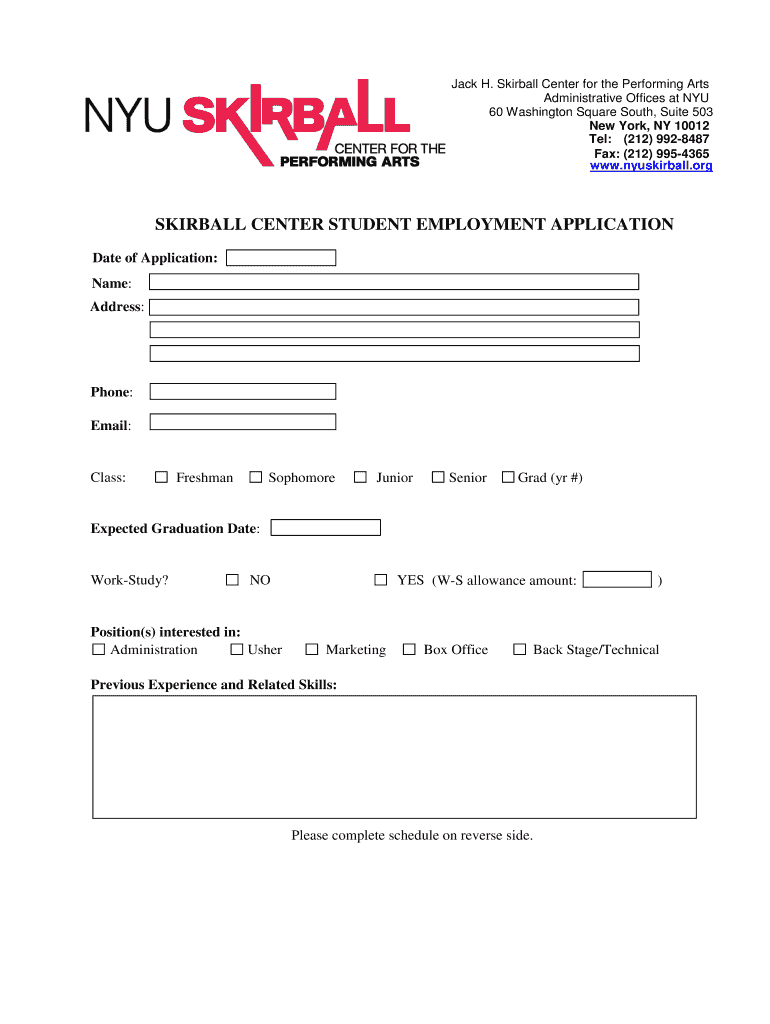
- Click ‘Get Form’ to open the Skirball Center Student Employment Application in the editor.
- Begin by entering the 'Date of Application' at the top of the form. This helps track your submission.
- Fill in your 'Name', 'Address', 'Phone', and 'Email' in the designated fields to ensure accurate contact information.
- Select your current academic 'Class' status from the options provided: Freshman, Sophomore, Junior, Senior, or Grad.
- Indicate your 'Expected Graduation Date' to inform potential employers of your timeline.
- Answer whether you are eligible for Work-Study by selecting 'YES' or 'NO'. If yes, provide your allowance amount.
- Choose the position(s) you are interested in by checking the relevant boxes under Administration, Marketing, Box Office, etc.
- Detail any previous experience and related skills in the provided section to highlight your qualifications.
- Complete your availability schedule on the reverse side by blocking out days/times you are NOT available for work.
- List any other languages spoken and check applicable skills such as MS Word/Excel or Adobe Creative Suite.
- Finally, return the completed application along with your resume to the Skirball Center Administrative Office in Kimmel 503.
Start filling out your application today using our platform for free!
Fill out Skirball center student employment application - NYU Skirball online
It's free
Security and compliance
At DocHub, your data security is our priority. We follow HIPAA, SOC2, GDPR, and other standards, so you can work on your documents with confidence.
Learn more


