




Here's how it works

01. Edit your form 2320 online
Type text, add images, blackout confidential details, add comments, highlights and more.

02. Sign it in a few clicks
Draw your signature, type it, upload its image, or use your mobile device as a signature pad.

03. Share your form with others
Send et 2320 via email, link, or fax. You can also download it, export it or print it out.
How to use or fill out et 2320 rev 122011 form with our platform

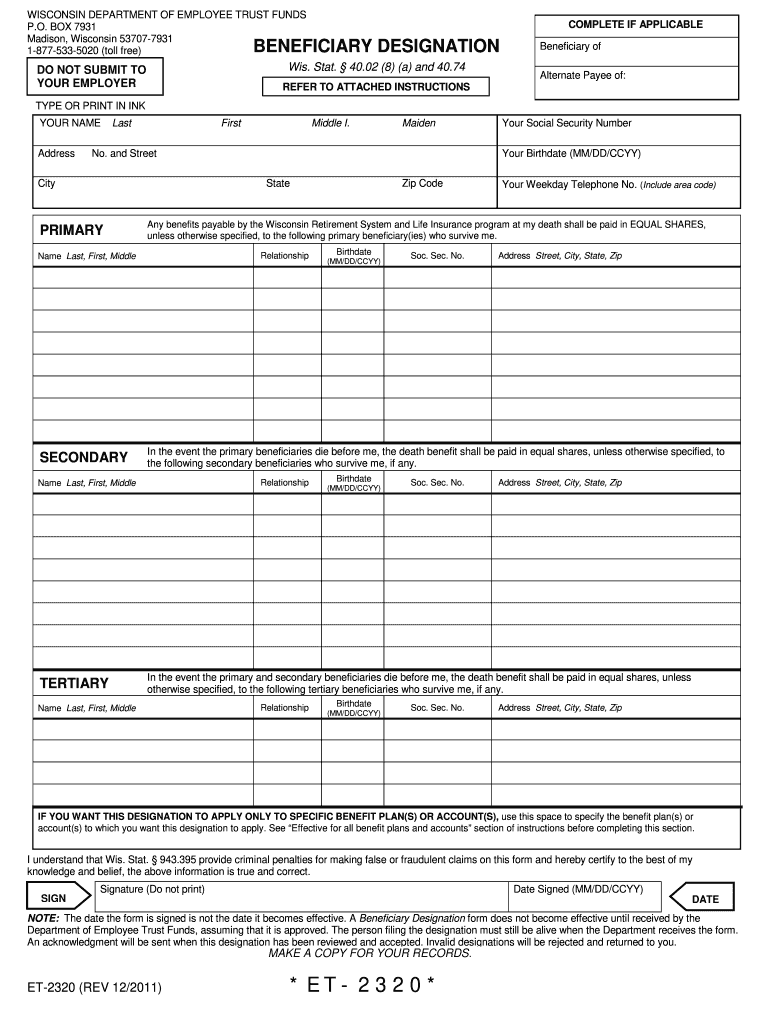
- Click ‘Get Form’ to open the et 2320 rev 122011 form in the editor.
- Begin by entering your personal information at the top of the form. This includes your full name, address, Social Security number, date of birth, and telephone number. Ensure this information is typed or printed clearly.
- Designate your primary beneficiaries by filling in their names, relationships to you, birthdates, Social Security numbers, and addresses. If you have multiple primary beneficiaries, they will receive equal shares unless specified otherwise.
- If applicable, list secondary and tertiary beneficiaries in the same manner as primary beneficiaries. Remember that these individuals will only receive benefits if no primary or secondary beneficiaries survive you.
- If you want this designation to apply only to specific benefit plans or accounts, specify them in the designated area on the form.
- Finally, sign and date the form at the bottom. Unsigned forms will be rejected. Make sure to keep a copy for your records before submitting it.
Start using our platform today for free to complete your et 2320 rev 122011 form effortlessly!
Fill out et 2320 rev 122011 form online
It's free
It's free
See more et 2320 rev 122011 form versions
We've got more versions of the et 2320 rev 122011 form form. Select the right et 2320 rev 122011 form version from the list and start editing it straight away!
Security and compliance
At DocHub, your data security is our priority. We follow HIPAA, SOC2, GDPR, and other standards, so you can work on your documents with confidence.
Learn more




