




Here's how it works

01. Edit your form online
Type text, add images, blackout confidential details, add comments, highlights and more.

02. Sign it in a few clicks
Draw your signature, type it, upload its image, or use your mobile device as a signature pad.

03. Share your form with others
Send it via email, link, or fax. You can also download it, export it or print it out.
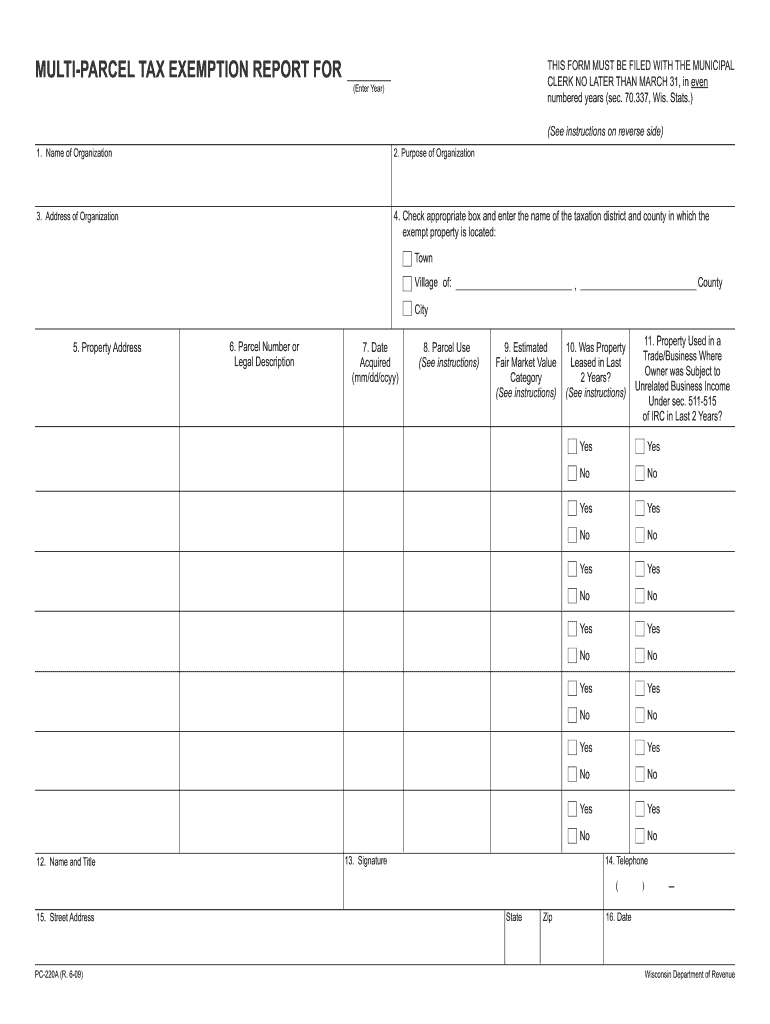
How to use or fill out multi parcel tax exemption report pc 220a 2009 form with our platform

- Click ‘Get Form’ to open it in the editor.
- Begin by entering the 'Name of Organization' in the designated field. This should be the name of the entity that owns the exempt property.
- Next, provide the 'Purpose of Organization.' Clearly state what your organization primarily does.
- Fill in the 'Address of Organization' with the administrative office's address.
- Indicate the location of the exempt property by selecting the appropriate taxation district and county in section four.
- In section five, enter the complete 'Property Address' where the exempt property is located.
- For section six, input either the 'Parcel Number' or a legal description as shown on relevant documents.
- Proceed to describe how you intend to use this property in section eight. Choose from provided categories and ensure accuracy.
- In section nine, select an estimated fair market value category that best represents your property's value.
- Answer whether the property was leased in the last two years in section ten, providing details if applicable.
- Complete sections twelve through sixteen with your contact information and signature before submitting it to your municipal clerk by March 31.
Start using our platform today for free to streamline your form completion process!
Fill out multi parcel tax exemption report pc 220a 2009 form online
It's free
It's free
See more multi parcel tax exemption report pc 220a 2009 form versions
We've got more versions of the multi parcel tax exemption report pc 220a 2009 form form. Select the right multi parcel tax exemption report pc 220a 2009 form version from the list and start editing it straight away!
Security and compliance
At DocHub, your data security is our priority. We follow HIPAA, SOC2, GDPR, and other standards, so you can work on your documents with confidence.
Learn more


