



01. Edit your indiana reassignment form online
Type text, add images, blackout confidential details, add comments, highlights and more.

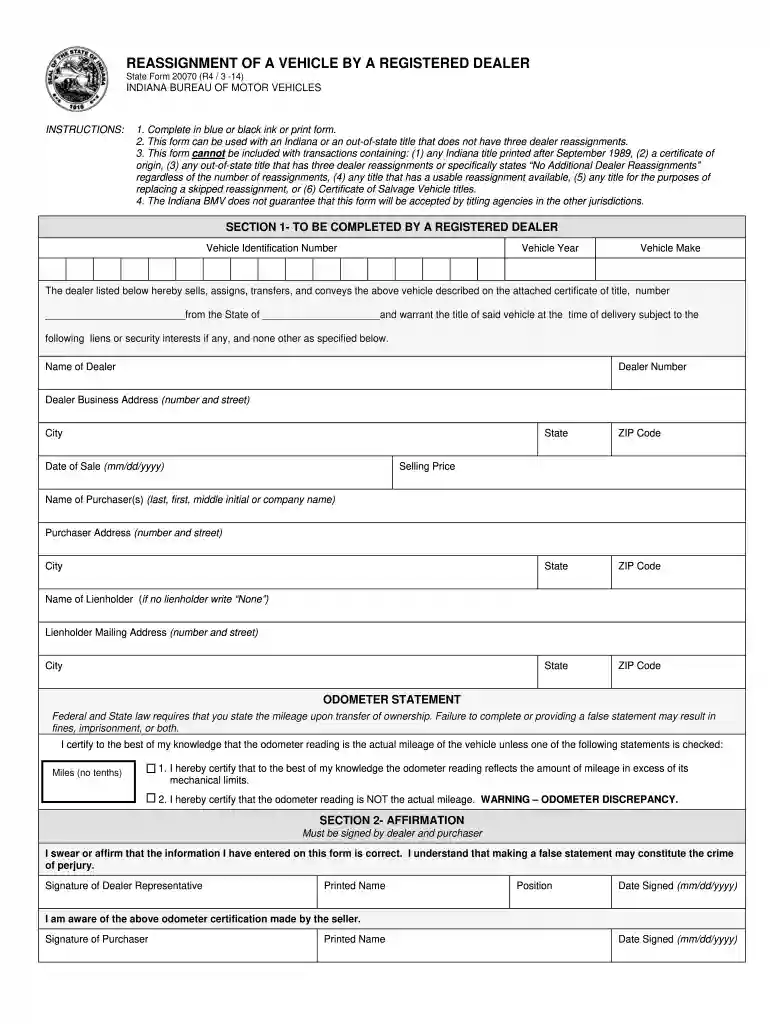
Type text, add images, blackout confidential details, add comments, highlights and more.

Draw your signature, type it, upload its image, or use your mobile device as a signature pad.

Send state form 20070 via email, link, or fax. You can also download it, export it or print it out.

Start using our platform today for free to streamline your form completion process!
We've got more versions of the indiana reassignment form form. Select the right indiana reassignment form version from the list and start editing it straight away!
Electronic signatures are an excellent alternative to traditional signing, as they save time, effort, and money people spend on printing, scanning, and paper delivery. You can eSign your indiana dealer reassignment using a trustworthy and powerful online document management services like DocHub. It complies with main eSignature regulations (ESIGN and UETA), so all forms approved there are legally binding and have the same validity as manually signed ones.
If you need to edit your indiana dealer reassignment form on the internet swiftly, it does not matter what browser you use. DocHub’s straightforward editing tools are accessible using any internet browser. Just open the appropriate tab in the editor, add your document, and fill it out without stress.
At DocHub, your data security is our priority. We follow HIPAA, SOC2, GDPR, and other standards, so you can work on your documents with confidence.
We ask for the information on this form to carry out the Internal Revenue laws of the United States. Internal. Revenue Code sections 3402(f)(2) and 6109 andRead more
State Form 20070 (R6 / 12-24). INDIANA BUREAU OF MOTOR VEHICLES. The legal authority for this form is 140 IAC 6-1-14. INSTRUCTIONS: 1. Complete in blue orRead more
Legal information. Warning notice system. This manual contains notices you have to observe in order to ensure your personal safety, as well as to prevent.Read more


