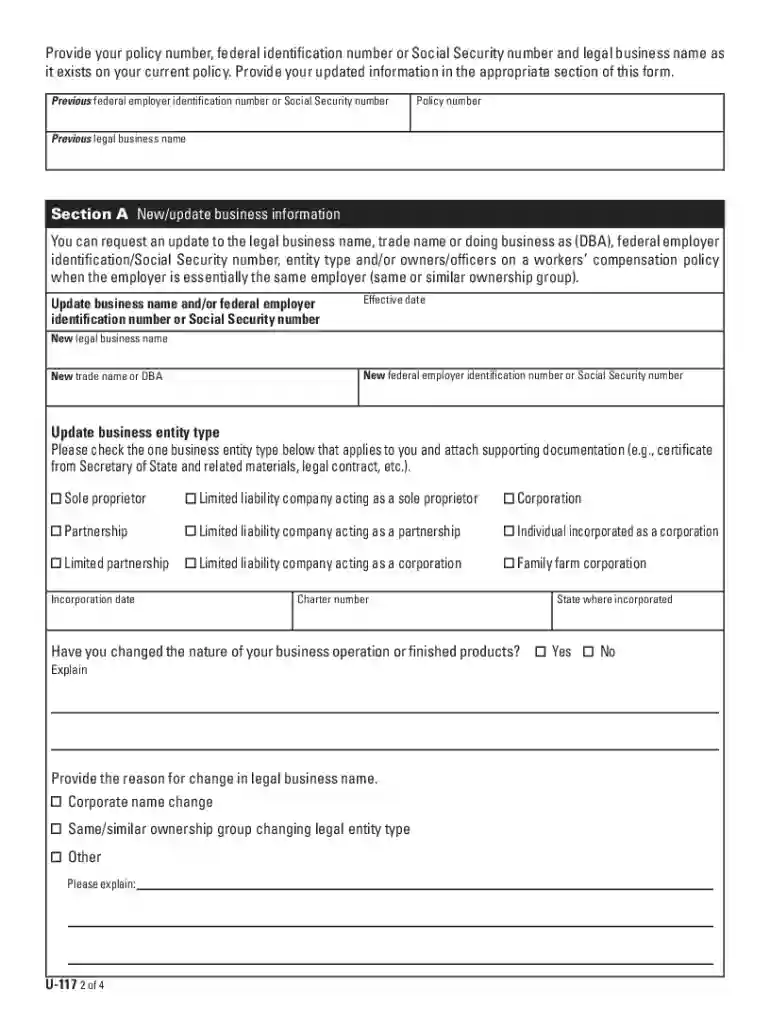
01. Edit your how to get ohio bwc certificate online
Type text, add images, blackout confidential details, add comments, highlights and more.

02. Sign it in a few clicks
Draw your signature, type it, upload its image, or use your mobile device as a signature pad.

03. Share your form with others
Send bwc form u 117 via email, link, or fax. You can also download it, export it or print it out.

How to use or fill out bwc u ohio with our platform
Ease of Setup
DocHub User Ratings on G2
Ease of Use
DocHub User Ratings on G2
Click ‘Get Form’ to open the bwc u ohio document in the editor.
Begin with Section A, where you will update your business information. Fill in your legal business name, trade name (DBA), entity type, and details of owners/officers as applicable.
Proceed to Section B to update your address and contact information. Ensure that the primary physical location is accurate for effective risk management services.
In Section C, if you need to cancel elective coverage for any qualifying individuals, provide their names and effective cancellation dates.
Section D allows you to request cancellation of Ohio workers’ compensation coverage. Indicate the reason for cancellation and ensure all necessary details are filled out.
Complete Section E if you need to cancel the Notice of Election for employees working outside Ohio. Provide insurer name and state of coverage.
Finally, sign and date the form in Section F. Remember, BWC cannot process this form without a signature.
Start using our platform today to easily fill out your bwc u ohio form online for free!
Ohio University will comply with the Ohio Bureau of Workers Compensation (BWC) guidelines. If you miss more than 7 calendar days because of an allowed work-Read more
Cookie consent notice
This site uses cookies to enhance site navigation and personalize your experience.
By using this site you agree to our use of cookies as described in our Privacy Notice.
You can modify your selections by visiting our Cookie and Advertising Notice.