01. Edit your florida sworn proof of loss form online
Type text, add images, blackout confidential details, add comments, highlights and more.
02. Sign it in a few clicks
Draw your signature, type it, upload its image, or use your mobile device as a signature pad.
03. Share your form with others
Send florida proof of loss form via email, link, or fax. You can also download it, export it or print it out.
How to use or fill out loss s proof with our platform
Ease of Setup
DocHub User Ratings on G2
Ease of Use
DocHub User Ratings on G2
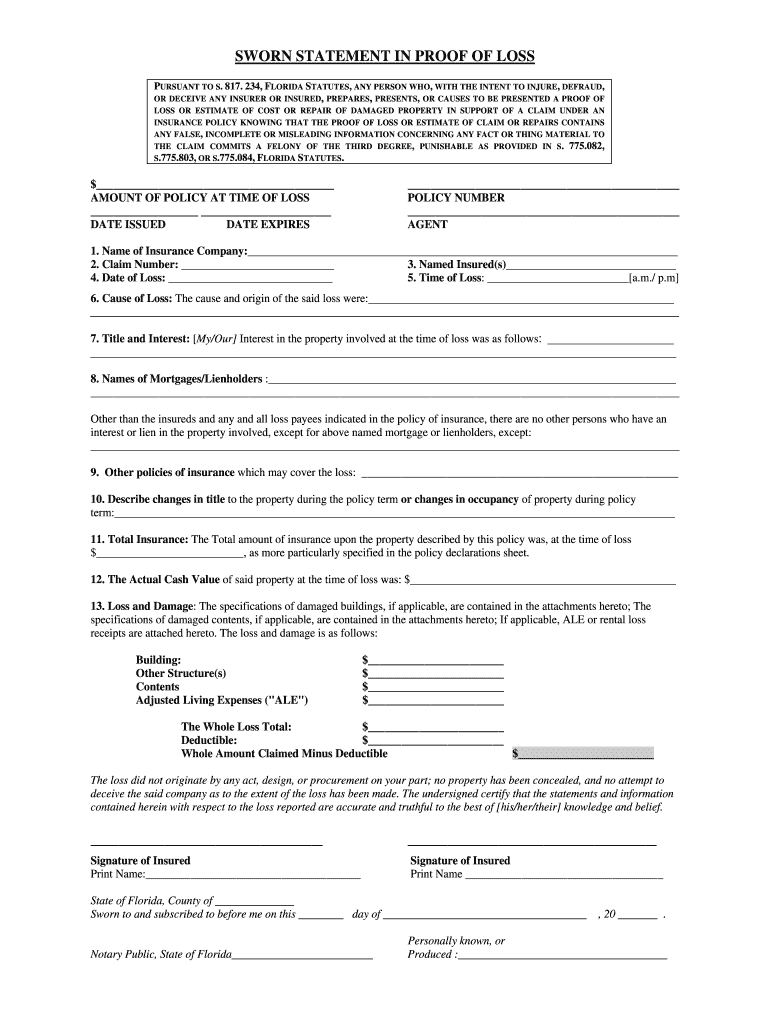
Click ‘Get Form’ to open the loss s proof document in the editor.
Begin by entering the amount of your policy at the time of loss in the designated field.
Fill in the date issued and date expires for your insurance policy.
Provide your policy number and agent's name in the respective fields.
Complete sections 1 through 13, detailing information such as the name of your insurance company, claim number, date and time of loss, cause of loss, and any mortgages or lienholders involved.
Specify total insurance amounts and actual cash value at the time of loss. Ensure all figures are accurate.
In the 'Loss and Damage' section, list damages to buildings, other structures, contents, and adjusted living expenses (ALE) as applicable.
Finally, sign and print your name where indicated. Ensure that you have a notary public witness your signature if required.
Start using our platform today to easily complete your loss s proof form online for free!
Doomsday at the Legacy Pit Open II: An Interview with
Oct 16, 2022 G3 I resolved a Sheoldred early, my opponent cast 2 Brainstorms and the life loss was too much after they got Brainstorm locked. 2-1 2-0Read more
Cookie consent notice
This site uses cookies to enhance site navigation and personalize your experience.
By using this site you agree to our use of cookies as described in our Privacy Notice.
You can modify your selections by visiting our Cookie and Advertising Notice.