




Here's how it works

01. Edit your ohio motion show cause online
Type text, add images, blackout confidential details, add comments, highlights and more.

02. Sign it in a few clicks
Draw your signature, type it, upload its image, or use your mobile device as a signature pad.

03. Share your form with others
Send ohio motion cause via email, link, or fax. You can also download it, export it or print it out.
How to use or fill out ohio motion cause with our platform

- Click ‘Get Form’ to open the ohio motion cause document in the editor.
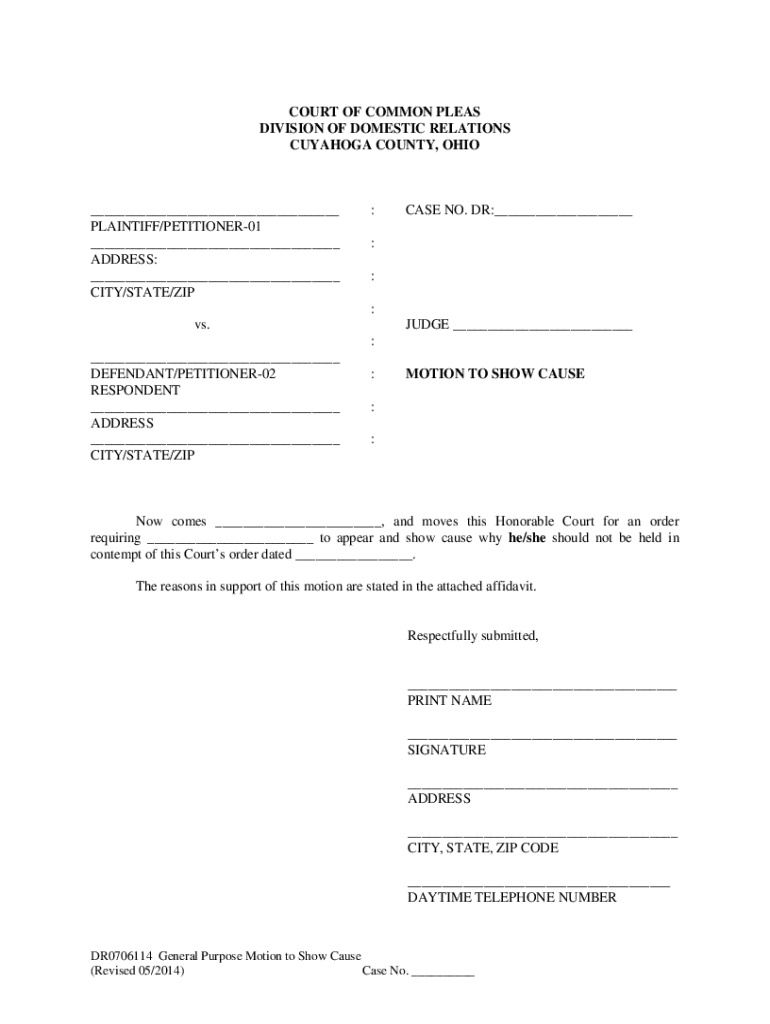
- In the caption section, enter the names of the Plaintiff and Defendant as they appeared in the original case. Ensure you use the same case number and judge's name assigned by the Clerk of Court.
- For Paragraph 1, write your name and role (Plaintiff/Defendant) on the first line. On the second line, include your former spouse’s name and their role. On the third line, specify the date of the court order that you believe has not been obeyed.
- In the signature section, print your name on the first line, sign on the second line, and provide your address and daytime telephone number where indicated.
- Prepare a notarized affidavit explaining how your former spouse failed to comply with the court order. Attach this affidavit to your motion.
- File your completed motion with the Clerk of Court at Cuyahoga County Courthouse. Remember to pay any required filing fee.
- Ensure that your motion is served on the other party via certified mail by instructing the Clerk accordingly.
Start using our platform today for free to streamline your document editing and filing process!
Fill out ohio motion cause online
It's free
It's free
Security and compliance
At DocHub, your data security is our priority. We follow HIPAA, SOC2, GDPR, and other standards, so you can work on your documents with confidence.
Learn more


