




01. Edit your form online
Type text, add images, blackout confidential details, add comments, highlights and more.

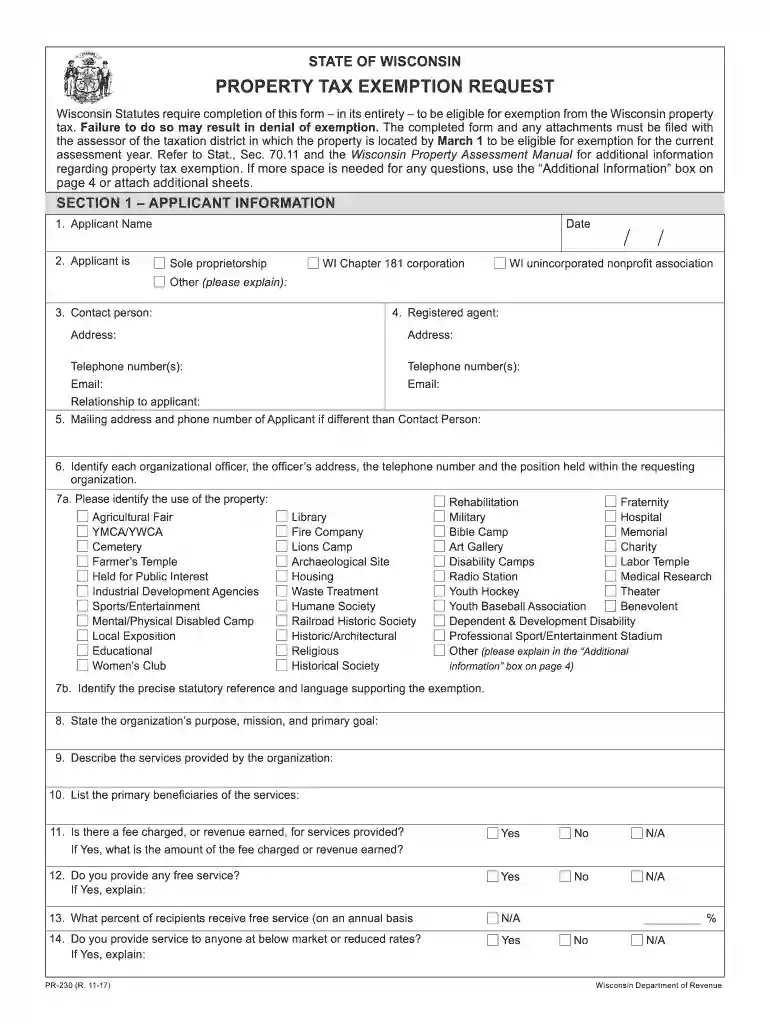
Type text, add images, blackout confidential details, add comments, highlights and more.

Draw your signature, type it, upload its image, or use your mobile device as a signature pad.

Send it via email, link, or fax. You can also download it, export it or print it out.

Start filling out your pr 230 form online for free today!
We've got more versions of the pr 230 form. Select the right pr 230 version from the list and start editing it straight away!
At DocHub, your data security is our priority. We follow HIPAA, SOC2, GDPR, and other standards, so you can work on your documents with confidence.
CONCLUSIONS: A PR230 ms is associated with increased rates of heart failure hospitalization or death among CRT-D patients. The real-world comparative
Turn on the player, or switch to standby. Open or close the disc compartment. Access the home menu. DISC MENU. Access or exit the disc.Read more
State law requires owners seeking exemption of a property for the current assessment year to file this form along with any necessary attachments.Read more


