




01. Edit your 2015 form online
Type text, add images, blackout confidential details, add comments, highlights and more.

Type text, add images, blackout confidential details, add comments, highlights and more.

Draw your signature, type it, upload its image, or use your mobile device as a signature pad.

Send it via email, link, or fax. You can also download it, export it or print it out.

Start using our platform today for free to streamline your document editing and ensure a smooth filing process!
We've got more versions of the 2015 form form. Select the right 2015 form version from the list and start editing it straight away!
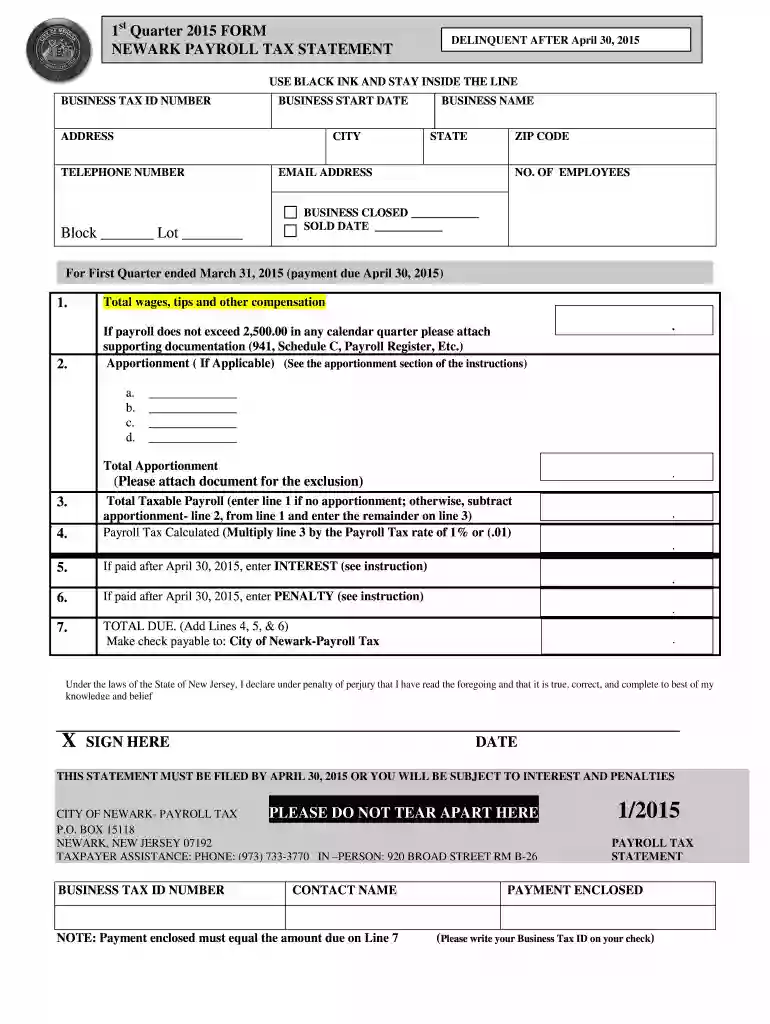
If you regularly work with documents kept in your Google Drive, DocHub is an excellent option for you to easily and quickly fill out, edit, and sign them. This editor integrates well with Google apps, so you can export your 2010 newark quarter payroll tax statement 2015 form from your Google Drive to the editor without downloading and re-uploading it. Right-click on your document, choose Open With → DocHub PDF Sign and Edit. In our editor, add and assign Signature Fields for all people involved, then click on the Menu button above → Send → choose how you want to share your paperwork.
You can find the latest and most relevant version of the 2010 newark quarter payroll tax statement 2015 form in our DocHub forms collection. Browse it by categories or utilize the search field to get the exact template that fits your situation. You may open this form for editing after you find it.
At DocHub, your data security is our priority. We follow HIPAA, SOC2, GDPR, and other standards, so you can work on your documents with confidence.
Dec 19, 2025 The Universitys financial report includes three basic financial statements: the Statements of Net Position, the Statements of Revenues,.Read more
Oct 5, 2018 Airport planning and development and noise compatibility planning and programs. Sec. 112. Facilities and equipment. Sec. 113. FAA operations.Read more
ACCOUNTING METHOD: The return must be completed using the same method of accounting, cash, accrual or other, that was employed in the taxpayers Federal IncomeRead more


