Tax 9465-2026

Get Form
form 9465 pdf Preview on Page 1

Here's how it works

01. Edit your form 9465 pdf online
Type text, add images, blackout confidential details, add comments, highlights and more.
02. Sign it in a few clicks
Draw your signature, type it, upload its image, or use your mobile device as a signature pad.
03. Share your form with others
Send 9465 installment irs via email, link, or fax. You can also download it, export it or print it out.

How to use or fill out tax 9465 with our platform

Form edit decoration
9.5
Ease of Setup
DocHub User Ratings on G2
9.0
Ease of Use
DocHub User Ratings on G2
  1. Click ‘Get Form’ to open the tax 9465 in the editor.
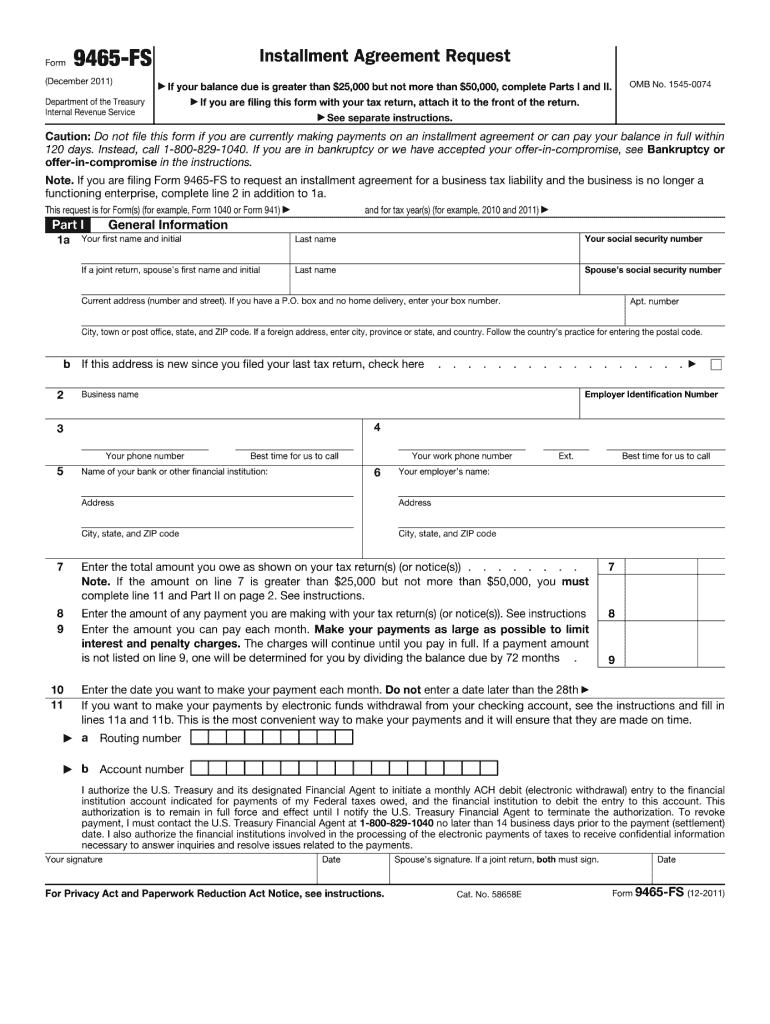
  2. Begin by entering your personal information in Section 1, including your name, address, and Social Security number. Ensure accuracy to avoid processing delays.
  3. In Section 2, specify the amount you owe and the reason for your request. This section is crucial as it helps the IRS understand your financial situation.
  4. Proceed to Section 3 where you will select your preferred payment plan. Choose a monthly payment amount that fits your budget while ensuring it meets IRS requirements.
  5. Finally, review all entered information for accuracy. Once confirmed, use our platform’s signature feature to sign electronically before submitting.

Start using our platform today to fill out your tax forms online for free!

See more tax 9465 versions

We've got more versions of the tax 9465 form. Select the right tax 9465 version from the list and start editing it straight away!
Versions Form popularity Fillable & printable
2011 4.9 Satisfied (343 Votes)
be ready to get more

Complete this form in 5 minutes or less

Get form

Got questions?

We have answers to the most popular questions from our customers. If you can't find an answer to your question, please contact us.
Contact us
Use Form 9465 to request a monthly installment agreement (payment plan) if you cant pay the full amount you owe shown on your tax return (or on a notice we sent you). Most installment agreements meet our streamlined installment agreement criteria.
Personal. If you apply for a payment plan (installment agreement), it may take up to 90 days to process your request.Jan 2, 2026
You can apply for a payment agreement online directly through the IRS. The IRS Apply Online for a Payment Plan webpage is designed to help you determine eligibility and walk you through the online application process. Note. The IRS charges a fee for installment agreements, as well as interest on the unpaid balance.
You can set up a payment plan online via the IRS Online Payment Agreement (OPA) or by submitting Form 9465. Once the IRS approves the payment plan, you can modify or cancel it; however, interest and penalties still apply.
Your minimum monthly payment for an IRS installment plan is generally what you owe divided by 72, if you dont specify a different amount. You can start an IRS installment plan by applying online, over the phone, or by mailing Form 9465 to the IRS.Nov 1, 2025

Security and compliance

At DocHub, your data security is our priority. We follow HIPAA, SOC2, GDPR, and other standards, so you can work on your documents with confidence.

Learn more
ccpa2
pci-dss
gdpr-compliance
hipaa
soc-compliance

People also ask

More In Refunds 24 hours after you e-file a current-year return. 3 or 4 days after you e-file a prior-year return. 4 weeks after you file a paper return.
No, refund approved does not mean accepted; they are two different stages, with accepted meaning the IRS received your return and it passed basic checks, while approved means the IRS finished reviewing your return and authorized the refund amount for payment, a crucial step before its sent out. Approval is the green light, confirming the money is coming, whereas acceptance just means its in the system. Accepted The IRS received your return and it passed initial checks (like SSNs). Its in the processing queue but hasnt been fully reviewed. Approved The IRS completed its review and verified your information. This is the point where the refund amount is confirmed and scheduled for disbursement. Whats next? After approval, the status usually changes to Processed, meaning your refund is being sent via direct deposit or mail. This entire process typically takes about 21 days for e-filed returns, but can vary. For financial advice, consult a professional. How taxpayers can check the status of their federal tax refund - IRSWhen the status changes to approved, this means the IRS is preparing to send the refund as a direct deposit to the taxpayers bankIRS (.gov)What Accepted and Approved Mean for Your Federal Tax ReturnFeb 10, 2026 The term approved usually applies to your refund rather than the return itself. When a refund is approved, the IRS hasNational Debt Relief
Qualifying for a Tax Payment Plan If you owe $50,000 or less you likely qualify for a streamlined installment agreement. Individual taxpayers with more than $100,000 in tax debt are usually required to submit a financial statement to negotiate an installment agreement.

tax form 9465