Access referral 2026

Get Form
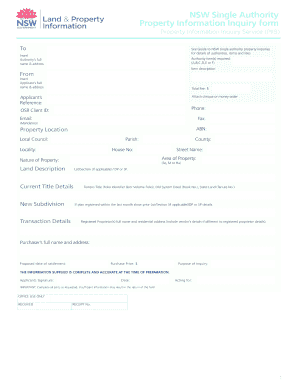
access referral Preview on Page 1

Here's how it works

01. Edit your form online
Type text, add images, blackout confidential details, add comments, highlights and more.
02. Sign it in a few clicks
Draw your signature, type it, upload its image, or use your mobile device as a signature pad.
03. Share your form with others
Send it via email, link, or fax. You can also download it, export it or print it out.

How to use or fill out access referral with our platform

Form edit decoration
9.5
Ease of Setup
DocHub User Ratings on G2
9.0
Ease of Use
DocHub User Ratings on G2
  1. Click ‘Get Form’ to open the access referral document in the editor.
  2. Begin by entering your personal information in the designated fields, including your name, contact details, and any relevant identification numbers. Ensure accuracy for seamless processing.
  3. Next, navigate to the section requesting details about the referral. Provide comprehensive information regarding the individual being referred, including their name, reason for referral, and any pertinent background information.
  4. Review any additional sections that may require signatures or approvals. Utilize our platform’s signature feature to sign electronically if needed.
  5. Finally, double-check all entries for completeness and accuracy before submitting. Use the ‘Save’ option to keep a copy of your filled form for future reference.

Start using our platform today to effortlessly complete your access referral form online for free!

See more access referral versions

We've got more versions of the access referral form. Select the right access referral version from the list and start editing it straight away!
Versions Form popularity Fillable & printable
2007 4.8 Satisfied (141 Votes)
be ready to get more

Complete this form in 5 minutes or less

Get form

Got questions?

We have answers to the most popular questions from our customers. If you can't find an answer to your question, please contact us.
Contact us
Lets break down the three main types of referrals your business might encounter as you grow: Experience-Based Referrals. This is the first type of referral that comes to mind for most marketers when looking to drive new business. Reputation-Based Referrals. Specialization-Based Referrals.
Referral is the process of connecting clients to other information or services. There are different types of referrals, including information, warm and facilitated referrals.
3 Types of Referrals That Will Grow Your Business Client Referrals. Client referrals are the most straightforward way to get referrals. Complementary Service Referrals. Complementary service referrals involve partnering with other businesses that complement your services. Competitor Referrals.
An Open Referral is when your GP or ACP refers you to a specialist for further care but doesnt specify a particular doctor or clinic. Instead, you have the freedom to choose where youd like to receive your treatmentwhether thats with a private specialist or through an NHS facility offering private services.
Types of Referrals Passive Referral. A passive referral is the most basic type of referral. Facilitated Referral. A facilitated referral is a step up from a passive referral. Active Referral. An active referral is the most involved type of referral.

Security and compliance

At DocHub, your data security is our priority. We follow HIPAA, SOC2, GDPR, and other standards, so you can work on your documents with confidence.

Learn more
ccpa2
pci-dss
gdpr-compliance
hipaa
soc-compliance
be ready to get more

Complete this form in 5 minutes or less

Get form

People also ask

Referral means suggesting where a user can find information that is not available in the resource centre. Referral services are among the most important services offered by a resource centre. No resource centre can hold all the materials available on all the subjects of interest to their users.
Its clear that your online reputation can make or break your business. Put the four types of referrals word-of-mouth, online reviews, social media sharing, and emailto use thoughtfully and youre sure to see results.

Related links