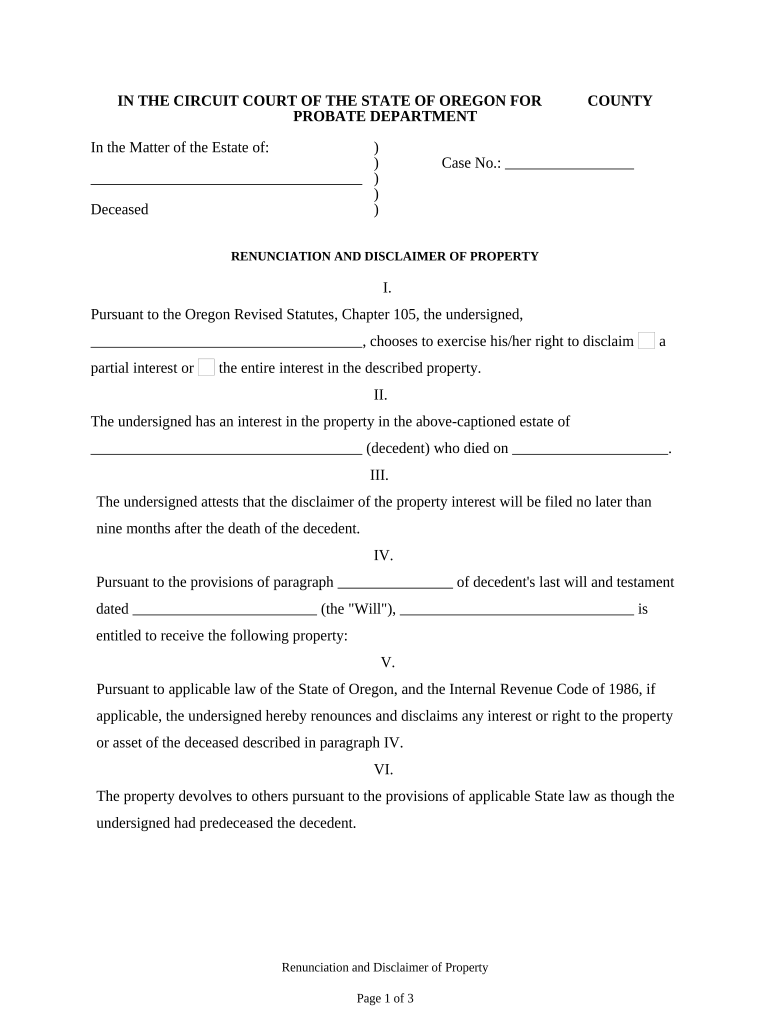
Disclaimer form 2026

Get Form
disclaimer form Preview on Page 1

Here's how it works

01. Edit your disclaimer form online
Type text, add images, blackout confidential details, add comments, highlights and more.
02. Sign it in a few clicks
Draw your signature, type it, upload its image, or use your mobile device as a signature pad.
03. Share your form with others
Send it via email, link, or fax. You can also download it, export it or print it out.

How to use or fill out disclaimer form with our platform

Form edit decoration
9.5
Ease of Setup
DocHub User Ratings on G2
9.0
Ease of Use
DocHub User Ratings on G2
  1. Click ‘Get Form’ to open the disclaimer form in the editor.
  2. Begin by filling in your name in Section I, where you choose to disclaim either a partial or entire interest in the property.
  3. In Section II, provide the name of the deceased and their date of death to establish your connection to the estate.
  4. Section III requires you to confirm that your disclaimer will be filed within nine months of the decedent's death. Ensure this date is accurate.
  5. In Section IV, specify which property you are renouncing as per the decedent's last will and testament.
  6. Review Section V carefully, as it outlines your irrevocable decision to disclaim any interest in the specified property.
  7. Finally, complete Sections VI and VII by signing and dating the document, ensuring all required fields are filled out accurately before submission.

Start using our platform today for free to streamline your document editing and signing process!

be ready to get more

Complete this form in 5 minutes or less

Get form

Got questions?

We have answers to the most popular questions from our customers. If you can't find an answer to your question, please contact us.
Contact us
How to write a no responsibility disclaimer? Assess your risks. Identify potential risks associated with your website, products, or services. Use accessible language. Be detailed and specific. Include illustrative examples. Consult legal professionals. Emphasize key points. Regularly update the disclaimer.
A disclaimer is a legal statement that can help reduce a businesss legal liability. For example, they may protect a business from legal claims arising from users and third-party risk. Your disclaimer serves as a warning notice when people visit your blog or website.

Security and compliance

At DocHub, your data security is our priority. We follow HIPAA, SOC2, GDPR, and other standards, so you can work on your documents with confidence.

Learn more
ccpa2
pci-dss
gdpr-compliance
hipaa
soc-compliance
be ready to get more

Complete this form in 5 minutes or less

Get form