Type text, add images, blackout confidential details, add comments, highlights and more.
02. Sign it in a few clicks
Draw your signature, type it, upload its image, or use your mobile device as a signature pad.
03. Share your form with others
Send it via email, link, or fax. You can also download it, export it or print it out.
How to use or fill out form 1353 2012 with our platform
Ease of Setup
DocHub User Ratings on G2
Ease of Use
DocHub User Ratings on G2
Click ‘Get Form’ to open it in the editor.
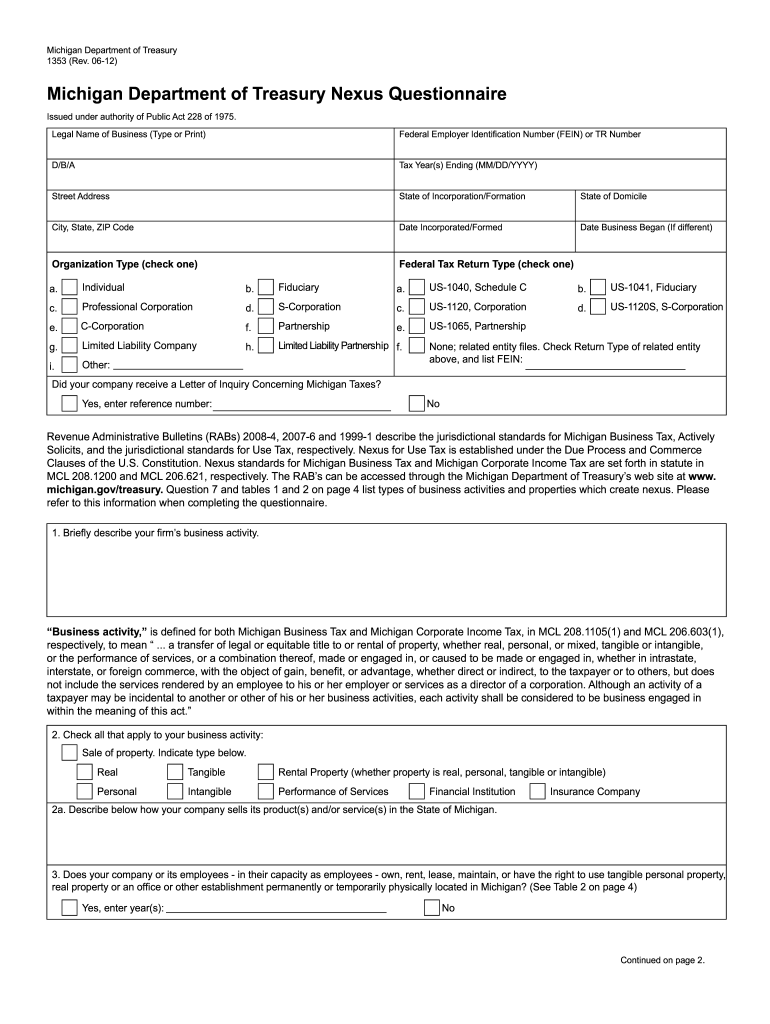
Begin by entering the Legal Name of your Business, followed by your Federal Employer Identification Number (FEIN) or TR Number. Ensure accuracy as this information is crucial for identification.
Fill in the D/B/A (Doing Business As) name and specify the Tax Year(s) Ending using the MM/DD/YYYY format. This helps in aligning your business activities with the correct tax period.
Provide your Street Address, State of Incorporation/Formation, and State of Domicile. This section establishes your business's legal standing and location.
In Section 1, briefly describe your firm’s business activity. Be concise yet informative to ensure clarity regarding your operations.
Check all applicable boxes in Section 2 regarding types of business activities and properties that create nexus. This is essential for compliance with Michigan tax regulations.
Complete the remaining sections by answering questions about property ownership, delivery methods, and solicitation activities in Michigan. Each response should reflect accurate details about your business operations.
Start filling out form 1353 2012 today on our platform for free!
Jan 23, 2013 Use Form 1120-L, U.S. Life Insurance. Company Income Tax Return, to report the income, gains, losses, deductions, credits, and to figure the.Read more
The suggested citation for this document is as follows: ITRC (Interstate Technology Regulatory Council). 2012. Incremental Sampling Methodology. ISM-1.Read more
Sep 19, 2019 Negative reports are indicated by an electronic submission of the OGE Form-1353 (in excel format) or the SF-326 (in PDF Format). The UnitedRead more
Cookie consent notice
This site uses cookies to enhance site navigation and personalize your experience.
By using this site you agree to our use of cookies as described in our Privacy Notice.
You can modify your selections by visiting our Cookie and Advertising Notice.