
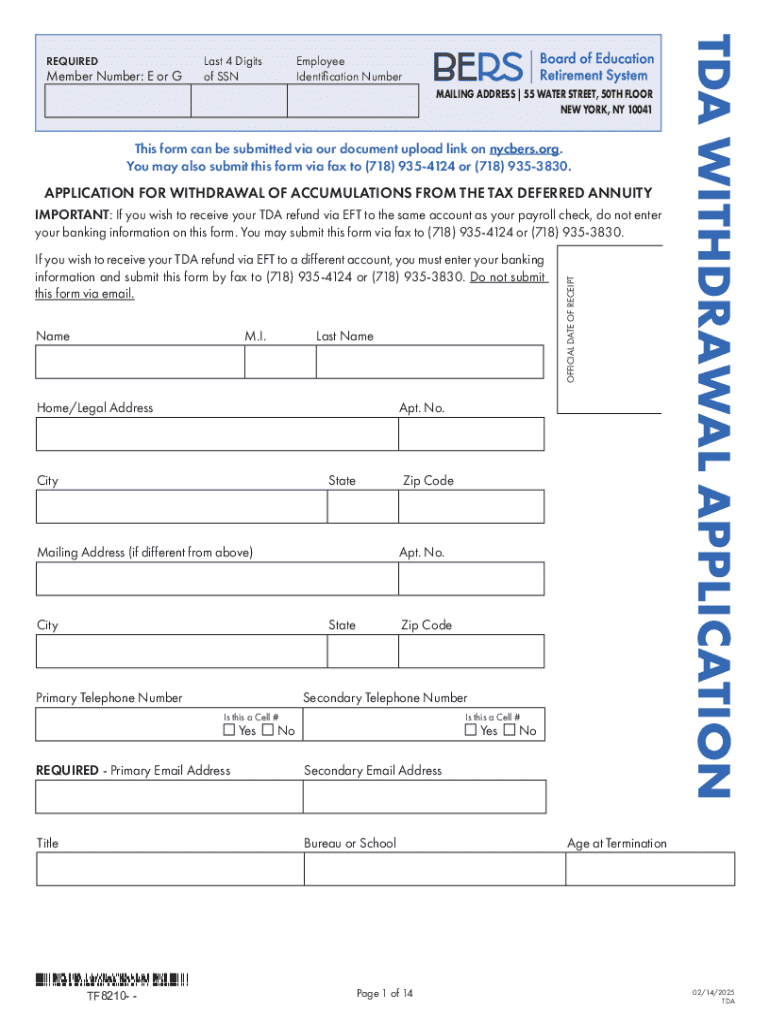







Definition and Meaning of Form Online
An "online form" refers to a digital version of a traditional document designed for data collection or information submission, accessible via the internet. These forms are commonly used across various industries to streamline tasks such as application processes, surveys, and registrations. Their digital nature allows users to complete and submit information efficiently from any device connected to the internet, eliminating the need for paper-based procedures.
- Data Collection: Online forms enable organizations to gather data systematically, ranging from contact information to detailed responses based on specific queries.
- Accessibility: Users can access and complete these forms from anywhere, enhancing convenience and reach.
- Versatility: They can be tailored for multiple purposes, including feedback collection, order placements, and service requests.
How to Use the Form Online
Using an online form involves a few straightforward steps designed to maximize user convenience while ensuring accurate data submission.
- Access the Form: Typically, forms are accessed through a direct URL sent via email or displayed on a webpage.
- Fill Out Required Fields: Users fill in data as required. Fields might include dropdown menus, checkboxes, text input areas, and signature fields.
- Review Information: Before submitting, review the entered data to ensure accuracy and completeness.
- Submit the Form: Click the submission button, which will send the data to the intended recipient, often generating a confirmation message or email.
Common examples of online forms include job applications, event registrations, and customer feedback surveys.
Steps to Complete the Form Online
Completing a form online involves a detailed, step-by-step process, ensuring all necessary details are provided accurately.
- Prepare Required Information: Gather all necessary documents or information you might need, such as identification numbers or contact details.
- Navigate to the Form: Use the link provided or search for the form on the relevant website.
- Enter Personal Details: Fill in basic personal details like name, address, email, and contact number in designated sections.
- Complete Form-Specific Sections: Provide additional information pertinent to the form's purpose, such as financial data, preferences, or qualifications.
- Add Supporting Documentation: Upload required documents if needed, such as a photo ID or financial statements, using the form's upload feature.
- Provide a Digital Signature: Use the electronic signature tool offered to sign the form legally.
- Review and Edit: Ensure all entries are correct and make any necessary changes.
- Submit the Form: Once satisfied, submit the form. A confirmation screen or email typically acknowledges receipt.
Why Submit a Form Online
Choosing to submit a form online offers numerous advantages compared to traditional paper-based methods.
- Efficiency and Speed: Online submissions are processed faster, reducing response times for applications or approvals.
- Environmentally Friendly: Reducing paper usage supports environmental conservation efforts.
- Real-time Updates: Digital forms often incorporate features that allow for real-time data validation and immediate feedback on any errors detected.
- Ease of Access: Forms can be filled out anywhere, anytime, as long as there is internet connectivity.
Use cases include applying for government services, signing contracts, or enrolling in educational courses.
Who Typically Uses Online Forms
Online forms are used by a wide range of individuals and organizations, each benefiting from their unique features.
- Individuals: Commonly used by job seekers for applications, students for enrollment processes, and customers for feedback.
- Businesses: Organizations utilize forms for employee onboarding, client projects, and service requests.
- Non-profits: Used for event registrations, volunteer coordination, and donation processing.
- Government Agencies: Facilitate services like permit applications, benefits claims, and public consultations.
The accessibility and ease of online forms make them a go-to for simplifying various administrative and operational tasks.
Key Elements of an Online Form
Understanding the key components of an online form helps ensure that the form serves its intended purpose effectively.
- Input Fields: Areas where users fill in required data, such as text boxes for names or addresses.
- Validation Checks: Automated checks to ensure information is correctly formatted, such as verifying email syntax.
- Instructions and Help Tips: Guidance on how to fill out specific sections, often provided via tooltips or side notes.
- Digital Signature Capability: Allows for legally binding signatures without the need for physical documentation.
- Data Privacy Notices: Essential for informing users about how their data will be used and protected.
These elements combined make online forms a powerful tool for efficient data collection and management.
Legal Use of Online Forms
Using online forms carries legal implications, particularly concerning data protection and electronic signatures.
- Data Protection Laws: Comply with regulations such as GDPR or CCPA to ensure that collected data is secure and used appropriately.
- Electronic Signature Laws: Forms with digital signatures must adhere to the ESIGN Act to be considered legally binding in the U.S.
- User Consent: Obtain explicit consent from users regarding data collection and processing, typically via a checkbox agreement.
Online forms must be designed to safeguard user information and ensure compliance with relevant legislation.
Software Compatibility for Online Forms
Ensuring that online forms are compatible with various software systems enhances usability and integration.
- Cloud Storage Integration: Forms should seamlessly integrate with services like Google Drive, Dropbox, and OneDrive for easy access and storage.
- Software Platforms: Compatibility with platforms like Microsoft Office and PDF readers to support diverse file formats.
- APIs and Webhooks: Enable forms to work with other web applications, allowing for data exchange and automated workflows.
- Mobile Accessibility: Forms should be responsive and functional on mobile devices to accommodate on-the-go users.
These compatibility considerations ensure that online forms remain versatile and user-friendly across multiple environments.




