Type text, add images, blackout confidential details, add comments, highlights and more.

02. Sign it in a few clicks
Draw your signature, type it, upload its image, or use your mobile device as a signature pad.

03. Share your form with others
Send discover cosigner addendum via email, link, or fax. You can also download it, export it or print it out.

How to use or fill out cosigner addendum with our platform
Ease of Setup
DocHub User Ratings on G2
Ease of Use
DocHub User Ratings on G2
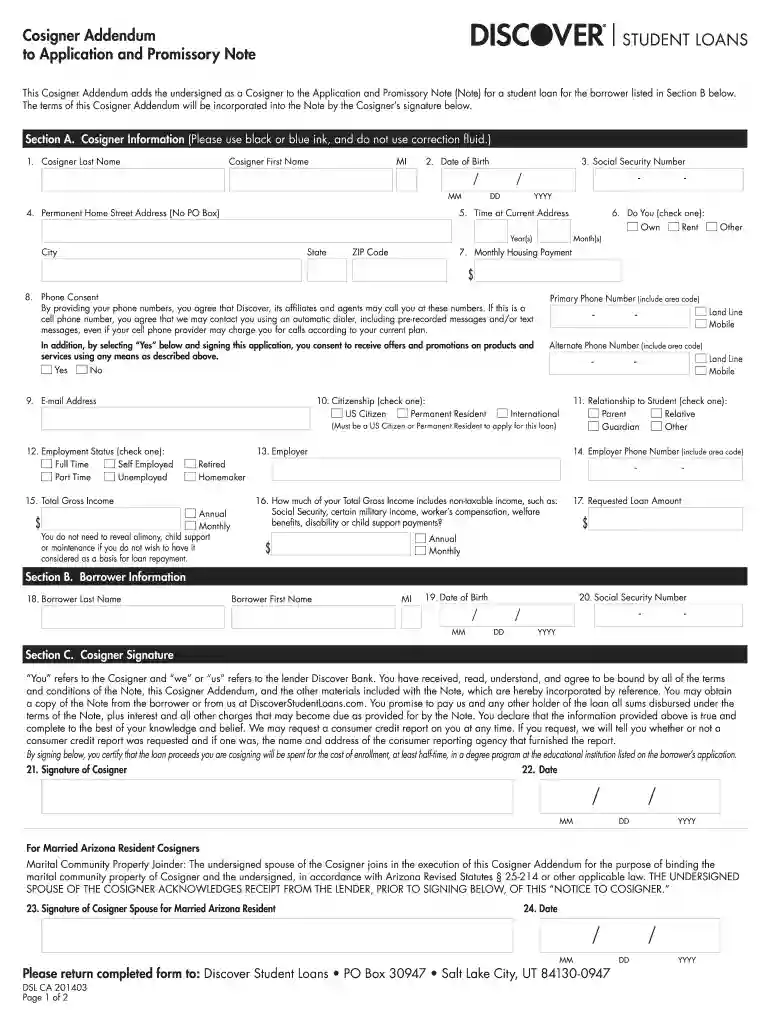
Click ‘Get Form’ to open the Cosigner Addendum in the editor.
Begin with Section A, where you will enter your personal information. Fill in your last name, first name, and middle initial. Ensure accuracy as this information is crucial.
Next, provide your date of birth and Social Security Number. Remember to format these correctly for clarity.
Complete your permanent home address, ensuring no PO Box is used. Indicate how long you have lived at this address.
In the following fields, check the appropriate boxes regarding your citizenship status and employment status. This helps lenders assess your financial responsibility.
Finally, review Section C for the signature area. Sign and date the form to confirm your agreement to the terms outlined in the addendum.
Start using our platform today to fill out your Cosigner Addendum easily and for free!
By signing this Addendum to the SC PAL Promissory Note, the cosigner agrees to abide by the terms and conditions of the Promissory Note, as applicable, in the.Read more
Cookie consent notice
This site uses cookies to enhance site navigation and personalize your experience.
By using this site you agree to our use of cookies as described in our Privacy Notice.
You can modify your selections by visiting our Cookie and Advertising Notice.