Irs 147c form online 2026

Get Form
form 147c online Preview on Page 1

Here's how it works

01. Edit your form 147c online online
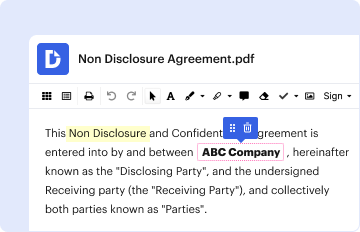
Type text, add images, blackout confidential details, add comments, highlights and more.

02. Sign it in a few clicks
Draw your signature, type it, upload its image, or use your mobile device as a signature pad.

03. Share your form with others
Send form 147 c via email, link, or fax. You can also download it, export it or print it out.

Definition & Meaning

The IRS 147c form, officially known as the "Verification of Non-filing Letter," is a document issued by the Internal Revenue Service. It verifies that an individual or business did not file a tax return when one was not required. This form is often used by organizations, such as financial institutions, to confirm the non-filing status of an applicant during processes like loan approvals or grant applications. The ability to obtain the IRS 147c form online offers convenience by streamlining access to this important verification.

How to Obtain the IRS 147c Form Online

To acquire the IRS 147c form online, individuals need to use the IRS online platforms, primarily through the IRS website. Here are the steps to obtain this verification:

  1. Access the IRS Website: Begin by navigating to the official IRS website.
  2. Account Registration or Login: Create an account or log in to an existing one. A secure ID verification process, often involving personal identification questions, is necessary for access.
  3. Navigate to the Request Tool: Use the "Get Transcript Online" service. This service allows you to request various IRS forms and transcripts.
  4. Request the Form: Select the "Verification of Non-filing Letter" from the available options and follow the on-screen instructions.

Once requested, the form can be downloaded directly or emailed securely, ensuring swift access to the required documentation.

Steps to Complete the IRS 147c Form Online

Completing the IRS 147c form online involves a precise sequence of actions. Follow these steps for accuracy:

  1. Log in to Your IRS Account: Ensure you have successfully logged into your IRS online account.
  2. Access the Correct Form Section: Locate the section for tax forms and transcripts within the account dashboard.
  3. Form Review: Even though this form primarily involves verification, ensure all pre-filled details are accurate.
  4. Submit Additional Information: If requested, provide any additional personal or financial details required for the verification process.
  5. Download and Review: Once the form is completed, review the form for any discrepancies.
  6. Secure the Form: Save a copy to your secure digital storage or print for physical record-keeping.

Attention to detail during these steps is critical for ensuring the form accurately reflects your tax status.

Who Typically Uses the IRS 147c Form Online

The IRS 147c form is utilized by various entities and individuals who need official verification of non-filing status:

  • Students and Financial Aid Applicants: Often required for FAFSA or other financial aid processes.
  • Loan Applicants: Lenders might require verification for those citing an income not disclosed on tax returns.
  • Non-profit Entities: Organizations may require this verification from incoming employees or board members.
  • Certain Taxpayers: Individuals who earn below the minimum income thresholds and thus do not file taxes.

These groups rely on the IRS 147c form to provide proof of their tax status in processes that demand such documentation.


decoration image ratings of Dochub

Key Elements of the IRS 147c Form Online

Several fundamental components make up the IRS 147c form when accessed online:

  • Personal Identification Information: Includes taxpayer's name, Social Security Number, and address.
  • Non-filing Confirmation Statement: A declaration that no tax return is on file for the requested year(s).
  • IRS Seal and Authorization: Official IRS endorsement ensuring the authenticity of the document.
  • Request Year: Specifies the tax year for which the non-filing is confirmed.

Understanding these elements assists users in accurately interpreting the form's information.

Digital vs. Paper Version

While the IRS 147c form can be requested in both digital and paper formats, the digital version is typically favored for its convenience:

  • Digital Advantages: Immediate access post-request, ability to store electronically, and environmentally friendly.
  • Paper Merits: Traditional option for those uncomfortable with online processes or without internet access.

The choice between digital or paper often depends on personal preferences and specific requirements set by the requesting party.

Legal Use of the IRS 147c Form Online

The IRS 147c form serves irreplaceable legal functions for users:

  • Proof for Audits: Provides legal documentation of a taxpayer's non-filing status.
  • Verification in Financial Transactions: Essential for applications requiring official confirmation of non-filing for legal compliance.
  • Compliance with Tax Laws: Assures entities that applicants adhere to IRS regulations concerning filing requirements.

The form's official status makes it a key document in various legal and financial assessments.

Important Terms Related to IRS 147c Form Online

Familiarity with terms associated with the IRS 147c form enriches understanding:

  • Non-filing Status: Indicates no tax return was filed for specified years.
  • Verification of Non-filing Letter: The formal name for the IRS 147c form.
  • Transcript Request Tool: The online service for requesting forms and transcripts from the IRS.
  • Online Account Registration: The process required to access IRS forms, including the 147c form, online.

Awareness of these terms ensures accurate comprehension and efficient handling of the form.

be ready to get more

Complete this form in 5 minutes or less

Get form

Security and compliance

At DocHub, your data security is our priority. We follow HIPAA, SOC2, GDPR, and other standards, so you can work on your documents with confidence.
Learn more
ccpa2
pci-dss
gdpr-compliance
hipaa
soc-compliance