Type text, add images, blackout confidential details, add comments, highlights and more.
02. Sign it in a few clicks
Draw your signature, type it, upload its image, or use your mobile device as a signature pad.
03. Share your form with others
Send tree risk assessment form via email, link, or fax. You can also download it, export it or print it out.
How to use or fill out traq form with our platform
Ease of Setup
DocHub User Ratings on G2
Ease of Use
DocHub User Ratings on G2
Click ‘Get Form’ to open the traq form in the editor.
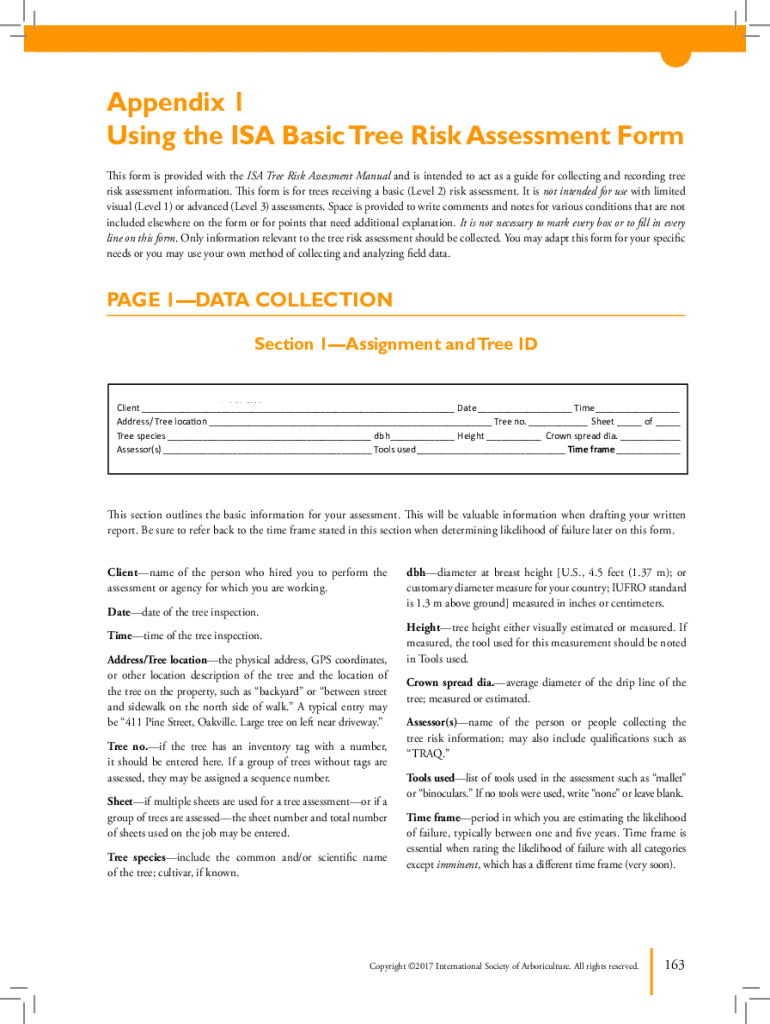
Begin with Section 1—Assignment and Tree ID. Fill in the client’s name, date, time, and tree location. Ensure you accurately note the tree species and measurements such as diameter at breast height (dbh) and height.
In Section 2—Target Assessment, assess occupancy rates and describe potential targets within striking distance of the tree. Use the provided checkboxes to indicate practical restrictions and target zones.
Proceed to Section 3—Site Factors. Document any history of failures, topography, soil conditions, and prevailing weather patterns that may affect tree stability.
Complete Sections 4 through 6 by evaluating tree health, defects, and conditions affecting failure likelihood. Use checkboxes for clarity on observed issues.
Finally, review your entries for accuracy before saving or exporting your completed assessment using our platform's features.
Start filling out your traq form today for free using our powerful editing tools!
Traq form templateTraq form pdfTraq form exampleTraq form onlineTraq form freeISA TRAQ Form fillableTree Risk Assessment FormISA tree Risk Assessment Form
Security and compliance
At DocHub, your data security is our priority. We follow HIPAA, SOC2, GDPR, and other standards, so you can work on your documents with confidence.
Improving the Use of Transition Readiness Assessment
A shortened version of the TRAQ (fast-TRAQ) using only the second half of the questionnaire was created. Providers were educated on TRAQs purpose, and theRead more
The Target Assessment chart is used to list target(s)people, property, or activities that could be injured, damaged, or disrupted by a tree failure within theRead more
Cookie consent notice
This site uses cookies to enhance site navigation and personalize your experience.
By using this site you agree to our use of cookies as described in our Privacy Notice.
You can modify your selections by visiting our Cookie and Advertising Notice.