World book online scavenger hunt 2026

Get Form
world book online scavenger hunt Preview on Page 1

Here's how it works

01. Edit your form online
Type text, add images, blackout confidential details, add comments, highlights and more.

02. Sign it in a few clicks
Draw your signature, type it, upload its image, or use your mobile device as a signature pad.

03. Share your form with others
Send it via email, link, or fax. You can also download it, export it or print it out.

How to use or fill out world book online scavenger hunt with our platform

Form edit decoration
9.5
Ease of Setup
DocHub User Ratings on G2
9.0
Ease of Use
DocHub User Ratings on G2
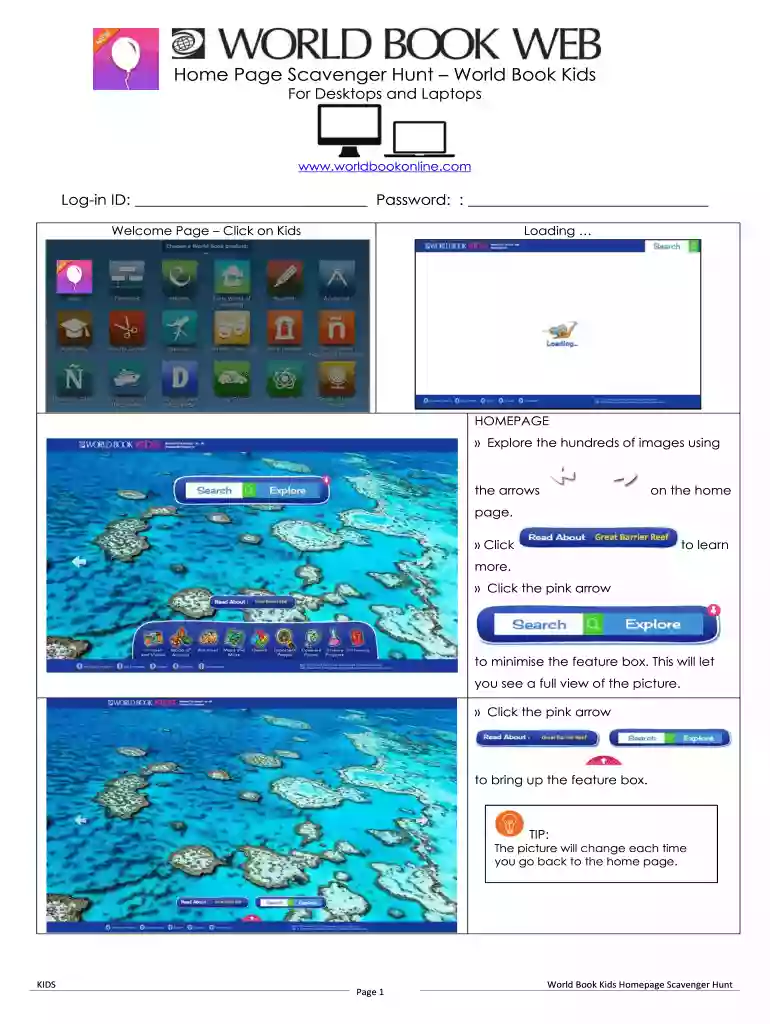
  1. Click ‘Get Form’ to open the world book online scavenger hunt in the editor.
  2. Begin by entering your Log-in ID and Password at the top of the form to access the World Book Kids homepage.
  3. Explore the homepage using arrows to navigate through images. Click on any image to learn more about it.
  4. Utilize the Search box in the center of the page to type keywords related to your scavenger hunt questions, such as 'dog'.
  5. Select from suggested titles or click on the magnifying glass for a complete list of search results. Choose an article that answers your question.
  6. Read through the article and fill in your answers directly into the designated fields in our platform.
  7. Once completed, review your answers and save or share your document as needed.

Start using our platform today for free and make filling out your scavenger hunt a breeze!

be ready to get more

Complete this form in 5 minutes or less

Get form

Got questions?

We have answers to the most popular questions from our customers. If you can't find an answer to your question, please contact us.
Contact us
Virtual Scavenger Hunting Rules Create a list of items for the scavenger hunt. Assign a point to each item on the list. Decide on the length of the activity. Allow participants to share the items they collected with the team. Announce the winner/s.
An internet scavenger hunt or CyberHunt is an online learning activity and game. Here, players search the internet to find clues and hints for questions. Participants are provided a list of questions, prompts, and virtual Easter eggs. Players must make their way through each clue to solve the puzzle.
Log in to Google Forms: Start by visiting Google Forms (forms.google.com) and sign in to your Google account. Create a New Form: Click the + Blank button to start a new form. Add Questions: Craft questions based on the content you want to review. Set Correct Answers: For each question, specify the correct answer.
FAQ: Scavenger hunt clues If you want to eat, then take a seat! (Dining room chair) One of me per day keeps the doctor away. (Apple) I cant mix batter, but I can bake a cake. (Oven) I come in pairs, Im easy to lose, I go between your feet and your shoes. (Socks)
Simply break your Zoom call participants up into teams. Create a list of items for people to locate in and around their homes. Give your teams a set amount of time to scour their homes for the correct items. At the conclusion of the time, the team with the most correct items is awarded the winner.
be ready to get more

Complete this form in 5 minutes or less

Get form