Type text, add images, blackout confidential details, add comments, highlights and more.
02. Sign it in a few clicks
Draw your signature, type it, upload its image, or use your mobile device as a signature pad.
03. Share your form with others
Send it via email, link, or fax. You can also download it, export it or print it out.
How to use or fill out Instruction Materials for Tribal Agencies - Verifying Documents for Medicaid - 042808
Ease of Setup
DocHub User Ratings on G2
Ease of Use
DocHub User Ratings on G2
Click ‘Get Form’ to open it in the editor.
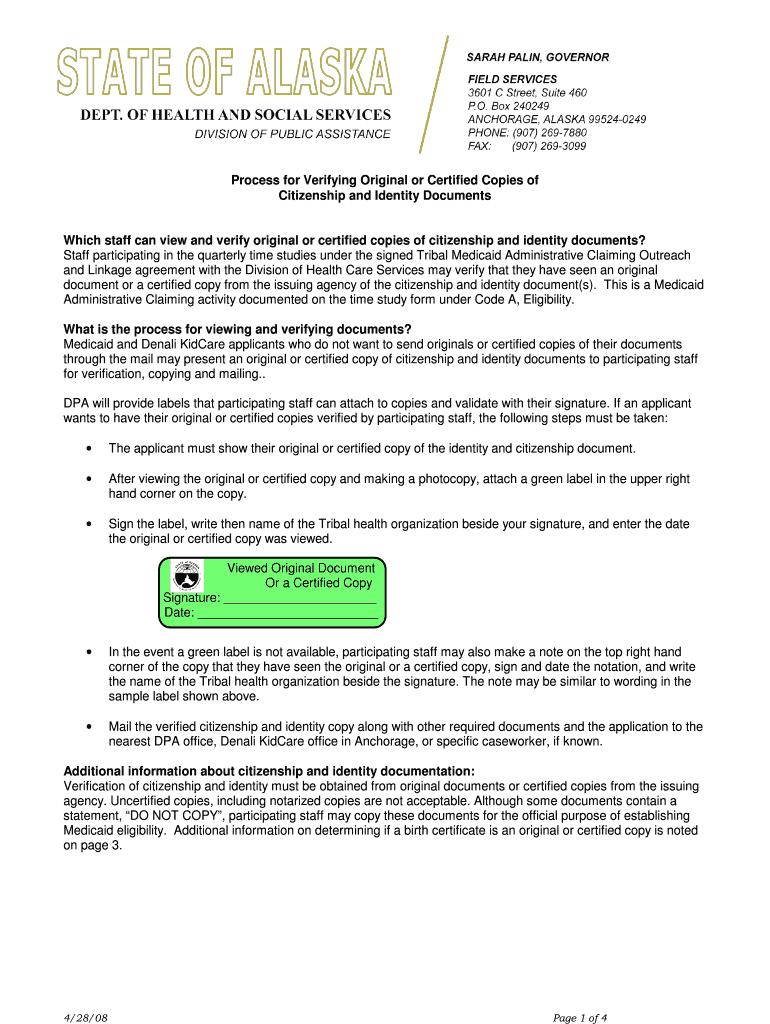
Begin by reviewing the document requirements listed. Ensure you have original or certified copies of citizenship and identity documents ready for verification.
When meeting with participating staff, present your original or certified copy. They will verify and make a photocopy of the document.
After copying, attach a green label in the upper right corner of the copy, sign it, write the name of your Tribal health organization, and date it.
If a green label is unavailable, write a note on the top right corner indicating that you have shown the original or certified copy, sign and date it, and include your organization’s name.
Finally, mail the verified copy along with other required documents to the nearest DPA office or Denali KidCare office.
Start using our platform today to streamline your document verification process for free!
Fill out Instruction Materials for Tribal Agencies - Verifying Documents for Medicaid - 042808 - dpaweb hss s online It's free
Cookie consent notice
This site uses cookies to enhance site navigation and personalize your experience.
By using this site you agree to our use of cookies as described in our Privacy Notice.
You can modify your selections by visiting our Cookie and Advertising Notice.