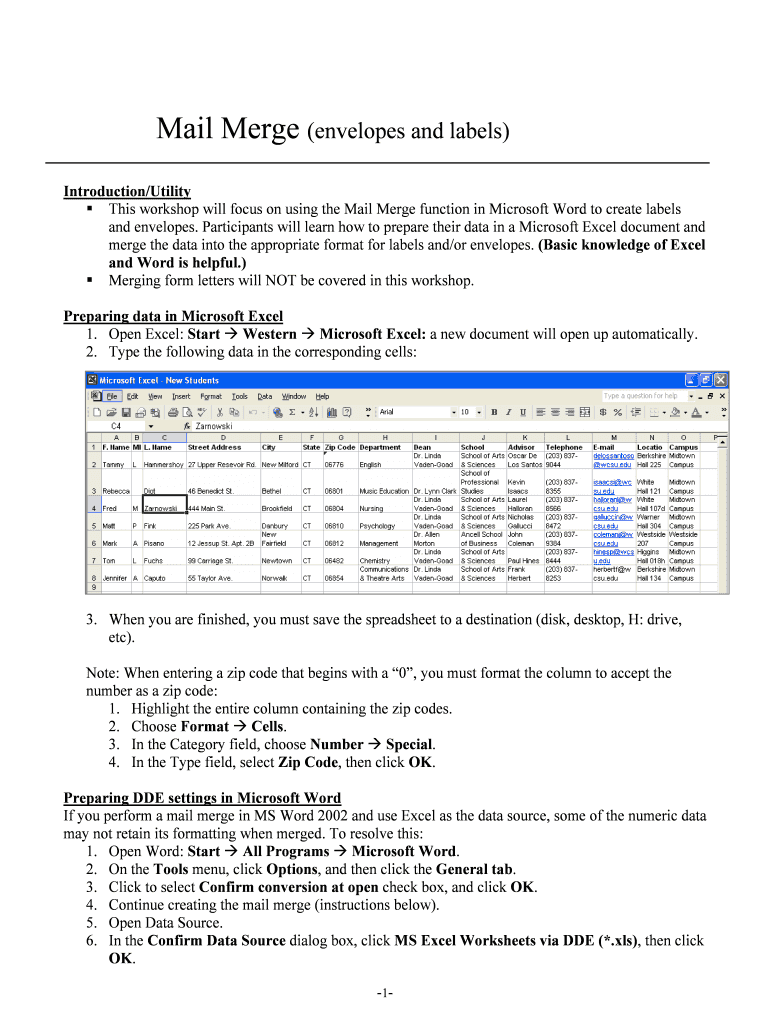







Definition and Meaning of Mail Merge (Envelopes and Labels)
The "Mail Merge (envelopes and labels)" function is a feature found in word processing applications like Microsoft Word that allows users to automate the process of creating multiple documents, such as envelopes or address labels, by merging a single document template with a data source, typically Excel or a similar spreadsheet. At the University of Miami School of Law, this function can be especially useful in administrative tasks, facilitating efficient communication with stakeholders like students, faculty, and partners.
How to Use the Mail Merge Feature
-
Prepare Your Data Source: Begin by creating a spreadsheet (Excel is commonly used) that contains all the necessary information, such as names, addresses, and other relevant details. It is crucial to properly format this data to ensure that it merges correctly with the Word template.
-
Create a Document Template: Open a new document in Word and set it up for envelopes or labels. Navigate to the Mailings tab and select the type of document you are working on.
-
Link the Data Source: Use the Mail Merge Wizard in Word to connect the data source. This involves selecting recipients and identifying the spreadsheet containing your data.
-
Insert Merge Fields: Place merge fields in your document where you want the data to appear. Common fields include name, address, city, state, and zip code.
-
Complete the Merge: Run the mail merge process, allowing Word to generate individual documents for each entry in your data source. Review each document for accuracy before finalizing.
Important Terms Related to Mail Merge
- Merge Fields: These are placeholders used in your Word document that tell the program where to insert data from your data source.
- Data Source: This is typically a spreadsheet or database containing the information you want to merge, such as names and addresses.
- Template: A pre-designed document layout that serves as the basis for the mail merge.
- Merge Output: The final documents or items produced by the mail merge process.
Who Typically Uses the Mail Merge Function
The Mail Merge function is widely used by administrative staff, event coordinators, and faculty members at the University of Miami School of Law. It simplifies tasks such as mailing invitations, distributing newsletters, and handling correspondence with prospective students or alumni. Law firms, educational institutions, and non-profit organizations also benefit significantly from using this feature for their document management needs.


Steps to Complete Mail Merge at University of Miami School of Law
-
Prepare Your List: Ensure your Excel file is complete and correctly formatted with all necessary columns, such as first name, last name, and address.
-
Start Mail Merge: In Word, navigate to the Mailings tab and choose 'Start Mail Merge,' selecting the appropriate document type.
-
Select Recipients: Link your Word document to the Excel file, choosing to use the entire list or selecting specific entries.
-
Insert Merge Fields: Click 'Insert Merge Field' to place data points within your envelope or label template.
-
Preview Results: Use the 'Preview Results' button to check each entry and ensure information is correctly placed.
-
Complete the Merge: Finalize your documents by clicking 'Finish & Merge,' and choose to print or save the merged files.
Why Use Mail Merge at University of Miami School of Law
Mail Merge streamlines repetitive tasks, increases efficiency, and reduces the likelihood of errors in document creation. It allows users to personalize communication with thousands of contacts quickly, freeing up time for other significant administrative duties. For large-scale mailings, such as event invitations or alumni updates, it is an indispensable tool that ensures consistency and professionalism in correspondence.
Key Elements of Successful Mail Merge Implementation
-
Correct Data Formatting: Ensuring Excel files are correctly formatted with appropriate field names and consistent data types.
-
Accurate Templates: Designing Word templates that include all necessary fields and adhere to any specified requirements for appearance.
-
Reliable Software: Using compatible versions of Word and Excel to prevent technical issues during the merging process.
-
Thorough Verification: Reviewing all merged documents for errors before finalizing and dispatching them.
Software Compatibility and Integration
The Mail Merge function is widely supported by various software applications beyond Microsoft Word and Excel. Platforms like QuickBooks and Google Workspace can integrate with mail merge tools, allowing for expanded functionality. Ensuring compatibility between your software versions is critical for a successful merge process, preventing data errors and ensuring seamless operation.
Variations and Alternatives to Traditional Mail Merge
Digital solutions like DocHub offer a modern twist to traditional mail merge functions. By facilitating online document editing, signing, and sharing, platforms like these provide alternatives for scenarios where mailing physical envelopes or labels is impractical. These tools support electronic communication needs, making them ideal in the current digital age where remote work and electronic correspondence are increasingly prevalent.