
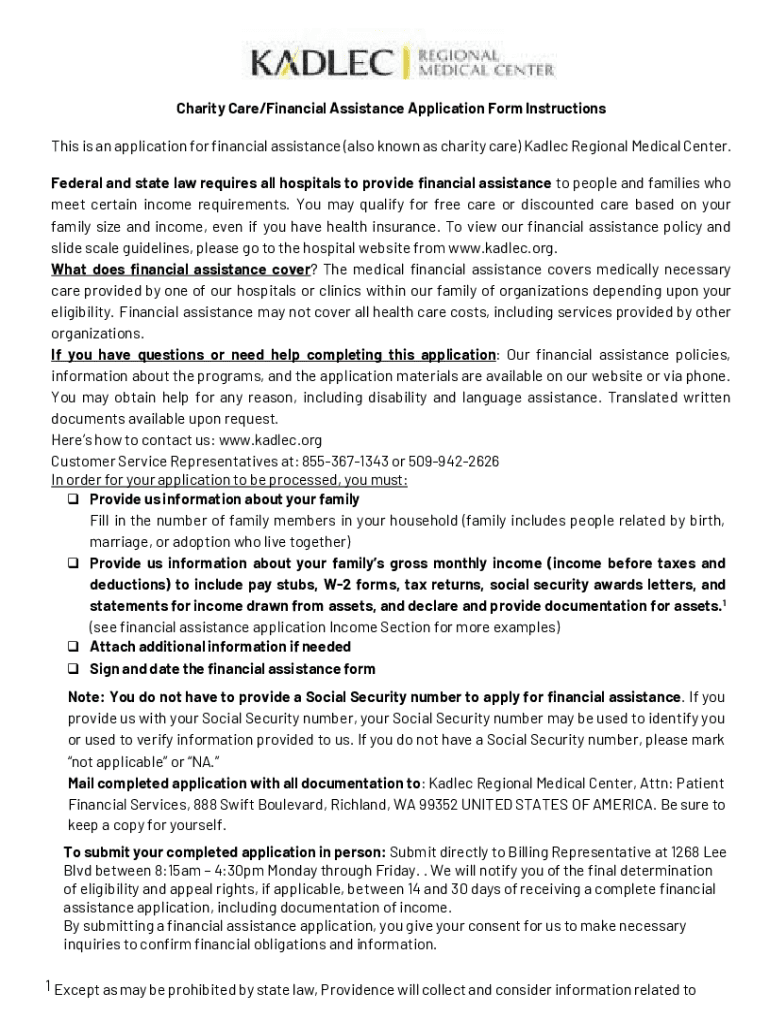







Definition and Meaning
Kadlec Financial Assistance is a form designed to help individuals and families obtain financial support for medical services at the Kadlec Regional Medical Center. This assistance is intended for those who meet specific income and family size eligibility criteria, providing free or discounted medical care. The form is both fillable online and printable, allowing applicants to complete it in a manner that suits their preferences.
Eligibility Criteria
Eligibility is determined by the applicant's income level relative to the federal poverty guidelines. Generally, the program targets those with limited financial resources, ensuring that healthcare services remain accessible. Consider factors such as household size, annual income, and existing financial obligations when assessing eligibility.


Steps to Complete Kadlec Financial Assistance
- Obtain the Form: Access the form online through the DocHub platform or download and print a physical copy.
- Gather Required Documentation: Collect financial documents, including tax returns, pay stubs, and any relevant medical bills.
- Fill Out the Form: Complete each section with accuracy, focusing on personal information and financial details.
- Verify All Information: Double-check entries for accuracy and completeness to avoid processing delays.
- Submit the Application: Send the completed form and supporting documents through your preferred submission method.
Required Documents
- Recent tax returns
- Latest pay stubs or proof of income
- Identification documents
- Medical bills pertinent to the application
- Any existing notices of unpaid medical debt
How to Use Kadlec Financial Assistance
Online Use
DocHub offers features that facilitate the online filling of the form. Utilize tools to add text, signatures, and fillable fields directly within the document. Real-time collaboration allows multiple users to review the form, ensuring accurate information before submission.
Printable Version
Alternatively, print and manually fill the document. Ensure legibility, particularly for numerical data and signatures. Once completed, the form can be mailed or submitted in-person to the appropriate office.
Application Process and Approval Time
The application process involves completing the form with all required information and submitting it along with the necessary documents. Processing times may vary, but applicants typically receive a response within a few weeks. The approving body will review the submitted data to decide on the eligibility and the extent of financial aid.
Key Elements of the Kadlec Financial Assistance Form
- Personal Information: Name, address, contact information
- Financial Information: Detailed account of income, expenses, and existing debts
- Healthcare Details: Specifics about medical services sought or already provided
- Supporting Documents: Verification of submitted information through additional documentation
Legal Use of the Kadlec Financial Assistance Form
This form must be used for its intended purpose, which is applying for financial assistance for medical services at Kadlec. Be truthful in all declarations to prevent legal repercussions. Fraudulent attempts to obtain financial aid can lead to penalties and legal action.
Important Terms Related to Kadlec Financial Assistance
- Charity Care: Provision of free or reduced-cost medical care to eligible individuals
- Income Verification: Proof of earnings through documentation
- Eligibility Criteria: The requirements that must be met to qualify for assistance
- Submission Methods: Available options for sending completed applications
- Approval: The confirmation of the request for financial aid
Examples of Using Kadlec Financial Assistance
Scenario 1: Low-Income Family
An uninsured family dealing with unexpected medical emergencies can utilize this form to alleviate financial strain. By submitting household income data and medical bills, they can access necessary medical care under the financial assistance guidelines.
Scenario 2: Recently Unemployed Individual
An individual recently laid off, facing medical expenses without the backing of health insurance, could apply for assistance. Providing proof of unemployment benefits instead of pay stubs is essential in this situation.
Form Submission Methods (Online / Mail / In-Person)
- Online: Submit through the DocHub platform, ensuring all fields are correctly filled and documents are uploaded.
- Mail: Send printed and filled forms along with copies of required documents to the designated Kadlec address.
- In-Person: Visit Kadlec Regional Medical Center to deliver the application personally, allowing immediate verification of document completeness.
By following these guidelines, applicants can efficiently navigate the process of seeking financial assistance for medical care through Kadlec. This structured approach is designed to maximize accessibility and ensure support is available to those in need.




