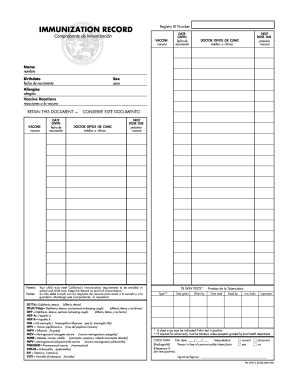
Definition and Meaning of Form Online
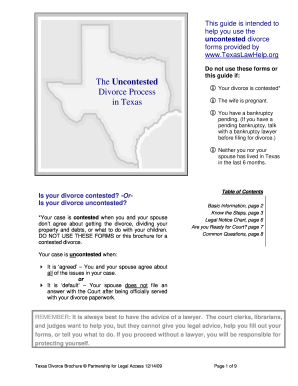
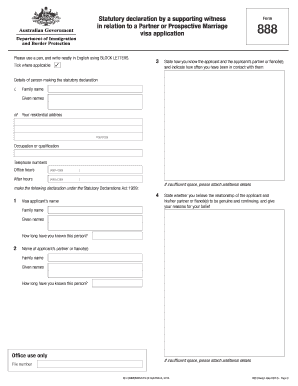
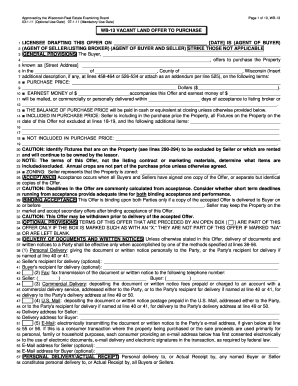
The concept of a "form online" pertains to digital versions of physical documents that can be filled out, submitted, and processed through the internet rather than via traditional paper methods. These forms can come in various formats and are designed to simplify and expedite the process of data collection for a wide range of applications, including legal forms, tax filings, surveys, and more.
Online forms are integral to modern business and government operations as they reduce the need for manual entry and storage, thus saving time and resources. Moreover, the ability to fill out forms digitally enhances accessibility for users, allowing them to submit essential information from virtually any location.
How to Use the Form Online
Utilizing an online form is a straightforward process that typically involves several key steps:
- Access the form through a website, application, or email link.
- Read through any instructions or prerequisites for completing the form to ensure all necessary information is available.
- Fill in the required fields, which can include text boxes for written information, checkboxes for selecting options, or drop-down menus for choosing from predefined lists.
- Review the completed form for accuracy, ensuring all required fields are filled correctly.
- Submit the form via the designated button, which will often trigger a confirmation message or email.
Ensuring you have all relevant data at hand before starting can substantially speed up this process. For forms requiring attachments, such as supporting documents or identification copies, prepare these files in advance according to the form’s specifications.
Steps to Complete the Form Online
Completing an online form involves several structured steps that ensure a smooth and successful submission:
- Preparation: Gather all necessary personal, financial, or business information required to complete the form.
- Access: Navigate to the form using a web browser or application, depending on how the form is distributed.
- Input: Enter the necessary information into the form fields. Pay attention to mandatory fields, often marked with an asterisk (*), that must be completed before submission.
- Review: Carefully check your entries for accuracy and completeness to prevent errors that could delay processing.
- Submit: After a final review, click the submit button. A confirmation message should appear, signifying successful submission.
- Save: Some forms allow you to save or print a copy of the completed form for your records. Always keep a backup of important submissions.
In some cases, you may also receive a reference number or confirmation email, which serves as proof of your submission.
Key Elements of the Form Online
Online forms contain several essential components designed to facilitate data entry and collection:
- User Authentication: Many forms require users to authenticate their identity via login credentials or providing email addresses.
- Field Validation: Built-in checks ensure that entries adhere to required formats, such as numeric values for dates or specific text length.
- Help Options: Inline tooltips or help sections provide users with guidance on how to complete specific fields.
- Autosave Features: Some online forms offer autosave to protect data from being lost during completion.
- Mobile Compatibility: Responsive design ensures forms are accessible and functional on mobile devices, increasing accessibility for users on the go.
These elements work together to enhance the user experience and reliability of online forms, ensuring data is captured accurately and efficiently.
Form Submission Methods
Different submission methods cater to varying preferences and technological capabilities:
- Online Submission: The most common method, allowing for instant processing and acknowledgment.
- Email Submission: Though less common, some forms might require downloading, filling out, and then emailing back to a specified address.
- In-person Submission: Rare for online forms, but possible when hybrid workflows involve physical document checks.
- Mail Submission: Reserved for forms that need physical signatures or notarization before digital processing.
Each option serves a particular need or regulatory requirement, offering flexibility depending on the form type and specific use case.
Legal Use of the Form Online
Electronic forms maintain legal validity under the ESIGN Act when they satisfy requirements such as:
- Intent to Sign: Demonstrating the user’s intent to engage in a transaction.
- Consent to Electronic Records: Ensuring the user consents to use digital methods for signature and record-keeping.
- Record Retention: The system storing the form must ensure access for record-keeping and audit purposes.
This legality ensures that online forms hold the same weight as their paper counterparts, fostering trust in digital transactions and documentation.
Digital vs. Paper Versions
The transition from paper to digital signifies several advantages:
- Efficiency: Faster processing and immediate updates.
- Cost-effectiveness: Reduction in paper, printing, and postage costs.
- Environmental Impact: A decrease in the carbon footprint associated with paper production and disposal.
- Accessibility: Increased reach through digital channels, allowing users with disabilities or those in remote locations to complete forms.
Despite these advantages, it’s essential to recognize instances where paper forms may be necessary, such as when physical signatures are imperative or when digital access is limited.
Examples of Using the Form Online
Online forms are widely used across various sectors:
- Government and Tax Forms: Such as filing taxes or submitting government information requests.
- Business and Employment Applications: Streamlining recruitment with easy-to-submit job applications.
- Academic Registrations: Schools use them for student enrollments or course selections.
- Medical Information: Healthcare providers use digital forms for patient intake and medical history collection.
These examples illustrate the broad applicability and utility of online forms in everyday transactions and professional interactions.