Definition and Meaning of a New Account Setup Form
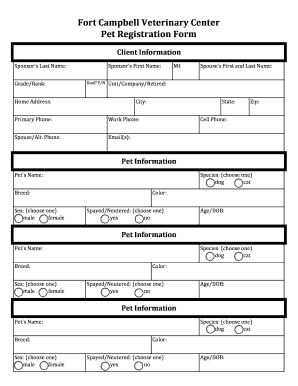
A "new account setup form" is a document designed to collect necessary information from individuals or organizations wishing to create a new account for a particular service or platform. This form typically captures vital data such as personal identification details, contact information, and sometimes further details depending on the service in question. The primary purpose is to establish a new user's identity within the system, ensuring that they meet all required criteria before granting access.
New account setup forms are prevalent in various industries, from financial institutions needing to comply with Know Your Customer (KYC) regulations to online services requiring basic user information for account creation. Hence, this form acts as a gateway to accessing a host of functionalities offered by the service provider.
How to Obtain the New Account Setup Form
Accessing a new account setup form is relatively straightforward, and the method can vary based on the service provider's policies and technological infrastructure. Typically, these forms are available online, often integrated within a provider's website or application:
- Online Access: Most platforms provide a digital version of the form directly on their website. Users can locate it by navigating to the 'Sign Up' or 'Register' section.
- In-Person Requests: Some organizations, particularly banks and government entities, may offer hard copies of the form at their physical locations for individuals preferring face-to-face interactions.
- Contacting the Provider: In cases where the form isn't readily available online, contacting customer service can often yield directions on how to receive and submit the required documentation.
Steps to Complete the New Account Setup Form
Completing a new account setup form involves a systematic approach to ensure all required fields are correctly filled out. Here is a general guide:
-
Gather Required Information: Before beginning, collect all necessary personal data, including identification numbers, addresses, and contact details.
-
Fill Out Personal Details: Input your full name, date of birth, and identifying information as requested. Ensure accuracy, as this information will form the basis of your new account profile.
-
Complete Contact Information: Provide your current phone number, email address, and mailing address. This ensures the provider can reach you for verification and communication purposes.
-
Input Additional Details: Depending on the service, there may be extra fields such as employment information, income levels, or security questions designed to protect your account.
-
Review and Submit: Double-check all entered information for accuracy before submitting the form. Errors can delay the process or result in incorrect account setups.
Important Terms Related to the New Account Setup Form
Familiarity with specific terminology used in new account setup forms can facilitate a clearer understanding and smoother completion process:
- KYC (Know Your Customer): A regulatory requirement for banks and financial services to verify the identity of their clients to prevent fraud and money laundering.
- OAuth 2.0: An authentication protocol ensuring secure access when services require user data sharing. It's common in online account setups for protected information exchange.
- Profile Verification: A step where submitted information is checked against various databases to confirm identity, which might require additional proof of identity.
Key Elements of the New Account Setup Form
While the specifics of a new account setup form can vary between organizations and services, several common elements are usually present:
- Identification Section: Fields capturing personal identification info such as Social Security Number (SSN) or driver's license number.
- Contact Method: Information required for contact, including email addresses and phone numbers.
- Security Features: Options or prompts for creating passwords and selecting security questions.
- Consent Agreements: Checkboxes or fields where users agree to terms of service, privacy policies, and data usage agreements.
Steps for Secure Submission of the New Account Setup Form
Submissions of new account setup forms should prioritize security, particularly when sensitive data is involved:
-
Encrypt Data: Use platforms that offer SSL encryption, ensuring your data is securely transferred over the internet.
-
Verify Website Legitimacy: Before submission, ensure the website address begins with "https://" and displays a padlock icon, indicating a secure connection.
-
Enable Two-Factor Authentication: If available, opt for two-factor authentication to add an extra security layer during account setup.
-
Audit Trail: Check if the provider offers an audit trail feature for tracking changes and submissions related to your documents and information.
Legal Use and Compliance of the New Account Setup Form
New account setup forms are often subject to legal guidelines and compliance standards. Users must ensure adherence to:
-
Data Protection Laws: Ensure the service provider complies with relevant legal requirements like the General Data Protection Regulation (GDPR) or the California Consumer Privacy Act (CCPA).
-
Electronic Signature Legality: When forms require a signature, it is crucial that the service's electronic signature technology complies with laws such as the ESIGN Act to ensure validity and enforceability.
Who Typically Uses the New Account Setup Form
New account setup forms are utilized by a broad spectrum of users and institutions, including:
- Individual Consumers: Daily users signing up for new services, apps, or platforms require creating accounts for access.
- Organizations: Companies enrolling in software services, financial systems, or partnerships often need to establish official accounts.
- Financial Entities: Banks and credit card companies use these forms for new customer onboarding and to ensure compliance with financial regulations.
By understanding and efficiently managing the new account setup form, individuals and organizations can expedite their access to essential services and maintain compliance with relevant standards and security protocols.