
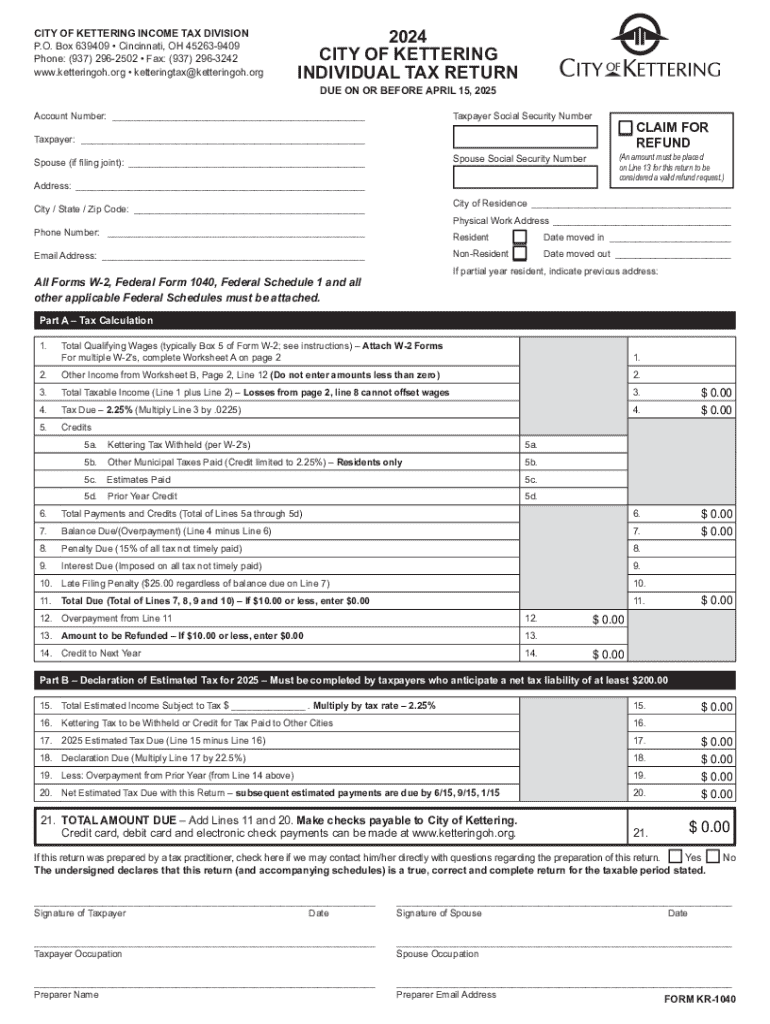







Definition and Meaning
The term "form online" refers to digital versions of documents typically used for applications, registrations, or data collection. These forms are accessible via internet browsers and enable users to fill out, submit, and often store documents electronically. By offering an online option, organizations streamline processes by reducing paper usage and allowing for faster data gathering and processing. Online forms can serve various purposes, such as tax filings, legal documentation, or business applications, and can be customized to meet specific needs, including conditional logic and multi-page formats.
How to Use the Form Online
Using an online form involves accessing the form through a browser, which could be via a link provided by the issuing entity or from their official website. First, ensure you have a stable internet connection and a compatible browser for optimal form interaction. Begin by carefully reading the instructions to understand what information is required. As you fill out the form, fields may include text boxes, dropdown menus, checkboxes, and date selectors. Ensure all obligatory fields marked with an asterisk are completed. Once done, review your inputs for accuracy before submitting. Many platforms will offer a confirmation email post-submission, which serves as a receipt and confirms the process was successful.
How to Obtain the Form Online
To obtain the form online, visit the official website of the governing body or organization that issues it. Typically, forms are located under sections like "Forms," "Downloads," or "Resources." Ensure that you're selecting the correct form version applicable to your needs or geographic location. Some online forms can also be found in doc management platforms like DocHub, which allow for direct importation and editing. Prior to downloading or starting the form, check for any technical prerequisites, such as PDF viewers or specific browser settings.
Steps to Complete the Form Online
- Access the Form: Navigate to the official website or a reputable platform offering the form for download or online completion.
- Understand the Requirements: Read the instructions carefully, noting any requirements such as supporting documentation.
- Prepare Your Information: Gather any necessary information or documentation ahead of time to streamline the process.
- Fill Out the Form: Provide the required details in the designated fields, ensuring that all mandatory sections are filled.
- Review Your Entries: Double-check for accuracy, ensuring there are no typos or incorrect data.
- Submit the Form: Follow the instructions for submission, which could include directly uploading the form online or mailing a printed copy.
- Confirm Submission: Look for confirmation on the screen or via email; this affirms that the form was successfully received.
Key Elements of the Form Online
Online forms typically contain several important elements designed to facilitate data collection and user interaction. These elements include:
- Instructions: Clear guidelines provided at the beginning to assist in correct form completion.
- Text Fields: Areas where users input data such as names, addresses, or descriptions.
- Checkboxes/Radio Buttons: Options for users to select one or more predefined choices.
- Dropdown Menus: Lists that allow users to select a response from several options, minimizing input errors.
- Date Pickers: Tools enabling users to select or type in a date, ensuring uniformity in date format.
- Signature Fields: Sections for electronic signatures, allowing legality and authentication without physical signatures.
These elements create structure and order, ensuring users understand what information is needed and how to input it correctly.
Required Documents
Completing an online form often necessitates the provision of additional documentation. Typical required documents may include:
- Identification: Such as a driver's license, passport, or birth certificate to verify identity.
- Proof of Address: Utility bills, lease agreements, or bank statements are often used to confirm residency.
- Income Documentation: Pay stubs, tax returns, or financial statements provide proof of earnings or financial status.
- Supporting Documents: Vary by form type and may include letters of reference, legal documents, or educational certifications for specific applications.
Ensure all supporting documents are ready in digital format, such as PDF, to upload seamlessly alongside your online form submission.
State-Specific Rules for the Form Online
Certain online forms, especially those tied to government agencies, may have state-specific regulations. These rules can affect documentation requirements, deadlines, and applicable fees. For instance, tax forms might require different calculations or exemptions depending on the state of residence. Legal documents may also need adjustments based on state-level laws governing contracts or notarization processes. It is crucial to reference state-specific instructions provided with the form or consult with local offices for clarity.
Software Compatibility
Online forms are best accessed using compatible software to ensure functionality and ease of use. Platforms like DocHub are equipped to handle various document types, offering seamless interaction and editing capabilities. Browser-based interactions are common, and ensuring that the browser is updated can prevent issues. Additionally, some forms may require specific software — such as Adobe Acrobat for PDFs — for optimal viewing and completion. Users should ensure they have the correct platform requirements to avoid technical issues during the form completion process.




