




Here's how it works



How to use or fill out 2005 standard form with our platform

- Click ‘Get Form’ to open the 2005 standard form in the editor.
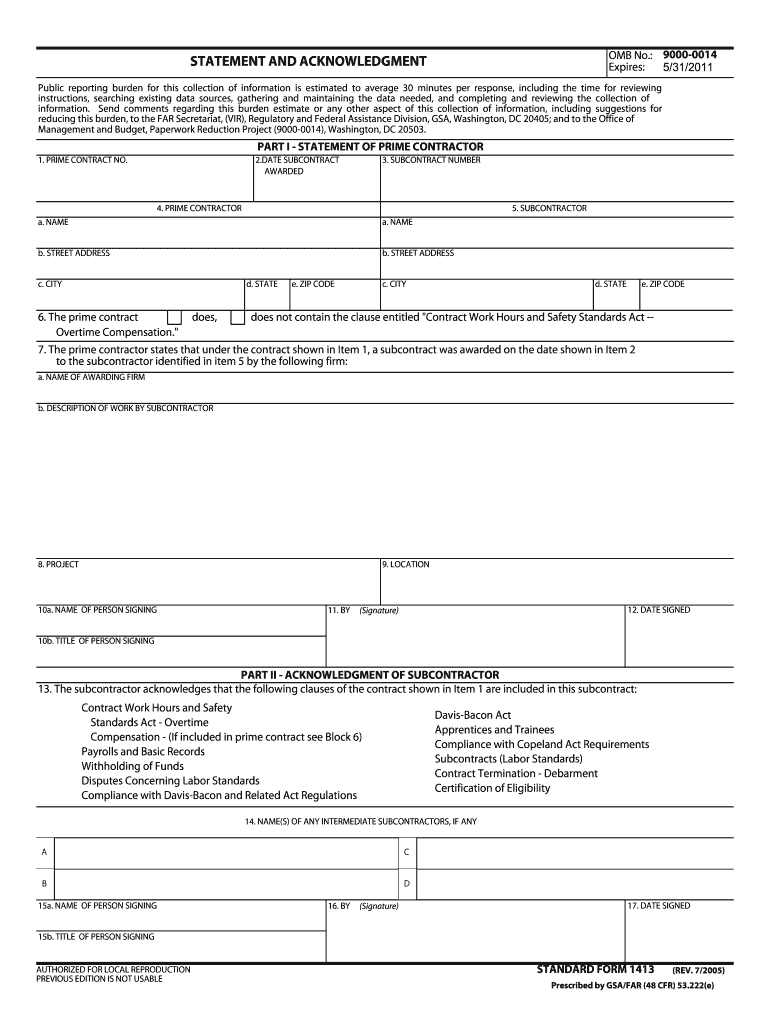
- Begin by filling out Part I - Statement of Prime Contractor. Enter the Prime Contract Number, Date Subcontract Awarded, and Subcontract Number in the respective fields.
- Provide details for both the Prime Contractor and Subcontractor sections, including names, addresses, city, state, and ZIP code.
- Indicate whether the prime contract contains the clause regarding 'Contract Work Hours and Safety Standards Act - Overtime Compensation' by checking the appropriate box.
- Complete the project details including Project Name and Location. Ensure to fill in the name and title of the person signing along with the date signed.
- Move to Part II - Acknowledgment of Subcontractor. Acknowledge included clauses by reviewing them carefully and entering any intermediate subcontractors if applicable.
- Finally, have the subcontractor sign and date where indicated, ensuring all information is accurate before submission.
Start using our platform today for free to streamline your document editing and completion process!
It's free
See more 2005 standard form versions
Got questions?
Can I draw my electronic signature to approve my 2005 standard form?
Yes, electronically drawing your signature is appropriate, but only if you utilize a tool that complies with industry regulations and policies. Try DocHub, which ensures eSignature validity under ESIGN and UETA requirements. All you need to eSign your 2005 standard form is an account with DocHub and an internet connection. When you open your document in our editor, click Sign and choose the Draw option.
How do you complete 2005 standard form on iOS?
You need only an internet connection and a browser to complete your 2005 standard form on an iOS phone. Open the DocHub website and authenticate. Then, add your document or select it from the list in your dashboard. Then use our editing tools to complete your form and preserve all your changes. You can also send it to a dedicated recipient immediately.
What is an example of a standard form?
How do you write 1600 in standard form?
How do you write in standard form?
Security and compliance
At DocHub, your data security is our priority. We follow HIPAA, SOC2, GDPR, and other standards, so you can work on your documents with confidence.
Learn more




