
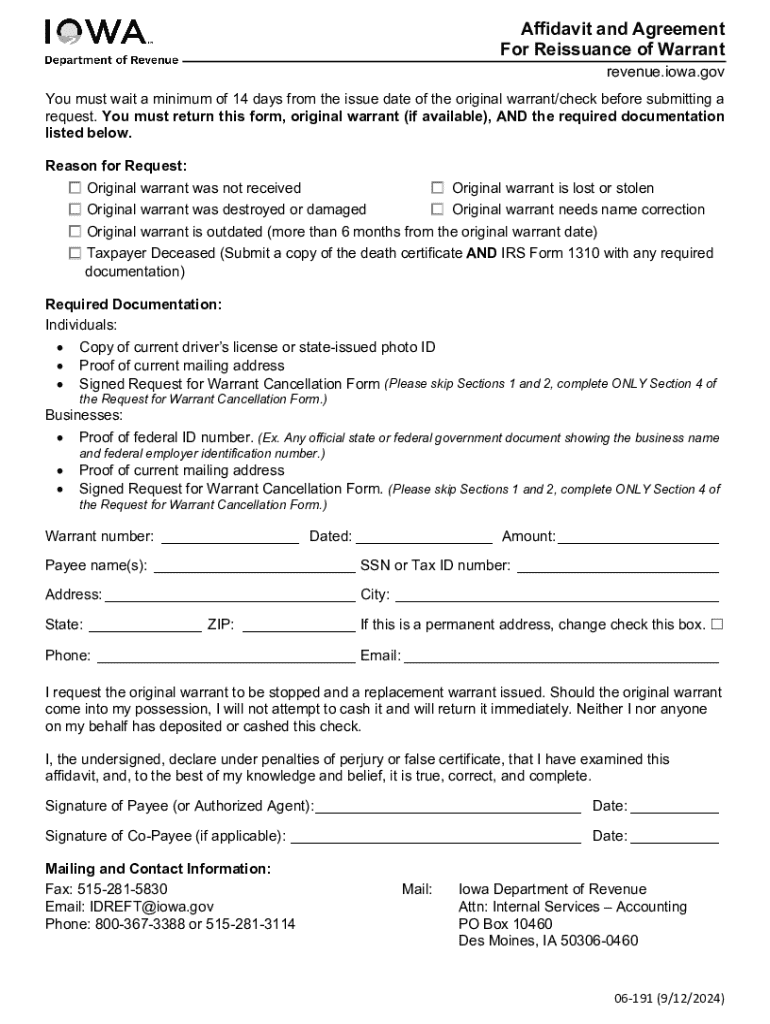







Definition and Purpose of Online Forms
Online forms are digital documents designed for individuals or businesses to enter and submit data via the internet. These forms can range from simple contact forms to complex applications for government agencies or financial institutions. Their primary purpose is to streamline the data collection process, making it efficient, accessible, and paperless. This form automation is integral for entities aiming to optimize their workflow and reduce manual errors.
Typical Features of Online Forms
- Interactivity: Online forms include interactive elements like text fields, checkboxes, dropdown menus, and signature fields, allowing users to provide information in structured formats.
- Customization: Users can tailor forms to specific needs by adding or modifying fields, ensuring relevant data collection.
- Validation and Verification: Forms often incorporate validation checks to minimize errors by ensuring the data entered meets preset requirements.
- Security Measures: These digital forms implement encryption and secure access protocols to protect sensitive information from unauthorized access.
How to Obtain Forms Online
Accessing forms online is a straightforward process that varies depending on the form's issuer. Here's a general guide to locating and downloading your required forms:
- Identify the Source: Determine the organization or entity that issues the form. Common sources include government websites, financial institutions, and service providers like DocHub.
- Visit the Website: Navigate to the institution's website, usually via a web search using relevant keywords. Look for sections labeled "Forms," "Documents," or "Resources."
- Select the Form: Browse the available forms, which are typically categorized by purpose or type. Select the one that meets your needs.
- Download or Access Online: Many forms are available for download in formats like PDF or can be completed directly online. Some websites may require registration or login credentials to access certain documents.
Steps to Complete an Online Form
Completing an online form involves several steps aimed at ensuring accuracy and thoroughness:
- Read Instructions Carefully: Before starting, review the form's instructions to understand each section's requirements.
- Collect Required Information: Gather all necessary data, such as identification numbers, addresses, or financial information, beforehand to ease the completion process.
- Fill Out the Form: Enter your information into the appropriate fields. Take advantage of autofill options or dropdown menus to expedite the process.
- Review and Confirm: Carefully review the form for any errors or omissions. Most platforms provide an option to preview the completed form before submission.
- Submit the Form: Once satisfied, submit the form. Options may include direct web submission, email, or downloading a PDF for physical submission.
Key Elements of an Online Form
Understanding the standard components of an online form aids in effective completion:
- Header Information: Contains title, identifiers, or purpose, setting the context for the user.
- Form Fields: Interactive sections designed for data entry, including text inputs, selection options, and fields for additional comments.
- Instructions and Help Texts: Helpful guidelines may accompany fields for clarity on required data.
- File Upload Options: Allows for attaching supplementary documents needed for form completion.
- Submit/Reset Functions: Buttons to submit completed data or reset form entries if necessary.
Software Compatibility for Online Forms
Online forms must be compatible with various software and platforms to accommodate users’ diverse needs:
- Browsers: Forms are generally accessible through popular web browsers like Chrome, Firefox, Safari, and Edge. It's crucial to ensure the form supports the latest versions for optimal performance.
- Integration with Software: Some forms are compatible with software like TurboTax or QuickBooks, enabling seamless data import for financial or tax-related forms.
- Mobile Access: Many online platforms optimize forms for mobile devices, ensuring functionality on smartphones and tablets.
Benefits of Software Compatibility
- Streamlined Workflows: Enhance productivity by integrating form data with existing software solutions.
- Increased Accessibility: Expand form access across devices and operating systems, catering to a wider audience.
- Ease of Use: Simplified data entry and processing through familiar software interfaces.
Legal Use of Online Forms
Online forms hold legal validity provided they meet specific regulatory compliance requirements. Understanding legal guidelines is vital for ensuring the integrity and acceptance of submitted forms:
- Electronic Signatures: Use legally binding electronic signatures compliant with acts like the ESIGN Act, which outlines the requirements for legality.
- Data Protection Laws: Adhere to data privacy regulations, such as GDPR in Europe or CCPA in California, to safeguard participant information.
- Audit Trails: Maintain records of form submissions to provide proof of compliance and facilitate audits if necessary.
Advantages of Using Online Forms
Online forms offer numerous benefits over traditional paper forms, making them a preferred choice for modern organizations:
- Efficiency: Reduce processing time by automating data capture and entry processes.
- Environmental Impact: Cut down on paper use, contributing to eco-friendly practices.
- Scalability: Easily modify forms to accommodate additional data fields or changes in requirements without the need for reprinting.
- Accessibility: Enable remote access, allowing users to complete and submit forms from virtually anywhere.
State-Specific Rules for Online Forms
When dealing with state-specific forms like tax returns or licensing applications, it is crucial to recognize variations in requirements across different jurisdictions. Here are some key considerations:
- State Regulations: Each state can modify forms and processes based on their specific legal framework.
- Submission Deadlines: Pay attention to state-imposed deadlines, which may differ from those in federal guidelines.
- Acceptable Formats: Some states may require specific file formats or submission methods distinct from federal standards.
Incorporating these elements into understanding online forms ensures a comprehensive grasp of their function and effective use, ultimately enhancing user experience and compliance.




