




Here's how it works

01. Edit your eqrs sign in online
Type text, add images, blackout confidential details, add comments, highlights and more.

02. Sign it in a few clicks
Draw your signature, type it, upload its image, or use your mobile device as a signature pad.

03. Share your form with others
Send crownweb login via email, link, or fax. You can also download it, export it or print it out.
How to use or fill out esrd patient death review form with our platform

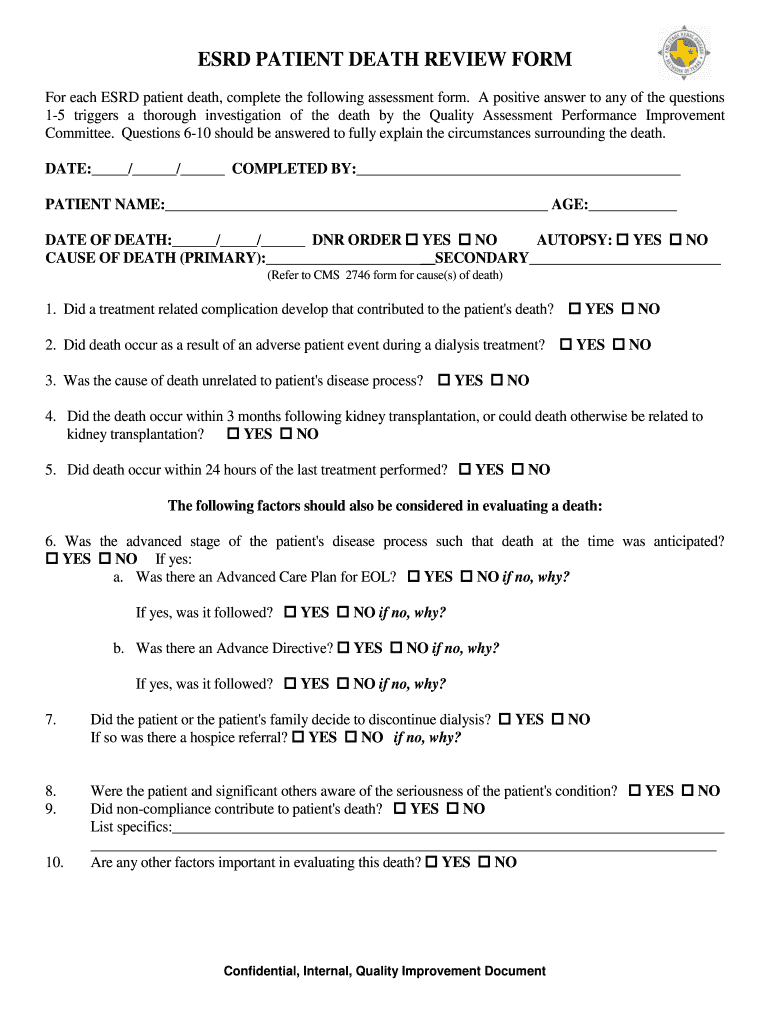
- Click ‘Get Form’ to open the ESRD Patient Death Review Form in the editor.
- Begin by entering the date, your name as the person completing the form, and the patient's details including their name, age, and date of death.
- Indicate whether there was a Do Not Resuscitate (DNR) order and if an autopsy was performed by checking the appropriate boxes.
- Fill in the primary and secondary causes of death. Refer to the CMS 2746 form for accurate cause(s) of death.
- Answer questions 1-5 regarding treatment-related complications and circumstances surrounding the patient's death. Each positive answer will prompt further investigation.
- For questions 6-10, provide detailed responses about advanced care plans, family decisions regarding dialysis, awareness of condition severity, and any non-compliance issues that may have contributed to the death.
Start using our platform today for free to streamline your document editing and completion process!
Fill out esrd patient death review form online
It's free
It's free
Security and compliance
At DocHub, your data security is our priority. We follow HIPAA, SOC2, GDPR, and other standards, so you can work on your documents with confidence.
Learn more




