




01. Edit your ps form 1723 online
Type text, add images, blackout confidential details, add comments, highlights and more.

Type text, add images, blackout confidential details, add comments, highlights and more.

Draw your signature, type it, upload its image, or use your mobile device as a signature pad.

Send 1723 form usps via email, link, or fax. You can also download it, export it or print it out.
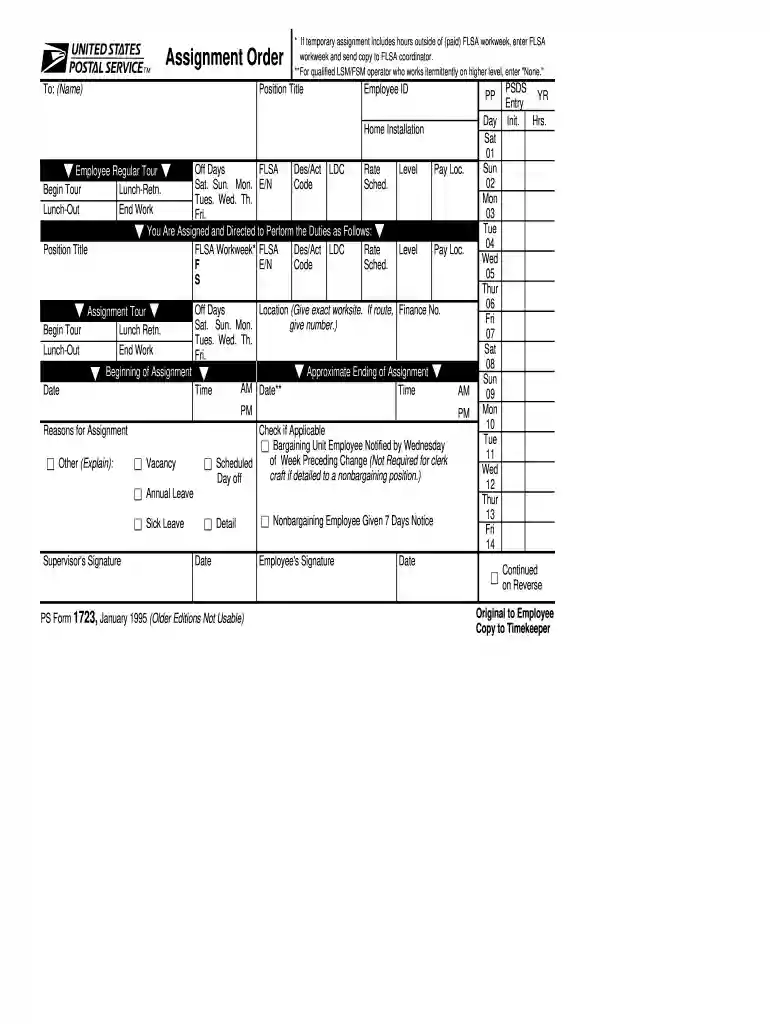
The PS form, also known as the Employee Assignment Order form, is a crucial document used primarily within organizations to record management-directed changes in employee assignments. It serves to document temporary duties that are outside of an employee's official job description and schedule changes. This form ensures that all modifications in employment terms are officially recognized and approved by the relevant authorities within an organization, providing transparency and clarity for both employers and employees.
Using the PS form involves several steps to ensure that all necessary information is accurately captured. This form is typically used when an employee is assigned new responsibilities temporarily or if there are changes in their work schedule. To use the form effectively:
The PS form is usually available through an organization's human resources department or internal document management system. If you cannot access it internally:
Completing the PS form requires attention to detail to ensure all sections are filled correctly. Here’s a step-by-step guide:
Several key elements ensure comprehensive documentation of any assignment changes:
Legally, the PS form ensures compliance with organizational and employment laws regarding assignment changes. For example:
The PS form is mainly used by:


Understanding key terminology associated with the PS form is essential for correct usage:
We've got more versions of the ps form 1723 form. Select the right ps form 1723 version from the list and start editing it straight away!
At DocHub, your data security is our priority. We follow HIPAA, SOC2, GDPR, and other standards, so you can work on your documents with confidence.
Sep 12, 1998 Learn the specifics of the USPS safety policy, rules and regulations, and the supervisors role. 2. Demonstrate how to correctly process PS
May 15, 2002 PURPOSE. Change 19 divides Order 8260.3B into five volumes to aid in the efficiency of its use. The conversion from one volume in revision B


