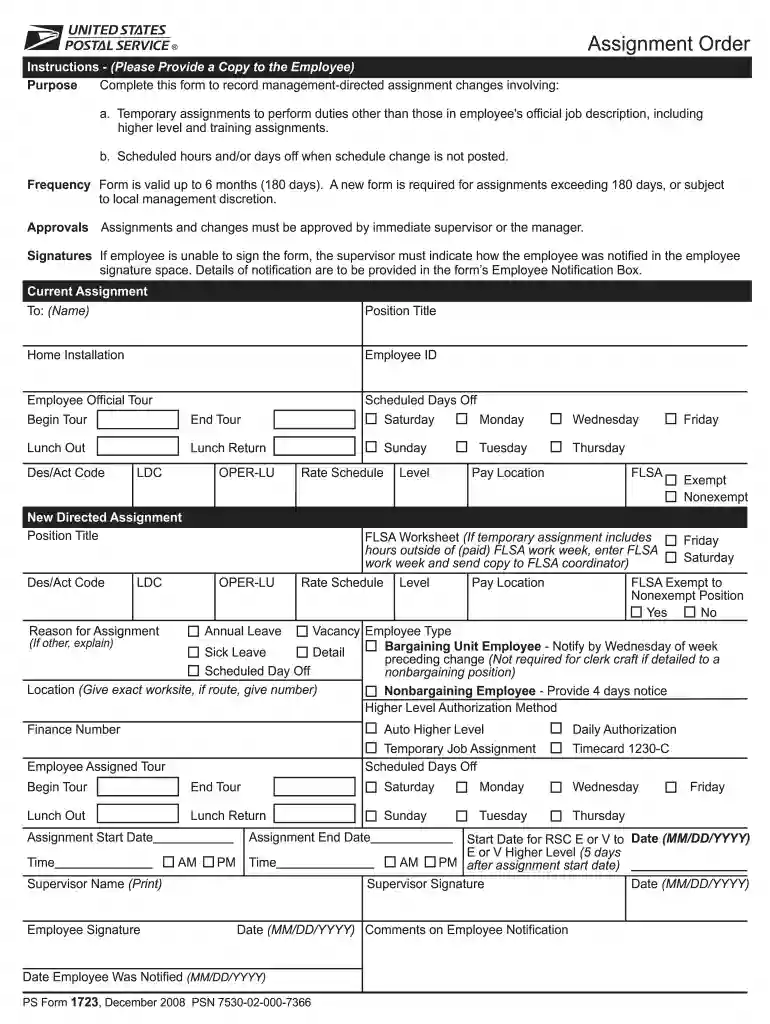
Ps form 1723-2026

Get Form
ps form 1723 Preview on Page 1

Here's how it works

01. Edit your ps form 1723 online
Type text, add images, blackout confidential details, add comments, highlights and more.

02. Sign it in a few clicks
Draw your signature, type it, upload its image, or use your mobile device as a signature pad.

03. Share your form with others
Send 1723 ps via email, link, or fax. You can also download it, export it or print it out.

How to use or fill out ps form 1723 with our platform

Form edit decoration
9.5
Ease of Setup
DocHub User Ratings on G2
9.0
Ease of Use
DocHub User Ratings on G2
  1. Click ‘Get Form’ to open the ps form 1723 in the editor.
  2. Begin by filling in the 'Current Assignment' section. Enter the employee's name, position title, employee ID, and scheduled days off.
  3. In the 'New Directed Assignment' section, specify the new position title, Des/Act code, level, and FLSA status. Ensure to include any necessary details regarding pay location.
  4. Complete the 'Reason for Assignment' field and provide any additional comments in the designated area.
  5. If applicable, indicate scheduled days off and ensure that all required signatures are obtained from both the supervisor and employee.
  6. Finally, review all entries for accuracy before saving or exporting your completed form directly from our platform.

Start using our platform today to fill out your ps form 1723 easily and for free!

See more ps form 1723 versions

We've got more versions of the ps form 1723 form. Select the right ps form 1723 version from the list and start editing it straight away!
Versions Form popularity Fillable & printable
2008 4.9 Satisfied (285 Votes)
1995 4 Satisfied (42 Votes)
be ready to get more

Complete this form in 5 minutes or less

Get form

Got questions?

We have answers to the most popular questions from our customers. If you can't find an answer to your question, please contact us.
Contact us
You may file PS Form 1500 at a local Post Office to prevent receipt of unwanted obscene materials in the mail or to stop receipt of obscene materials in the mail. The Post Office offers two programs to help you protect yourself (and your eligible minor children).
The PS Form 1723, which shows the times and dates of the 204b detail, is the controlling document for determining whether an employee is in a 204b status. A separate PS Form 1723 is used for each detail.
Nonbargaining temporary employees appointed from outside the Postal Service are nonbargaining unit, noncareer employees who perform duties assigned to nonbargaining unit positions.
A detail is a temporary assignment of an employee to a classified position (i.e., established position) or statement of duties (i.e., unestablished position) for a specified period.
Local travel is defined as travel to a location within a 50-mile radius of your permanent duty station in which overnight lodging is not needed For local travel, the Postal Service reimburses you for your actual expenses all reasonable subsistence expenses that you incur as a result of your official travel