




Here's how it works

01. Edit your rental agreement template thailand online
Type text, add images, blackout confidential details, add comments, highlights and more.

02. Sign it in a few clicks
Draw your signature, type it, upload its image, or use your mobile device as a signature pad.

03. Share your form with others
Send standard rental contract thailand via email, link, or fax. You can also download it, export it or print it out.
How to use or fill out standard rental agreement form with our platform

- Click ‘Get Form’ to open the standard rental agreement form in the editor.
- Begin by filling in the date and names of the parties involved. Ensure you provide accurate details for both the lessor and lessee, including addresses and contact numbers.
- Specify the premises being rented by selecting from options such as Apartment, Room, or Single Family Home. Clearly indicate the address of the property.
- Set the term of the agreement by entering start and end dates. If it’s a fixed-term lease, ensure both dates are filled correctly.
- Detail the rent amount and payment frequency (weekly or monthly). Include information on where payments should be sent.
- Indicate which services and facilities are included in the rent. Check all applicable boxes to clarify responsibilities.
- If applicable, specify any security deposit requirements. Make sure this aligns with local regulations.
- Review statutory conditions attached to your agreement to ensure compliance with local laws before finalizing.
Start using our platform today for free to streamline your rental agreement process!
Fill out standard rental agreement form online
It's free
It's free
Got questions?
We have answers to the most popular questions from our customers. If you can't find an answer to your question, please contact us.
Contact us
Is a handwritten rental agreement legal?
Handwritten contracts are legally binding if they meet the necessary conditions that apply to all contracts: mutual agreement, capacity, consideration, and legal validity. There are no legal differences between typed and handwritten agreements when it comes to enforceability.
Is there a rental agreement template in Word?
Yes, Microsoft Word has a free lease agreement template that you can customize to create your own contract and minimize any potential problems between tenant and landlord.
Does Google Docs have a rental agreement template?
Easy to create and customize editable rental agreement templates in Google Docs. Explore professionally designed, printable, and customizable options. Download now!
Does Microsoft Word have a contract template?
Seamless Document Creation and Editing Through integration, users can open pre-written contract templates within Word. The template contains placeholders for essential information, such as names, dates, terms, and conditions.
How to write a rental agreement for a family member?
How to Fill Out a Family Member Lease Agreement Step 1: Identify the Parties. Step 2: Describe the Property. Step 3: Define the Lease Term. Step 4: Outline Rent, Deposit, and Payment Terms. Step 5: Establish Utilities and Additional Costs. Step 6: Address Pet Policies. Step 7: Include Parking and Vehicle Provisions.
Security and compliance
At DocHub, your data security is our priority. We follow HIPAA, SOC2, GDPR, and other standards, so you can work on your documents with confidence.
Learn more


Related forms

Tennessee uniform filing sheet
The document is a Uniform Facsimile Filing Cover Sheet for Tennessee courts, designed for submitting legal documents via ...

Parent college student contract template
The Parent-Child College Contract outlines the expectations and responsibilities of both the student and their parents r ...

Interview protocol template
The document is an Interview Protocol Form designed for a research project focused on understanding the learning experie ...
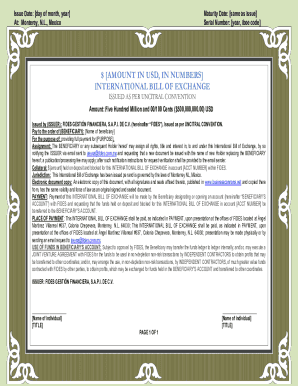
$ AMOUNT IN USD, IN NUMBERS INTERNATIONAL BILL OF EXCHANGE
The document is an International Bill of Exchange issued by FIDES GESTIÓN FINANCIERA, S.A.P.I. DE C.V. for the amount of ...
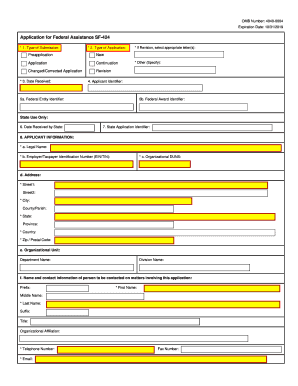
* Country: - eca state
The document is the Application for Federal Assistance SF-424, a standard form used for submitting pre-applications and ...

DCTC True Blue Gala Support Request 2018
The document outlines sponsorship opportunities for a gala event, detailing various sponsorship levels and their associa ...
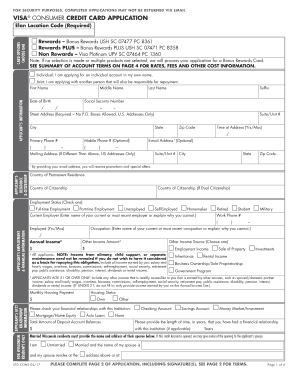
Rewards Bonus Rewards USH SC 07477 PC 8361
The document is a Visa Consumer Credit Card Application that outlines the application process for individuals and joint ...
People also ask
Is it legal to write your own lease agreement?
It is possible to draft your own lease agreement, but you are leaving yourself open to issues.