




01. Edit your form online
Type text, add images, blackout confidential details, add comments, highlights and more.

Type text, add images, blackout confidential details, add comments, highlights and more.

Draw your signature, type it, upload its image, or use your mobile device as a signature pad.

Send it via email, link, or fax. You can also download it, export it or print it out.
When referring to the term "form online," it primarily denotes the electronic version of forms typically mandated for personal, professional, or governmental use. This can encompass a wide array of documents, from tax forms to legal applications, that users complete, submit, or file through digital platforms. The movement toward online forms is largely driven by the desire for increased efficiency, accessibility, and accuracy. By filling forms online, individuals and businesses can bypass the traditional hurdles associated with paper-based forms, thus streamlining processes like data collection and information management.
Using a form online involves several steps that ensure a smooth and error-free completion. Typically, one begins by accessing the platform where the form is hosted, such as a governmental website or a document management service like DocHub. Users are then prompted to either start a new form or import an existing one. The interface usually provides clear instructions on filling out each section, with various fields that may include text inputs, checkboxes, or dropdown menus. Many platforms also allow users to save drafts and resume later, ensuring that partial progress is not lost. After completing the form, a review process usually checks for missed fields or errors before allowing submission.
Obtaining an online form is straightforward and often involves visiting specific websites or platforms where these forms are hosted. For example, tax forms like the W-9 or Form 1040 can be found on the Internal Revenue Service (IRS) website, while other documents might be accessible via state or local government portals. Users can either download a PDF version of the form or use a service to complete it directly online. Platforms like DocHub allow importing forms from various sources, including cloud storage services, making access flexible and convenient.
Completing a form online includes a series of steps designed to ensure all necessary information is captured accurately. Users typically begin by entering personal details such as name, address, and identification numbers. Depending on the form's nature, other sections may require detailed financial information, signatures, or attachments. Online platforms often provide tooltips or guides to help users understand how to correctly fill in each field. Once all sections are filled out, a validation system checks for errors or omissions, prompting users to correct any issues before submitting.
Filling out forms online offers numerous benefits over traditional paper-based processes. Primarily, it enhances efficiency by reducing the time spent on manual data entry and the risk of errors from handwriting or transcription. Online forms also provide real-time feedback and validation, ensuring all required data is captured correctly before submission. This method supports a more sustainable workflow by minimizing the need for physical paper. Additionally, online forms enable easier data management, as digital records are simpler to store, search, and retrieve.
Online forms are designed with key elements that ensure they are user-friendly and efficient. Common components include clear instructions, a logical sequence of fields, and field validation checks. Users can typically expect sections for personal information, mandatory fields marked clearly, and options to add attachments. Advanced features may include autosave functionality, progress trackers, and interactive elements like dropdowns or checkboxes that guide the user through the form completion process.
Understanding the legal implications of using online forms is crucial. Most online forms, especially those related to taxes or legal documents, are designed to comply with federal and state regulations. For example, electronic signatures on such forms are often legally binding under laws like the ESIGN Act. Users should ensure that the platform they use offers secure and compliant ways to submit information online, including encryption and authentication measures to protect sensitive data.
It's important to be aware that some forms, particularly those associated with taxes or state-specific applications, may have unique rules and guidelines depending on the jurisdiction. Variations can exist in terms of eligibility, required documentation, or submission deadlines. Users should consult relevant state resources or the specific form instructions to ensure compliance with local requirements. For state-specific income tax forms, for instance, websites will often provide step-by-step guides to help users fill out their documents correctly.
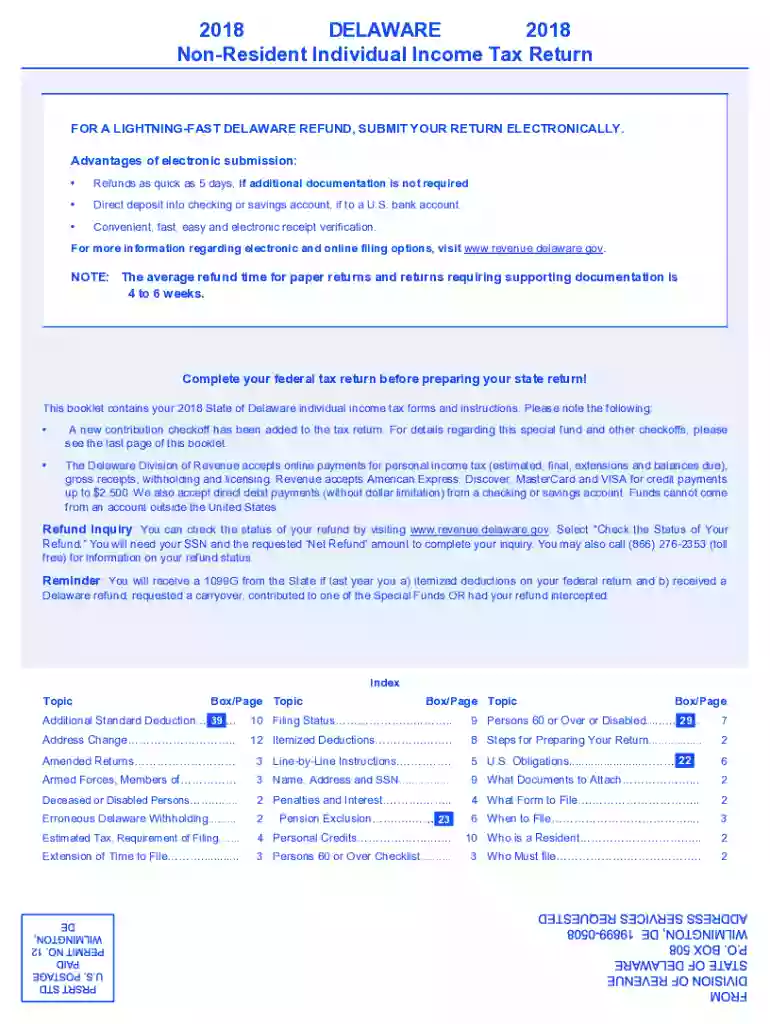
We've got more versions of the 2018 Delaware Non-Resident Individual Income Tax Return form. Select the right 2018 Delaware Non-Resident Individual Income Tax Return version from the list and start editing it straight away!
| Versions | Form popularity | Fillable & printable |
|---|---|---|
| 2020 | 4.9 Satisfied (32 Votes) | |
| 2019 | 4.8 Satisfied (93 Votes) | |
| 2018 | 4.1 Satisfied (58 Votes) | |
| 2017 | 4.3 Satisfied (40 Votes) | |
| 2016 | 4 Satisfied (25 Votes) | |
| 2015 | 4.3 Satisfied (58 Votes) | |
| 2014 | 4.4 Satisfied (31 Votes) | |
| 2013 | 4.2 Satisfied (58 Votes) | |
| 2012 | 4.1 Satisfied (73 Votes) | |
| 2011 | 4 Satisfied (33 Votes) | |
| 2010 | 4 Satisfied (53 Votes) | |
| 2004 | 4 Satisfied (26 Votes) |
At DocHub, your data security is our priority. We follow HIPAA, SOC2, GDPR, and other standards, so you can work on your documents with confidence.
Create powerful online forms with pre-fill, AI, and multi-step workflow features. Try our easy-to-use online form builder with enterprise-level
This page lists the USCIS forms that are currently available to file online. Visit the File Online page to learn about the benefits of filing a form using


