Type text, add images, blackout confidential details, add comments, highlights and more.
02. Sign it in a few clicks
Draw your signature, type it, upload its image, or use your mobile device as a signature pad.
03. Share your form with others
Send it via email, link, or fax. You can also download it, export it or print it out.
How to Use or Fill Out the Reimbursement Accounts Enrollment Form Online
Ease of Setup
DocHub User Ratings on G2
Ease of Use
DocHub User Ratings on G2
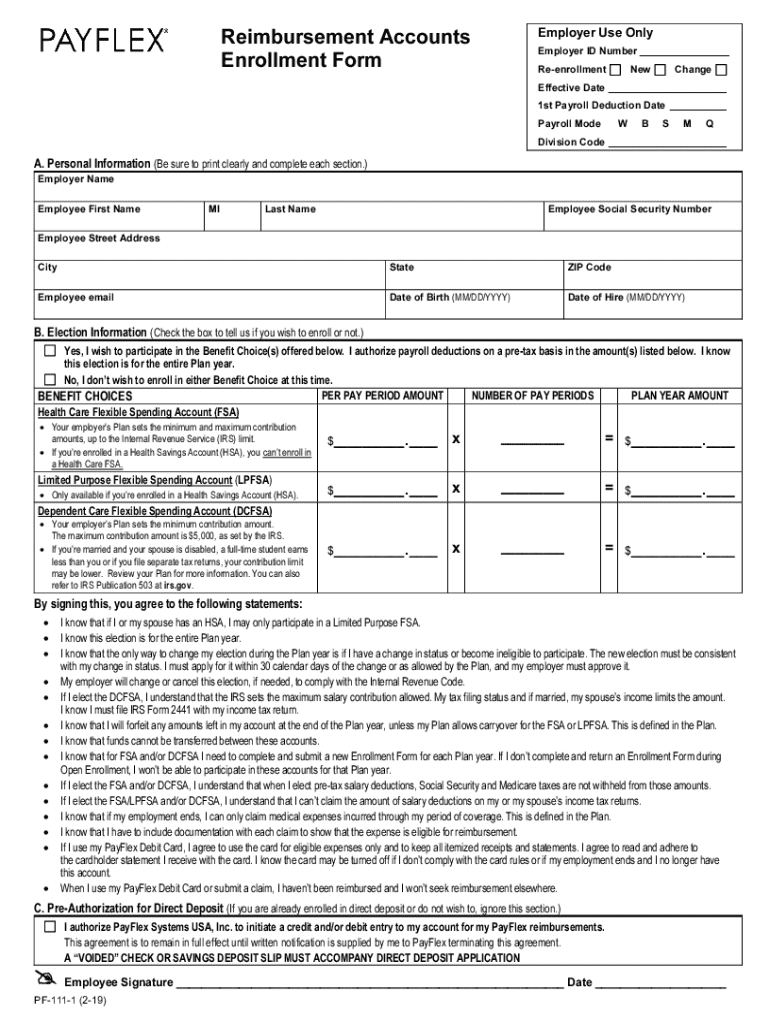
Click ‘Get Form’ to open the Reimbursement Accounts Enrollment Form in our editor.
Begin by filling out the Employer Use Only section, including your Employer ID Number and selecting whether this is a re-enrollment, new enrollment, or change.
In Section A, Personal Information, clearly print your Employer Name, Employee First Name, Middle Initial, Last Name, Social Security Number, Street Address, City, State, ZIP Code, Email, Date of Birth, and Date of Hire.
Move to Section B for Election Information. Check the box indicating whether you wish to participate in the Benefit Choices offered. Fill in the amounts for each benefit choice as required.
If applicable, complete Section C for Pre-Authorization for Direct Deposit by providing your bank details and attaching a voided check or savings deposit slip.
Finally, sign and date the form at the bottom to confirm your understanding of the terms outlined.
Start filling out your form online today for free with our platform!
Fill out Employer Reimbursement Accounts Enrollment Form online It's free
See more Employer Reimbursement Accounts Enrollment Form versions
We've got more versions of the Employer Reimbursement Accounts Enrollment Form form. Select the right Employer Reimbursement Accounts Enrollment Form version from the list and start editing it straight away!
Personal Information (Be sure to print clearly and complete each section.) Employer Name. Employee First Name. MI. Last Name. Employee Social Security Number.Read more
Cookie consent notice
This site uses cookies to enhance site navigation and personalize your experience.
By using this site you agree to our use of cookies as described in our Privacy Notice.
You can modify your selections by visiting our Cookie and Advertising Notice.