Definition & Meaning
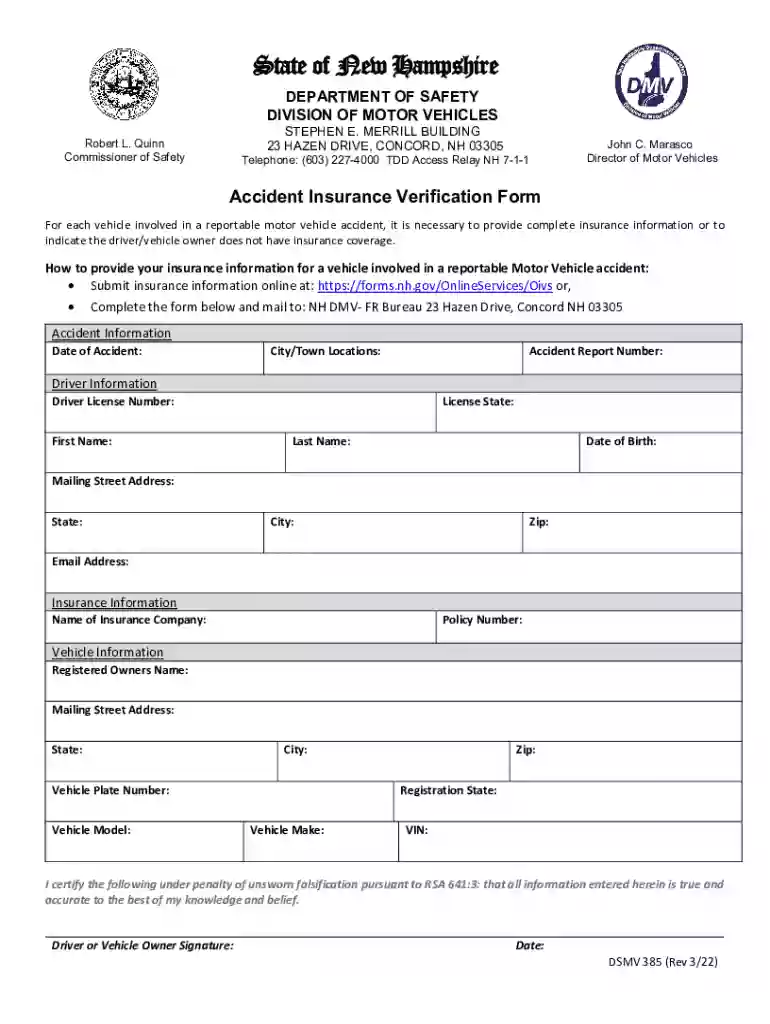
Form online refers to the process of completing and submitting various forms through internet-based platforms instead of using traditional paper methods. This approach leverages technology to improve the efficiency and accessibility of handling personal, legal, or business documentation. By using an online form, individuals and organizations can quickly manage tasks such as applying for insurance, verifying information, or fulfilling administrative requirements from anywhere, provided they have internet access. Additionally, online forms often come with built-in validation checks that ensure data is entered correctly, reducing the likelihood of errors and streamlining the entire process.
Benefits of Online Forms
- Accessibility: Forms can be accessed and filled out from any device with internet connectivity, offering convenience for users across different locations.
- Efficiency: Automated features and direct electronic submissions save time compared to manual processing.
- Accuracy: Integrated validation rules minimize the risk of incorrect data entry.
- Environmentally Friendly: Reduces paper usage and physical storage needs.
Steps to Complete the Form Online
Completing a form online typically involves a series of user-friendly steps designed to capture accurate data efficiently.
- Access the Form: Visit the relevant website or platform offering the form. Ensure that the website is secure (look for "https://" in the URL) to protect your personal information.
- Create an Account: Some platforms may require you to register or log in before accessing the form. Use a secure password and keep your login details confidential.
- Fill Out the Form: Start by entering the required information in each field. Online forms often provide helpful hints or tooltips to guide you through the process.
- Review Information: Carefully review your entries for accuracy. Many platforms offer a preview option before submission.
- Submit the Form: Once verified, submit the form electronically by clicking the designated ‘Submit’ button.
- Confirmation: After submission, you might receive a confirmation email or a reference number as proof. Save this for your records.
Considerations During Submission
- Required Fields: Online forms often mark mandatory fields with an asterisk. Ensure these are filled to avoid submission errors.
- Attachments: Some forms may require additional documents. Ensure they're in the correct format (PDF, DOC, etc.) as specified by the platform.
- Time Limits: Certain forms may have time constraints for completion. Be mindful to complete before it times out.
Why Should You Form Online
Filling forms online brings numerous advantages, enhancing both individual and organizational productivity.
- Speed: Online forms eliminate the need for transportation delays associated with mailing physical documents.
- Instant Feedback: Many systems instantly alert users to errors, enabling immediate correction.
- Cost-Effective: By negating postage and handling fees, companies and individuals can reduce operational costs significantly.
- Tracking Capabilities: Provides easy tracking of application status, keeping users informed of their form's progress.
Important Terms Related to Form Online
Understanding these terms is essential when interacting with online forms to ensure a smoother and more informed experience.
- Encryption: The process of converting information or data into a code to prevent unauthorized access, used widely in securing online form data.
- Validation: The automated verification process that checks for the correctness and logical consistency of data inputs.
- OAuth 2.0: An authorization framework enabling applications to obtain limited access to user accounts on HTTP services.
Examples
- Captcha: A tool used to differentiate human users from bots by presenting challenges solvable only by humans.
- Multi-Signature: A security feature where multiple signatures are needed to approve the submission.
Legal Use of the Form Online
Electronic submissions hold the same legal weight as paper forms, provided they meet specific criteria.
- E-Sign Act Compliance: Ensures that electronic signatures and records are valid in contractual agreements.
- Data Privacy Laws: Adheres to regulations such as GDPR or CCPA for handling personal information responsibly.
Examples of Legal Applications
- Contract Agreements: Digital contracts are valid if they include all necessary signatures electronically.
- Tax Filing: Online tax submission platforms comply with IRS guidelines to ensure legality.
State-Specific Rules for the Form Online
Legal requirements and recognition of online forms vary across states, influenced by jurisdictional legislation.
- Driving License Applications: Some states allow complete online submissions, while others require in-person verification.
- Business Registrations: States offer varying online resources for business filings, impacting how entities register and report.
Variations Across States
- California: Strong emphasis on consumer data protection impacts the structuring of online forms.
- New York: Requires additional local tax forms not found in federal filings.
Key Elements of the Form Online
Understanding what elements compose an online form can enhance user interaction and success in form completion.
- Text Fields: Areas where users input information, including numbers, letters, and characters.
- Checkboxes: Allow users to select multiple options on forms.
- Dropdown Menus: Offer lists of options for users to choose from, reducing entry errors.
Usability Features
- Autofill: Fills out information using previously entered data.
- Real-time Error Notifications: Alerts users to field entry mistakes as they're being filled.
Examples of Using the Form Online
Practical applications across diverse fields illustrate the versatility of online forms.
- Insurance Claims: Policyholders can submit claims from accidents using online platforms.
- Academic Admissions: Students apply and submit documents to educational institutions electronically.
Case Studies
- Small Business Tax Filings: Entrepreneurs benefit from using online forms to streamline end-of-year tax processes.
- Remote Workforce Contracts: Employers and employees finalize employment agreements remotely via secure digital forms.
Required Documents
When submitting forms online, necessary documents may range from identification to proofs of eligibility, varying by form purpose.
- Identification: Drivers' licenses or passports may be required for authentication.
- Financial Records: Tax forms or bank statements may need processing where applicable.
Examples
- W-9 Form Submission: Requires accurate taxpayer identification numbers for validation.
- Job Applications: Often need resumes or CVs uploaded as part of online forms.
Digital Vs. Paper Version
A comparison between digital and paper forms reveals significant differences in efficiency and user outcomes.
- Speed: Digital versions offer instant submissions, unlike paper which involves mailing and handling.
- Version Control: Online it is easier to update or correct errors compared to a paper, requiring reprinting.
Contextual Example
- Healthcare Enrollment: Digital forms enable faster processing of insurance applications than paper submissions, allowing timely coverage commencement.
Software Compatibility (TurboTax, QuickBooks, etc.)
Compatibility with software like TurboTax enhances form management capabilities.
- Integration: Allows for direct import/export of data between forms and accounting software.
- Efficiency: Automates calculations and error checks, reducing manual input workload.
Examples of Compatible Software
- QuickBooks: Integrates with online forms to streamline invoice management and financial reporting processes for businesses.
- DocuSign: Facilitates binding electronic agreements across platforms, ensuring secure digital transactions.