2012 OSS Content Session Proposal form doc - auburn-2025

Get Form
2012 OSS Content Session Proposal form doc - auburn Preview on Page 1

Here's how it works

01. Edit your form online
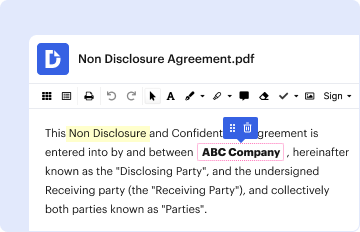
Type text, add images, blackout confidential details, add comments, highlights and more.
02. Sign it in a few clicks
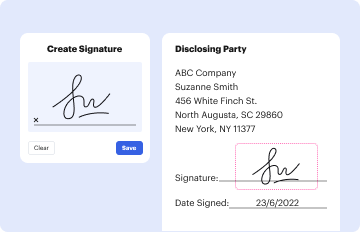
Draw your signature, type it, upload its image, or use your mobile device as a signature pad.
03. Share your form with others
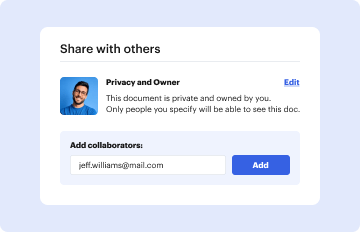
Send it via email, link, or fax. You can also download it, export it or print it out.

How to use or fill out 2012 OSS Content Session Proposal form doc - auburn with our platform

Form edit decoration
9.5
Ease of Setup
DocHub User Ratings on G2
9.0
Ease of Use
DocHub User Ratings on G2
  1. Click ‘Get Form’ to open the 2012 OSS Content Session Proposal form in the editor.
  2. Begin by entering the 'Concurrent Session Title' at the top of the form. Ensure it accurately reflects your session topic.
  3. Select the type of session you are proposing by checking either '50 minute concurrent session' or '15 minute symposia presentation'.
  4. Fill in your contact information, including your name, credentials, employer, address, city/state/zip, email, and phone number.
  5. Repeat step 4 for each presenter listed on the form. Make sure all presenters' details are complete and accurate.
  6. If applicable, provide information for a faculty sponsor using the same format as previous steps.
  7. Craft a concise 'Presentation Abstract' limited to 50 words that summarizes your session.
  8. Write a detailed 'Presentation Synopsis' not exceeding 300 words to give more context about your session.
  9. Review all entries for accuracy and completeness before submitting. Remember that all presenters must be registered for the conference.

Start filling out your proposal today using our platform for free!

be ready to get more

Complete this form in 5 minutes or less

Get form
be ready to get more

Complete this form in 5 minutes or less

Get form