

Appendix A RPM Change Request Form - fda 2026

Get Form
Appendix A RPM Change Request Form - fda Preview on Page 1

Here's how it works

01. Edit your form online
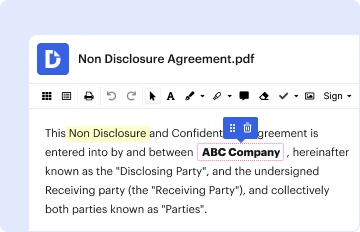
Type text, add images, blackout confidential details, add comments, highlights and more.
02. Sign it in a few clicks
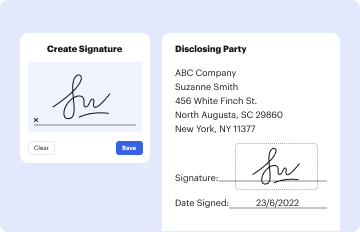
Draw your signature, type it, upload its image, or use your mobile device as a signature pad.
03. Share your form with others
Send it via email, link, or fax. You can also download it, export it or print it out.

How to use or fill out Appendix A RPM Change Request Form - fda with our platform

Form edit decoration
9.5
Ease of Setup
DocHub User Ratings on G2
9.0
Ease of Use
DocHub User Ratings on G2
  1. Click ‘Get Form’ to open the Appendix A RPM Change Request Form in the editor.
  2. Begin by filling in your details in the 'Originator', 'District/HQ', 'Date', and 'Phone' fields. This information identifies you as the requester.
  3. In the 'RPM Section' field, specify the chapter, section, or exhibit related to your change request. This helps categorize your request accurately.
  4. Select a 'Suggested Priority' from options like Urgent, High, or Routine to indicate how quickly you need this change addressed.
  5. Provide a detailed description of the issue or area for improvement in the 'Reason for Change Request' section. Clarity here is crucial for understanding your needs.
  6. Outline your proposed solution in detail within the 'Recommended Solution' section. This will guide decision-makers on how to address your request.
  7. Indicate if there are any attachments by selecting Yes or No. If yes, describe their purpose briefly below.
  8. If applicable, include any proposed text with tracked changes at the end of the form before saving it as a Word document.

Start using our platform today to streamline your form completion process for free!

be ready to get more

Complete this form in 5 minutes or less

Get form

Got questions?

We have answers to the most popular questions from our customers. If you can't find an answer to your question, please contact us.
Contact us

According to eSignature laws, documents approved digitally have the same validity as traditionally approved ones. You can electronically sign almost any business and personal paperwork. Four types of paperwork still require handwritten signatures only - wills and testamentary trusts, court orders and other court forms, state statutes regulating divorce, adoption, or other family law, and notice of cancellation of utility services. If you follow the guidelines and use a trustworthy and compliant software solution, like DocHub, you can eSign your Appendix A RPM Change Request Form - fda without printing it.

If you are using Chrome, there are two straightforward methods to modify your Appendix A RPM Change Request Form - fda online. First, go to the DocHub site, add your document, and modify it using our toolbar. You may also install our Chrome extension and modify any document by dragging and dropping it in your browser window.
The Regulatory Procedures Manual (RPM) is a reference manual that provides internal procedures and related information to be used by FDA employees who process certain regulatory and enforcement matters in support of the agencys public health mission.
Get Email Updates. Our free e-mail alert service allows you to receive important FDA news and information as they become available. To sign up, please select the topics that interest you.
be ready to get more

Complete this form in 5 minutes or less

Get form