
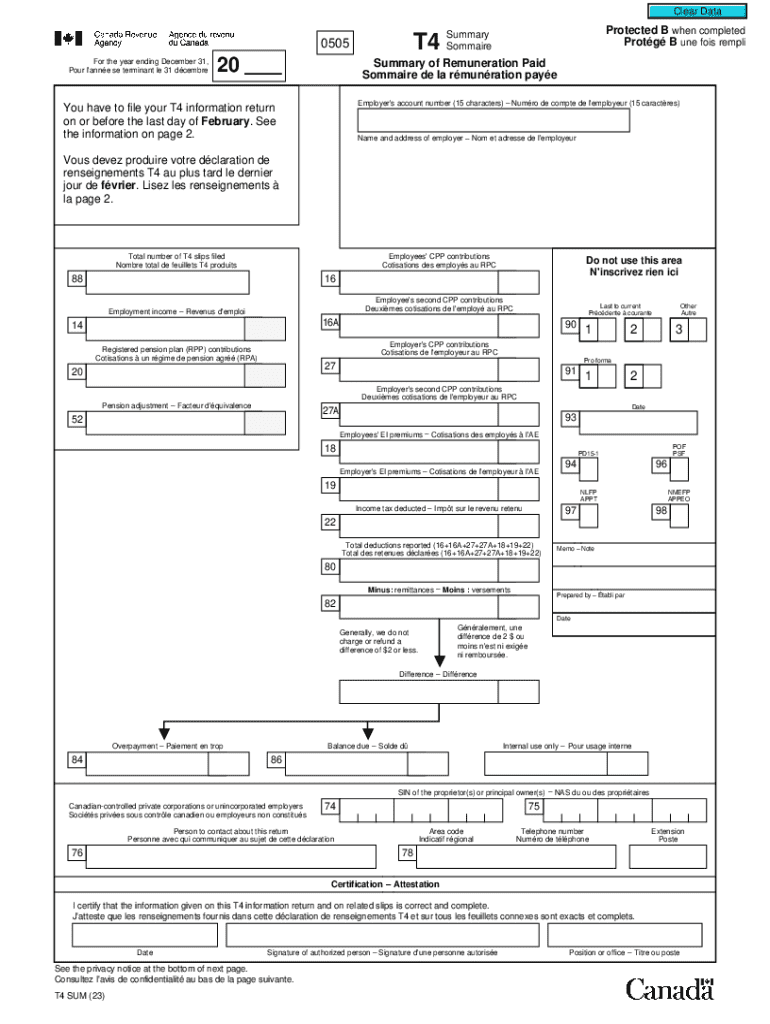



T4ASUM Summary of Pension, Retirement, Annuity, and 2026

Get Form
t4asum Preview on Page 1

Here's how it works

01. Edit your t4asum online
Type text, add images, blackout confidential details, add comments, highlights and more.

02. Sign it in a few clicks
Draw your signature, type it, upload its image, or use your mobile device as a signature pad.

03. Share your form with others
Send it via email, link, or fax. You can also download it, export it or print it out.

How to use or fill out T4ASUM Summary of Pension, Retirement, Annuity, and with our platform

Form edit decoration
9.5
Ease of Setup
DocHub User Ratings on G2
9.0
Ease of Use
DocHub User Ratings on G2
  1. Click ‘Get Form’ to open the T4ASUM Summary in the editor.
  2. Begin by entering the year ending December 31 in the designated field. This is crucial for accurate record-keeping.
  3. Fill in the employer's account number (15 characters) and ensure it matches your payroll program account number.
  4. Complete the 'Name and address of employer' section accurately to avoid any discrepancies.
  5. Input the total number of T4 slips filed. This helps in tracking your submissions effectively.
  6. Proceed to enter employee contributions such as CPP and EI premiums in their respective fields, ensuring all figures are correct.
  7. Finally, certify the information by signing and dating where indicated. This confirms that all details provided are complete and accurate.

Start using our platform today to streamline your document editing and form completion for free!

See more T4ASUM Summary of Pension, Retirement, Annuity, and versions

We've got more versions of the T4ASUM Summary of Pension, Retirement, Annuity, and form. Select the right T4ASUM Summary of Pension, Retirement, Annuity, and version from the list and start editing it straight away!
Versions Form popularity Fillable & printable
2023 4.2 Satisfied (34 Votes)
2020 4.7 Satisfied (129 Votes)
2018 4.8 Satisfied (309 Votes)
2015 4 Satisfied (54 Votes)
2013 4.4 Satisfied (60 Votes)
2012 4.4 Satisfied (482 Votes)
be ready to get more

Complete this form in 5 minutes or less

Get form

Got questions?

We have answers to the most popular questions from our customers. If you can't find an answer to your question, please contact us.
Contact us
The T4A is a Statement of Pension, Retirement, Annuity, and Other Income. If you have received any self-employment income throughout the past year, you report it as a T4A vs. T4. While the T4 and T4A slips may seem similar, the T4 includes more detail around various payroll contributions that you have as an employee.
If you are a payer (such as an employer, a trustee, an estate executor/liquidator, an administrator, or a corporate director), you must issue a T4A slip if any of the following apply: You deducted tax from any payment.
119. Premiums paid to a group term life insurance plan. Enter this amount on line 10400 of your return. 122. RESP accumulated income payments paid to other.
What is a T4A Summary. The T4A summary (T4ASUM) represents the total of the information reported on all of the T4A slips you prepared for each recipient for the calendar year. You can get a Form T4ASUM in a PDF or PDF fillable/saveable format to file on paper.
Your T4A is a summary of income from your pension plan, and it is used when you file your tax return. T4A tax slips are posted online in Your Pension Profile, and you will be notified by email, by the end of February every year for any pension you receive that is administered by PSPP.

Security and compliance

At DocHub, your data security is our priority. We follow HIPAA, SOC2, GDPR, and other standards, so you can work on your documents with confidence.

Learn more
ccpa2
pci-dss
gdpr-compliance
hipaa
soc-compliance
be ready to get more

Complete this form in 5 minutes or less

Get form

People also ask

Where do I receive a T4A slip? Your T4A slip will be sent to your home address that you have attached to your My CRA Account. If you have moved or did not receive your T4A for some other reason, you can access your T4A slip on your My CRA Account online. If its not there, you can always phone or email the CRA.
Its normal to get multiple T4A slips if you have multiple streams of income. Most of the income stated on your T4A slips will be taxed at your marginal rate. Unlike a T4 slip, its rare that any tax was deducted at the source so its likely that you will owe taxes for the income.
The T4A is an official document for tax purposes, that shows all other income you have received from January to December in any given year. You will receive a T4A from the university if you have received any: Bursaries. CIHR, NSERC, or SSHRC scholarships and bursaries.