Outpatient DischargeMedical Billing and Coding Forum 2026

Get Form
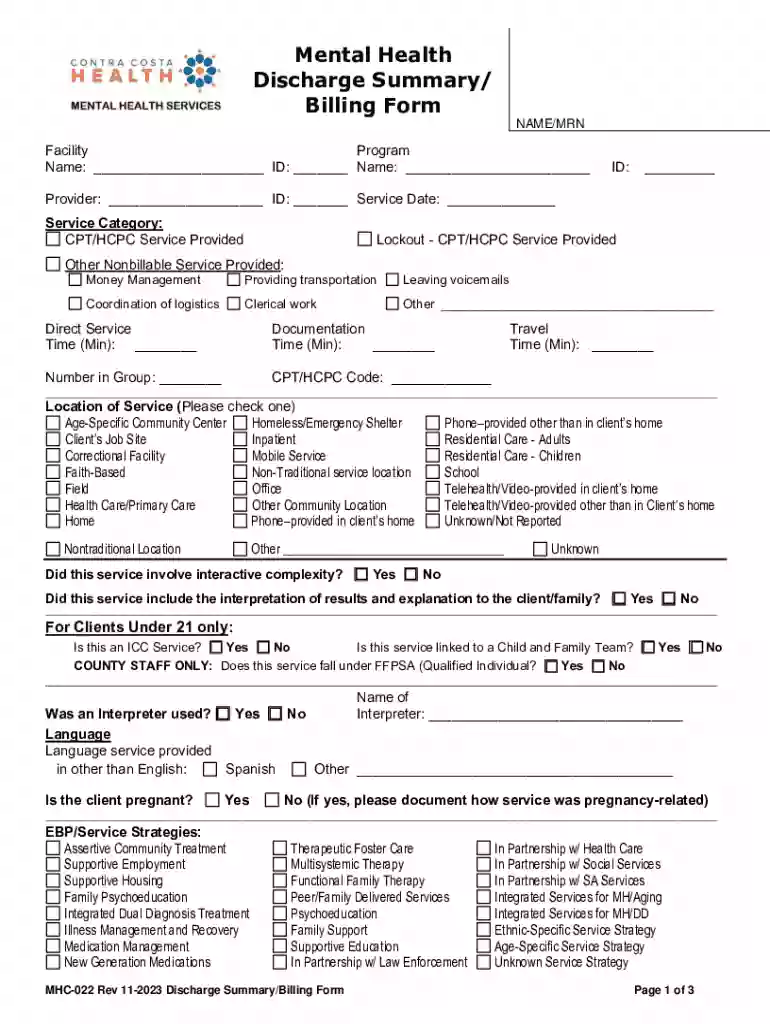
Outpatient DischargeMedical Billing and Coding Forum Preview on Page 1

Here's how it works

01. Edit your form online
Type text, add images, blackout confidential details, add comments, highlights and more.

02. Sign it in a few clicks
Draw your signature, type it, upload its image, or use your mobile device as a signature pad.

03. Share your form with others
Send it via email, link, or fax. You can also download it, export it or print it out.

How to use or fill out Outpatient Discharge Medical Billing and Coding Forum with our platform

Form edit decoration
9.5
Ease of Setup
DocHub User Ratings on G2
9.0
Ease of Use
DocHub User Ratings on G2
  1. Click ‘Get Form’ to open the Outpatient Discharge Medical Billing and Coding Forum in the editor.
  2. Begin by entering the patient's name and medical record number (MRN) at the top of the form. Ensure accuracy as this information is crucial for billing.
  3. Fill in the facility and program details, including provider information and service date. This section helps identify where and when services were rendered.
  4. Complete the service category by selecting appropriate CPT/HCPC codes for services provided. If applicable, document any non-billable services like money management or transportation.
  5. Indicate the time spent on direct services, documentation, and travel in minutes. This data is essential for accurate billing.
  6. Select the location of service from the provided options, ensuring it reflects where care was delivered.
  7. Answer questions regarding interactive complexity, interpreter usage, and pregnancy status as they pertain to your client’s situation.
  8. For clients under 21, complete additional sections related to ICC services and referrals as necessary.
  9. Document diagnosis codes using ICD-10 format along with DSM-5 narratives for both primary and secondary diagnoses.
  10. Outline course of treatment details including opening/closing dates, referral sources, discharge medications, allergies, and treatment outcomes.
  11. Finally, complete discharge plans with recommendations and possible future problems before signing off on the document.

Start filling out your Outpatient Discharge Medical Billing and Coding Forum today for free using our platform!

See more Outpatient DischargeMedical Billing and Coding Forum versions

We've got more versions of the Outpatient DischargeMedical Billing and Coding Forum form. Select the right Outpatient DischargeMedical Billing and Coding Forum version from the list and start editing it straight away!
Versions Form popularity Fillable & printable
2023 4.7 Satisfied (54 Votes)
2022 4.6 Satisfied (51 Votes)
2013 4.8 Satisfied (297 Votes)
be ready to get more

Complete this form in 5 minutes or less

Get form

Security and compliance

At DocHub, your data security is our priority. We follow HIPAA, SOC2, GDPR, and other standards, so you can work on your documents with confidence.

Learn more
ccpa2
pci-dss
gdpr-compliance
hipaa
soc-compliance