




Here's how it works



How to use or fill out Brass Payroll Deduction Form - Fill Online, Printable, Fillable

- Click ‘Get Form’ to open it in the editor.
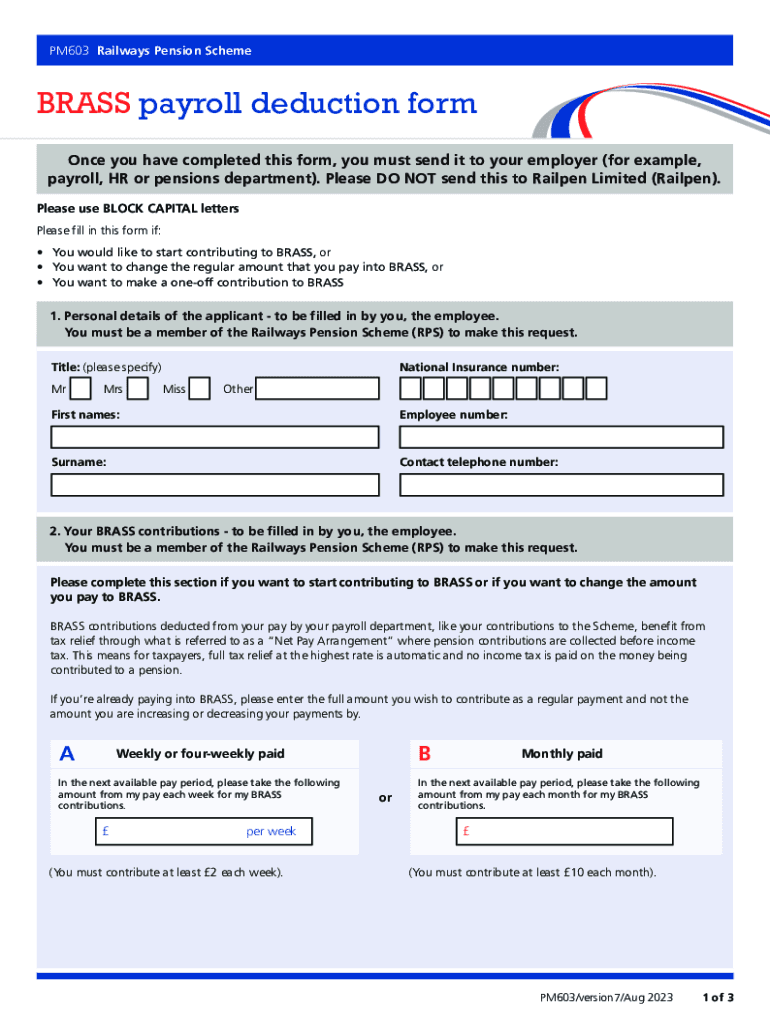
- Begin by filling in your personal details in Section 1. Use BLOCK CAPITAL letters for clarity. Include your title, National Insurance number, first names, employee number, surname, and contact telephone number.
- In Section 2, specify your BRASS contributions. Indicate whether you are paid weekly or monthly and enter the amount you wish to contribute. Remember that the minimum contribution is £2 per week or £10 per month.
- If you want to make a one-off payment, complete Section 3. State the amount and the date for this deduction in addition to your regular contributions.
- In Section 4, choose your BRASS fund options. You can either log into your myRPS account or complete a change of investment form as instructed.
- Finally, sign and date the declaration in Section 5 confirming that your payments will not be funded by any tax-free lump sum from a pension scheme.
Start using our platform today to easily fill out and manage your Brass Payroll Deduction Form for free!
It's free
See more Brass Payroll Deduction Form - Fill Online, Printable, Fillable versions
Got questions?
Can I use DocHub to generate legal eSignatures on my Brass Payroll Deduction Form - Fill Online, Printable, Fillable?
Yes, you can use DocHub for signing any business and private paperwork, including your Brass Payroll Deduction Form - Fill Online, Printable, Fillable. All electronic signatures you create with our service are legally binding and court-admissible, as DocHub complies with criteria required by ESIGN and UETA. Save your completed form with a detailed Audit Trail if necessary.
How do you get Brass Payroll Deduction Form - Fill Online, Printable, Fillable?
You can find the latest and most relevant version of the Brass Payroll Deduction Form - Fill Online, Printable, Fillable in our DocHub forms collection. Search it by categories or utilize the search field to find the exact template that suits your case. You may open this form for editing after you find it.
Security and compliance
At DocHub, your data security is our priority. We follow HIPAA, SOC2, GDPR, and other standards, so you can work on your documents with confidence.
Learn more


