




Here's how it works



How to use or fill out ei benefit statement sample with our platform

- Click ‘Get Form’ to open the ei benefit statement sample in the editor.
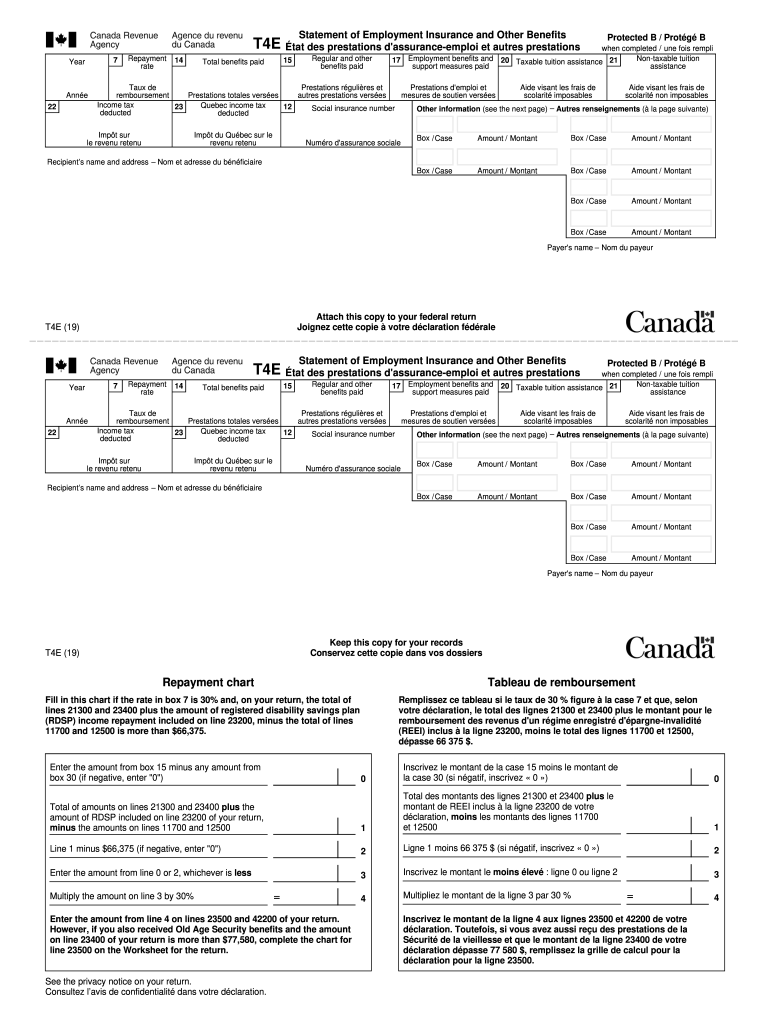
- Begin by entering the year of benefits received in the designated field at the top of the form.
- Fill in your social insurance number in the appropriate box to ensure accurate identification.
- Complete the recipient’s name and address section, ensuring all details are correct for proper documentation.
- Proceed to fill out each box with the corresponding amounts as indicated on your benefit statements, such as total benefits paid and taxable tuition assistance.
- If applicable, refer to the repayment chart for guidance on any repayments required based on your income levels.
- Review all entries for accuracy before saving or exporting your completed document for submission.
Start using our platform today to easily fill out your ei benefit statement sample online for free!
It's free
See more ei benefit statement sample versions
Got questions?
How can I eSign my ei benefit statement sample in Word?
Microsoft Word doesn’t have signing tools to generate valid electronic signatures and enforceable forms. Luckily, DocHub is an online eSignature-compliant editor that supports different file formats, such as .doc files. Sign in to your account and import the Word edition of your ei benefit statement sample from your device and cloud, or URL - our editor will automatically convert it into an editable PDF. Make all necessary adjustments in your form and click Sign to generate your own legally-binding eSignature. There are four signing methods from which to choose.
How do you get ei benefit statement sample for my state?
If you are searching for a state-specific ei benefit statement sample sample, you will find it in our DocHub Forms & Templates catalog. Use the search field, enter your form’s name, and search through the results for your state. You may also filter out irrelevant results while exploring our catalog by groups.
Security and compliance
At DocHub, your data security is our priority. We follow HIPAA, SOC2, GDPR, and other standards, so you can work on your documents with confidence.
Learn more




