




Here's how it works

01. Edit your form online
Type text, add images, blackout confidential details, add comments, highlights and more.

02. Sign it in a few clicks
Draw your signature, type it, upload its image, or use your mobile device as a signature pad.

03. Share your form with others
Send it via email, link, or fax. You can also download it, export it or print it out.
How to use or fill out Benefit application Redundancy - CSC

- Click ‘Get Form’ to open it in the editor.
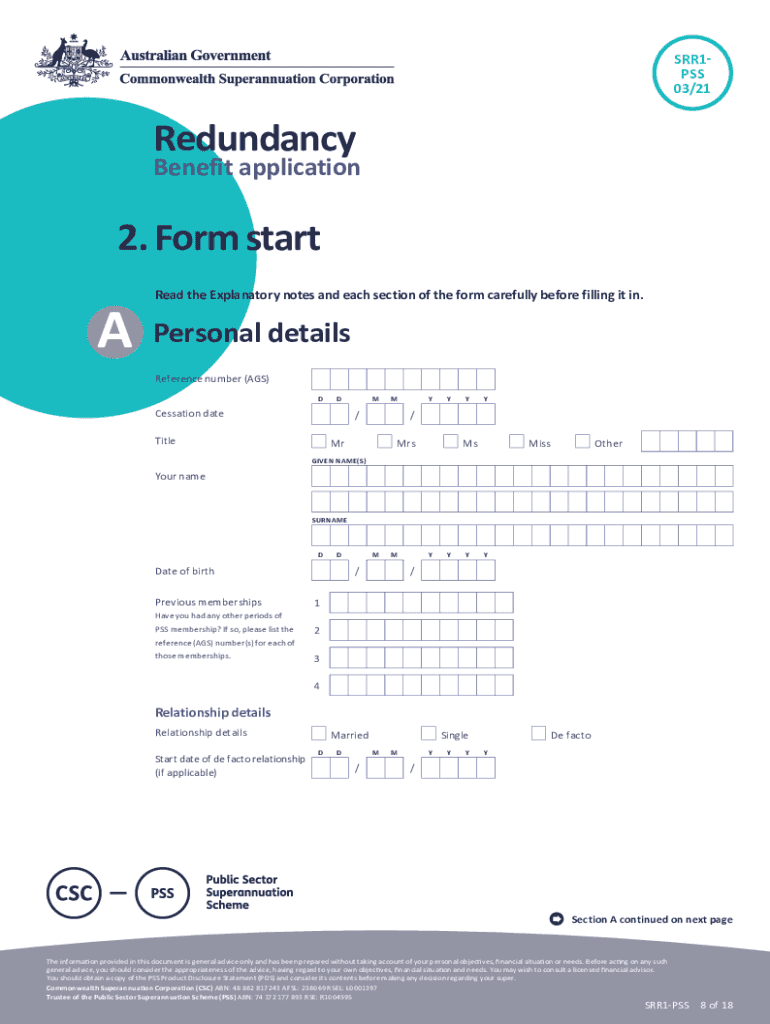
- Begin with Section A, where you will enter your personal details. Ensure to provide your email address for future correspondence and a contact phone number.
- In Section B, complete the identification requirements. You can authorize electronic verification of your documents or provide certified copies if necessary.
- Proceed to Section C to detail your employment status. Indicate whether you are permanently retiring or will be employed by another PSS participating employer.
- In Section D, select one benefit option that reflects your choice for accessing your PSS benefits. Remember, only one option can be selected.
- Complete any additional instructions in Section E if applicable, particularly regarding surcharge debts or transfer amounts.
- Fill out payment instructions in Section F, specifying how you want your lump sum or pension payments processed.
- Sign the information acknowledgement in Section H to confirm that you have understood all provided information before submitting the form.
Start using our platform today to streamline your Benefit application process for free!
Fill out Benefit application Redundancy - CSCBenefit application Redundancy - CSCBenefit application Redundan online
It's free
It's free
See more Benefit application Redundancy - CSCBenefit application Redundancy - CSCBenefit application Redundan versions
We've got more versions of the Benefit application Redundancy - CSCBenefit application Redundancy - CSCBenefit application Redundan form. Select the right Benefit application Redundancy - CSCBenefit application Redundancy - CSCBenefit application Redundan version from the list and start editing it straight away!
Security and compliance
At DocHub, your data security is our priority. We follow HIPAA, SOC2, GDPR, and other standards, so you can work on your documents with confidence.
Learn more


